

 Español
 中文
 العربية
Windows Update service not started and won't start ( Windows 11 )
Here are the step-by-step instructions on how to run the Windows Update Troubleshooter tool.
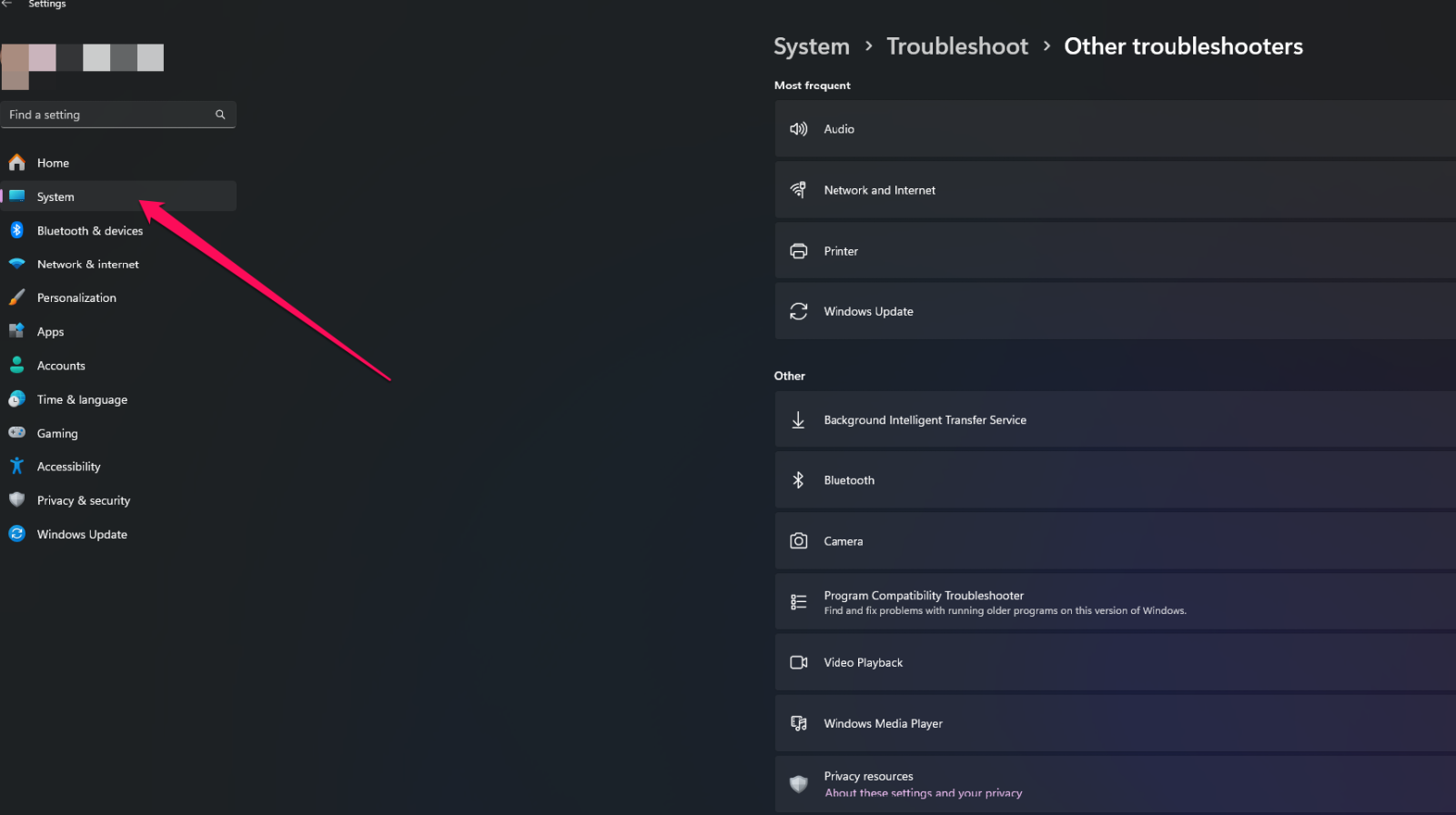
In Windows 11, you can find the Windows Update troubleshooter:Method 1:1. Go to Settings (Win + I) and Click on System.
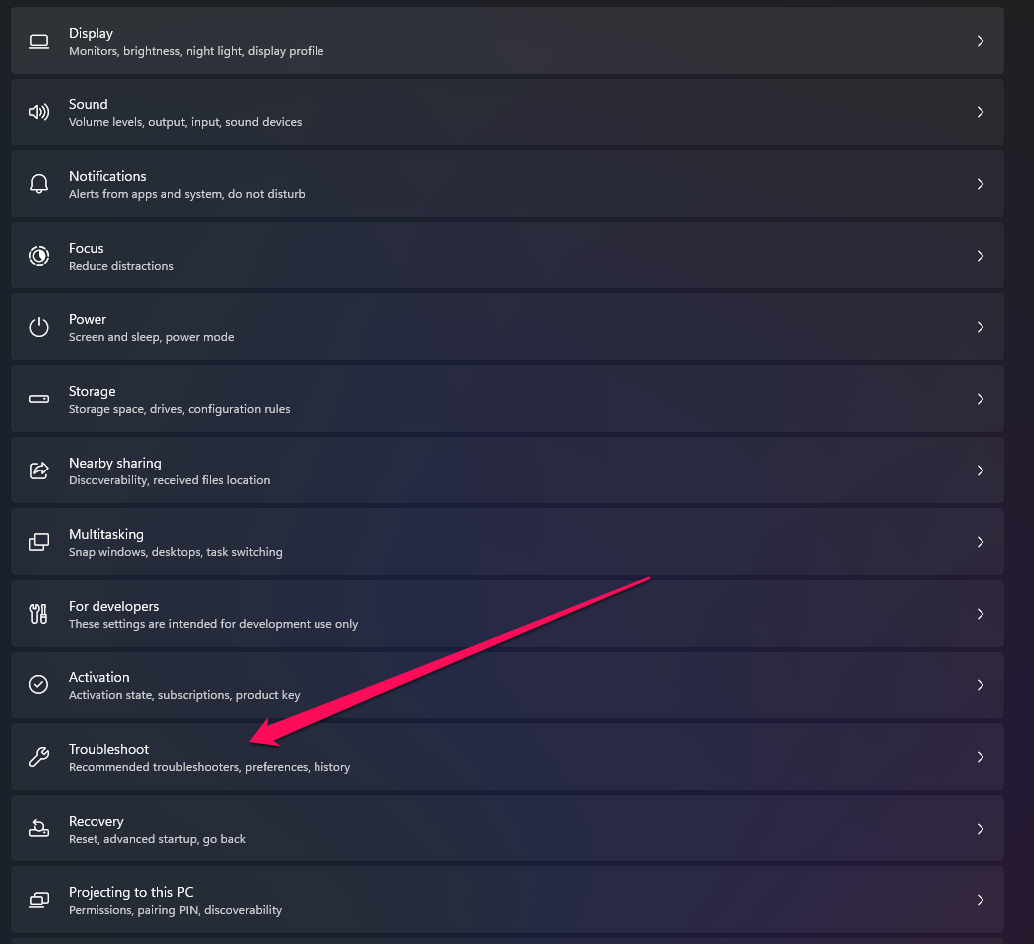
- Click on Troubleshoot.
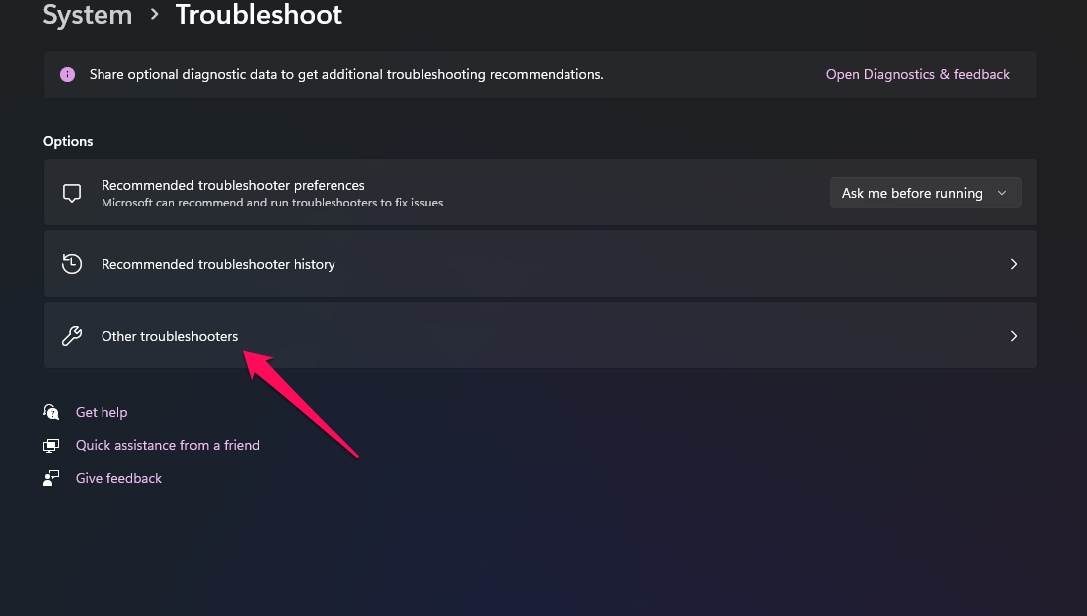
- Click on Other Troubleshooters.
- Locate Windows Update and click on Run.
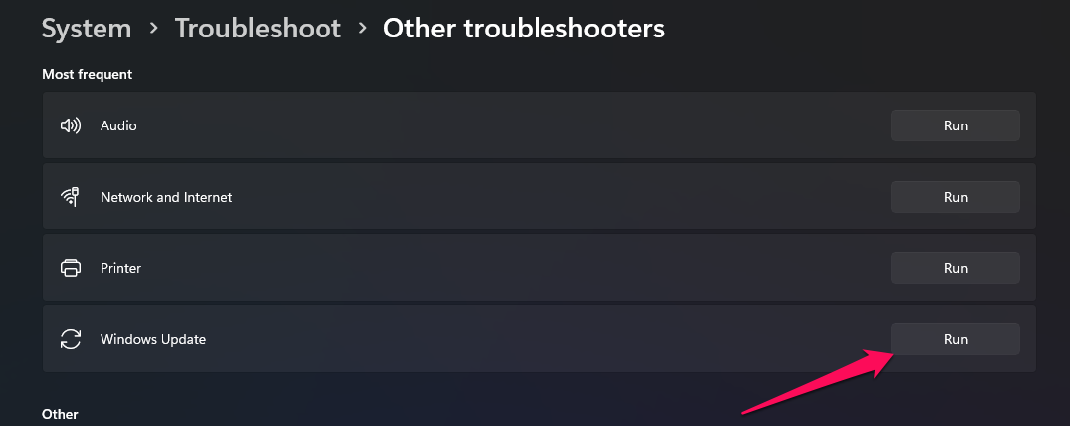
Once you click Run, it will execute the Windows diagnostic test and inform you if Windows Update is experiencing issues.