

 Español
 中文
 العربية
API
API Integration
Leverage ggLeap’s RESTful API to automate workflows, integrate with external systems, and extend your center’s capabilities. Configure your API token, select the appropriate rate-limit plan, and monitor your usage—all from Settings ▶ API.
Public API Token
Location: Settings ▶ API ▶ **Public API`
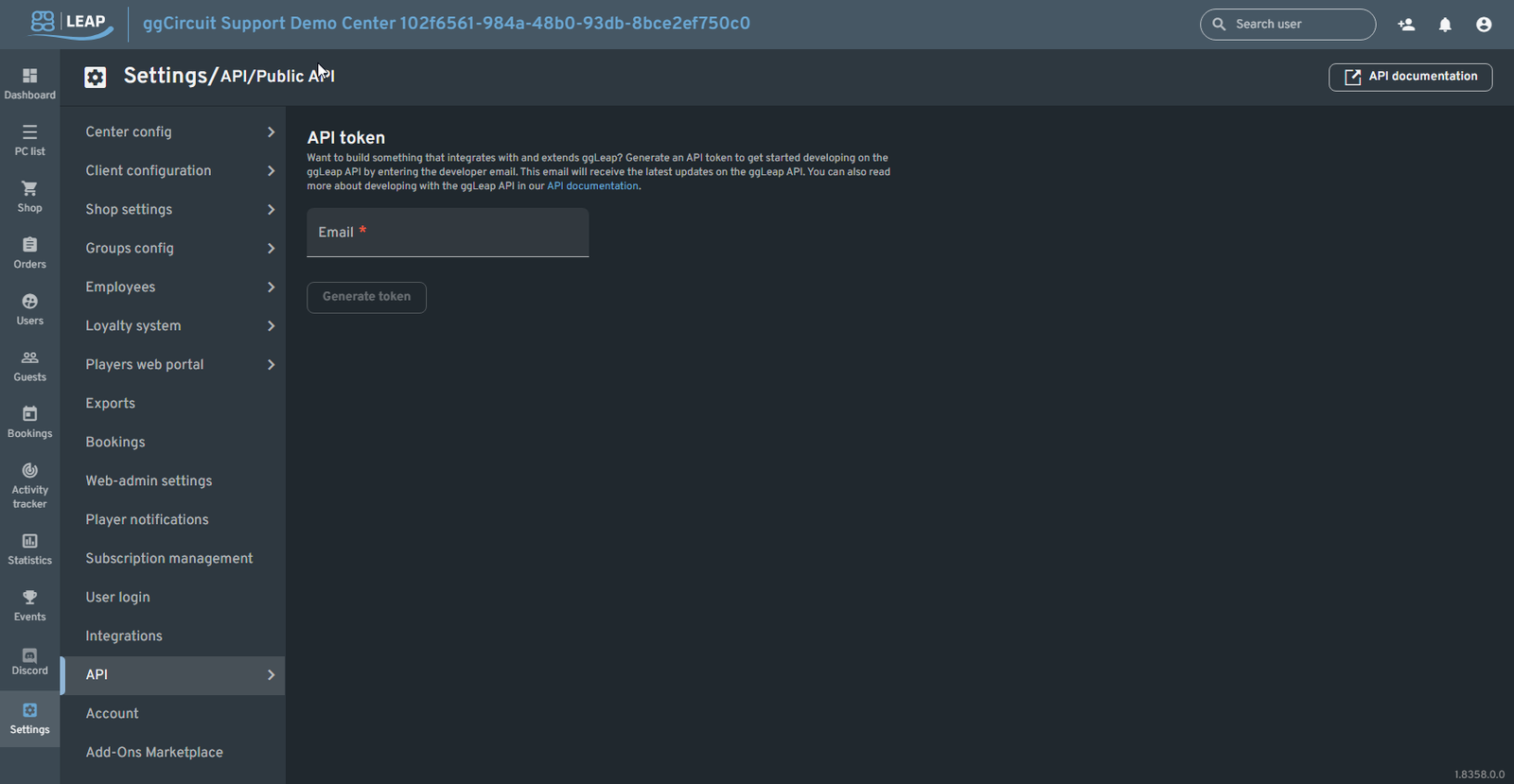
Generate a secure token tied to your center for authenticating API calls:
- Email
Enter the developer’s email address. That address will receive updates about API changes. - Generate token
Click to create your center’s unique bearer token. Store it securely—this is the only time you’ll see it. - API documentation
Opens the full Swagger-style reference at
https://admin.ggleap.com/public-api-documentation
API Rate Limits
Location: Settings ▶ API ▶ API rate limits
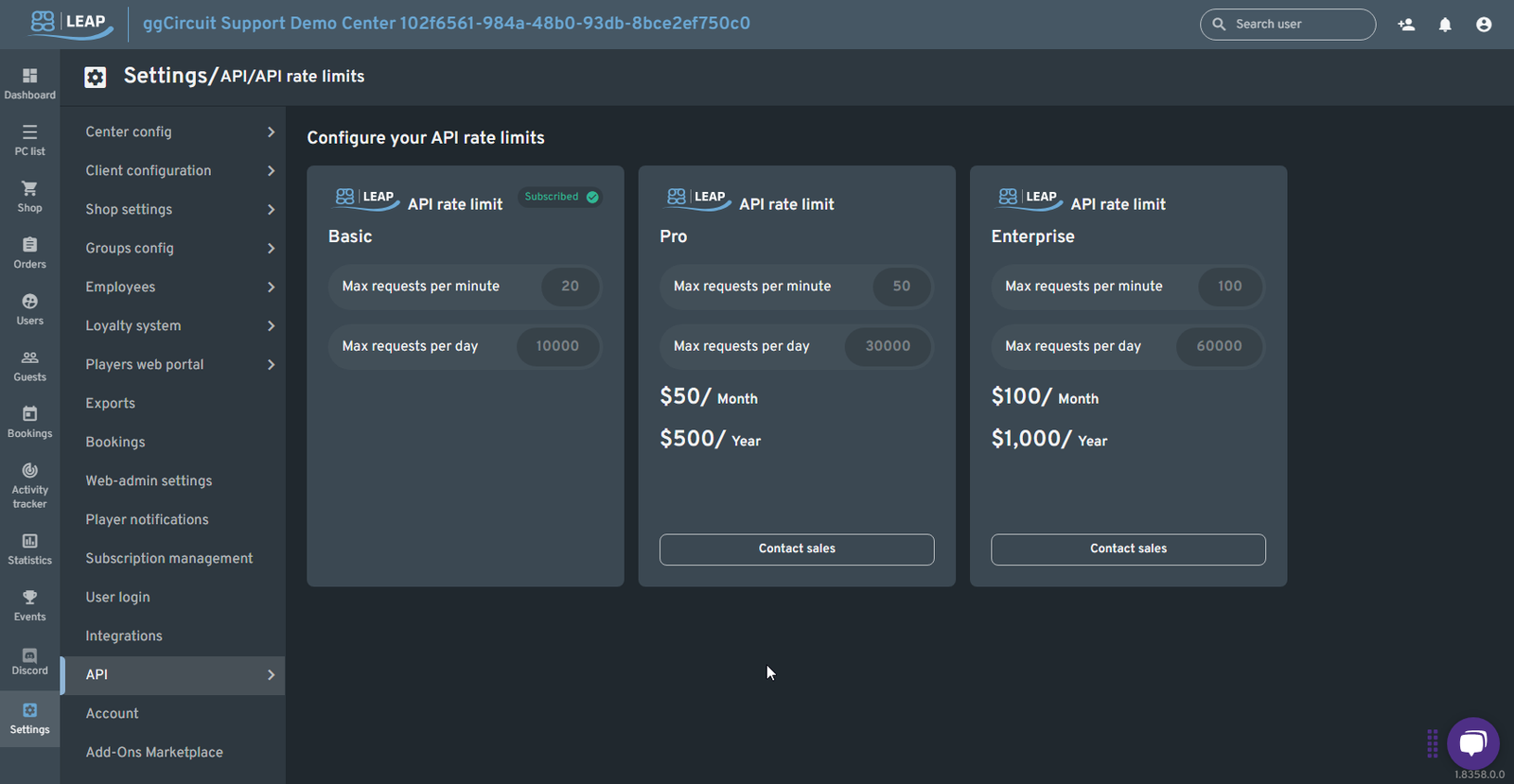
Choose the plan that matches your integration’s call volume:
| Plan | Max RPM | Max RPD | Price | Action |
|---|---|---|---|---|
| Basic | 20 | 10,000 | Included with ggLeap | (no charge) |
| Pro | 50 | 30,000 | $50 / month or $500 / year | Contact sales |
| Enterprise | 100 | 60,000 | $100 / month or $1,000 / year | Contact sales |
- Subscribed badge indicates your current plan.
- Click Contact sales to upgrade to a higher tier for heavier usage.
API Usage Dashboard
Location: Settings ▶ API ▶ API usage
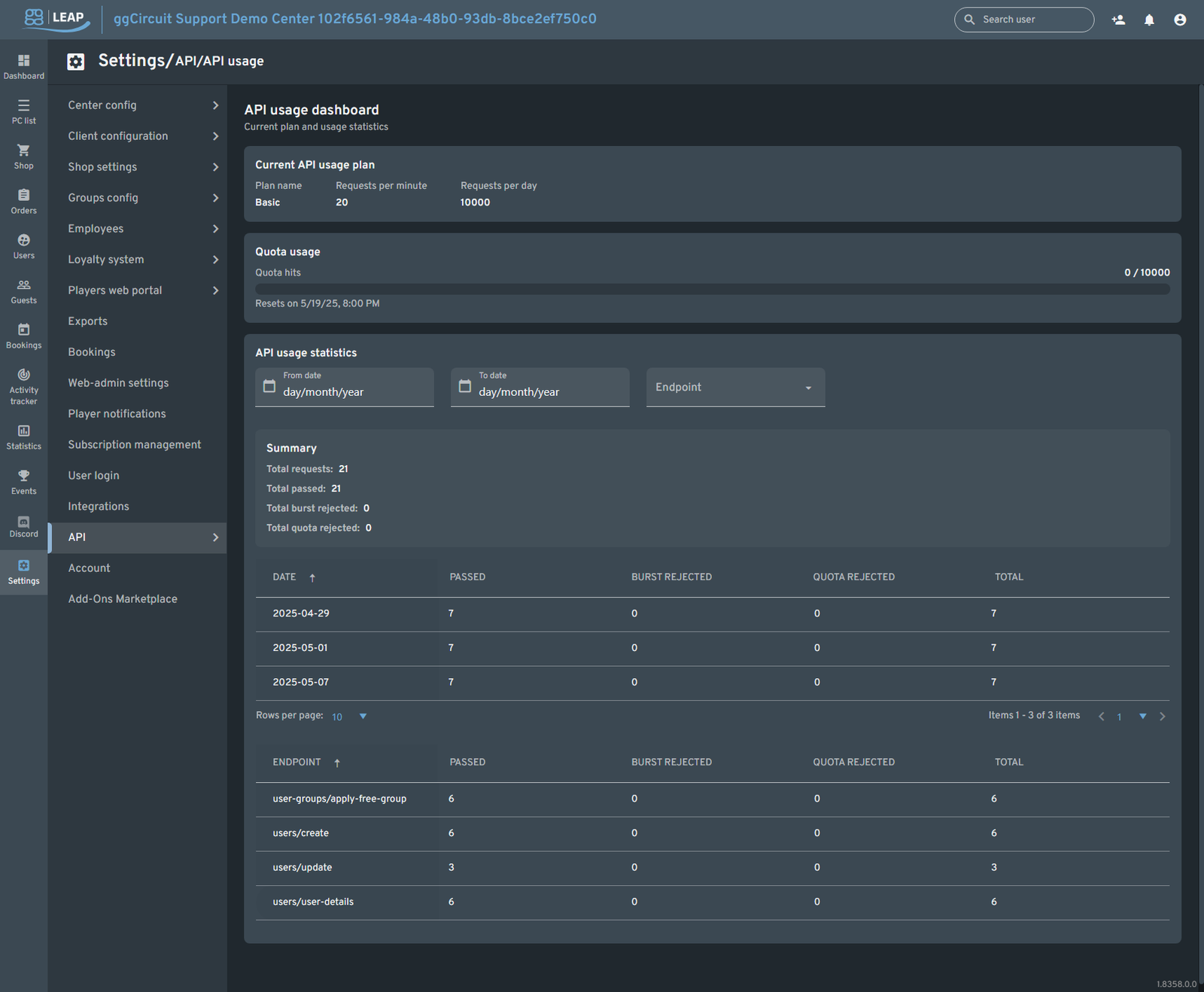
Monitor your center’s real-time API consumption:
- Current API usage plan
Displays your active plan name, RPM, and RPD limits. - Quota usage
Visual progress bar showing total daily calls used vs. daily allowance. - API usage statistics
- Date range & Endpoint filters to narrow reports.
- Summary section with totals for passed, burst-rejected, and quota-rejected calls.
- Daily breakdown table
Lists each date with counts of:
- Passed requests
- Burst rejected (over RPM)
- Quota rejected (over RPD)
- Total attempted
- Endpoint breakdown table
Shows per‐endpoint usage to identify your heaviest API consumers.
Tip:
- Track both burst and quota rejections to fine-tune your integration’s throttling logic.
- Review endpoint usage weekly to ensure you’re on the right plan or if you need to upgrade.