

 Español
 中文
 العربية
Guests View
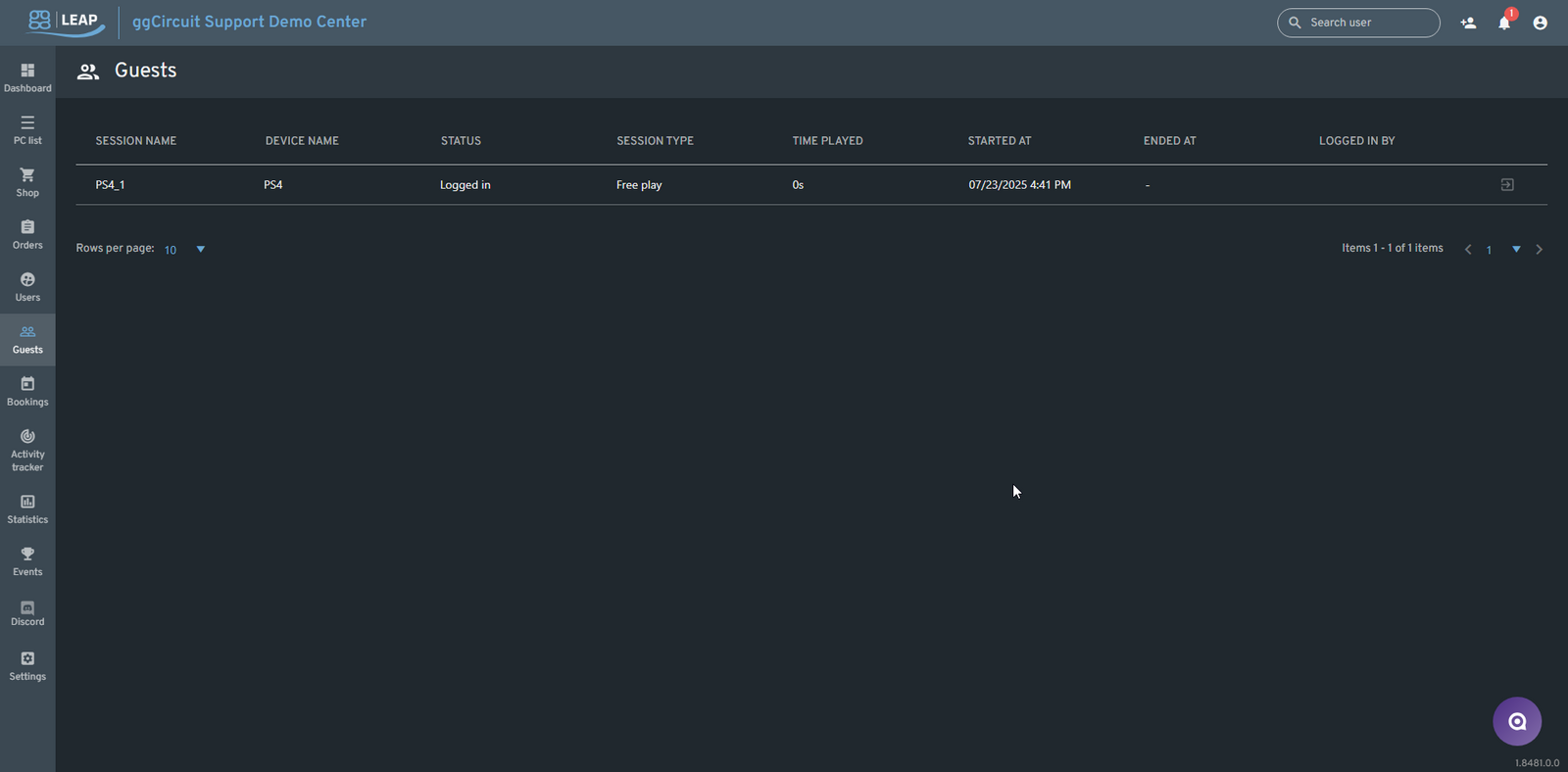
The Guests page in the ggLeap Admin Panel is dedicated to tracking guest user sessions—those initiated without a registered user account. These sessions are typically used for walk-in customers or temporary access and are distinct from standard user sessions.
📍 Accessing the Guests Page
From the ggLeap sidebar, click Guests to view all currently active and recently ended guest sessions across all PCs and consoles.
📋 Guest Sessions Table Columns
| Column | Description |
|---|---|
| Session Name | Unique identifier assigned to the guest session (e.g., PS4_1) |
| Device Name | Name of the PC or console the guest is logged into (e.g., PS4) |
| Status | Current session state: Logged in or Ended |
| Session Type | Type of session: usually Free play or time-based if configured |
| Time Played | Duration of the guest session so far (e.g., 0s, 10m) |
| Started At | Timestamp showing when the session began |
| Ended At | Timestamp showing when the session ended (if applicable) |
| Logged in By | Staff member who initiated the guest session (if tracked) |
🔎 Features & Functions
- Guest sessions are created manually from the PC List or Console List using the three-dot menu → Log in guest option.
- Sessions appear on this page only if they were initiated as guest logins.
- You can monitor session activity in real-time, including time played and login timestamps.
- Completed sessions remain visible until cleared or expired per retention settings.
🔐 Guest vs. Registered User Sessions
| Guest Session | Registered User Session |
|---|---|
| No account required | Linked to a specific user |
| Temporary / one-time | Persistent account with profile |
| Logged from PC or console menu | Logged via user login |
| Tracked on Guests page | Tracked on Users > Sessions |
✅ Best Practices
- Use guest sessions for quick, one-time access to reduce sign-up friction.
- Regularly monitor Time Played to ensure free play isn’t abused.
- Identify frequent guest users and encourage them to register for a full account to earn rewards and track play history.