

 Español
 中文
 العربية
Marvel Rivals via Epic Games Launcher not working in ggLeap
Problem : Launching Marvel Rivals through Epic Games continues to load but does not open the game. The game also works in Admin Mode.
Solution:
Create a Security Policy allowing batch files to run in ggLeap
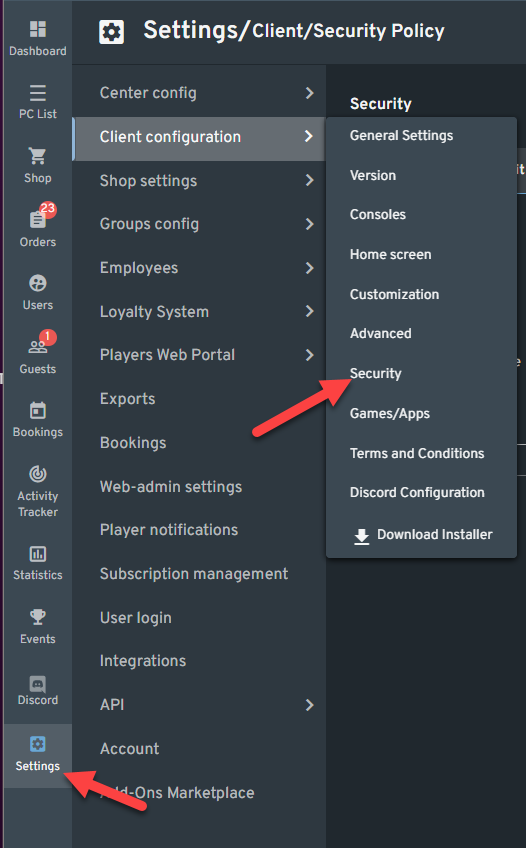
- In the web admin, go to Settings > Client Configuration > Security.
-
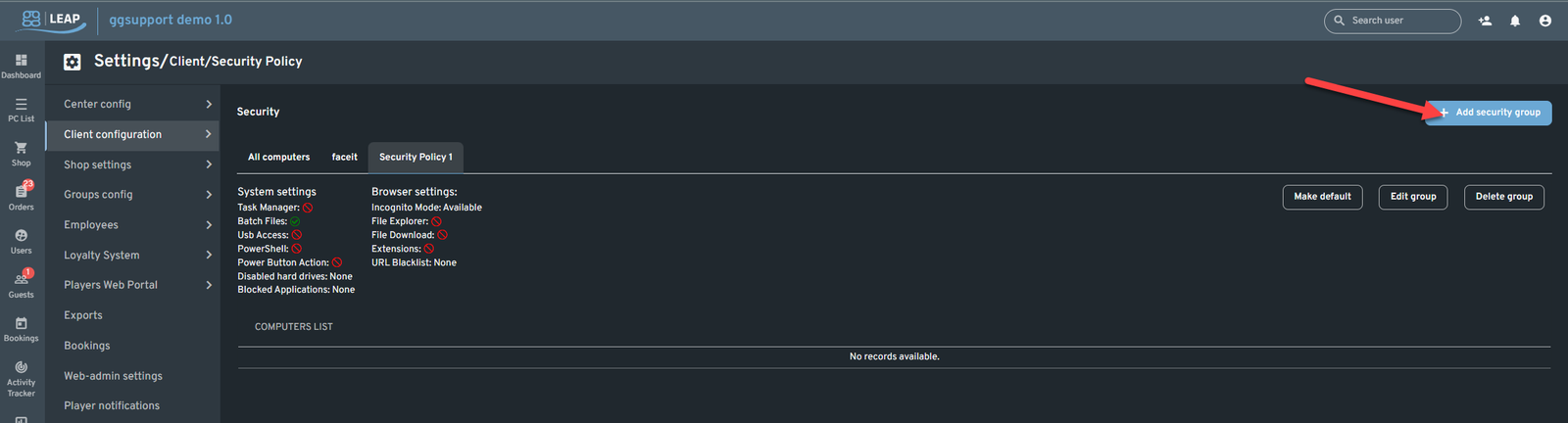
Click the Add Security Group.
-
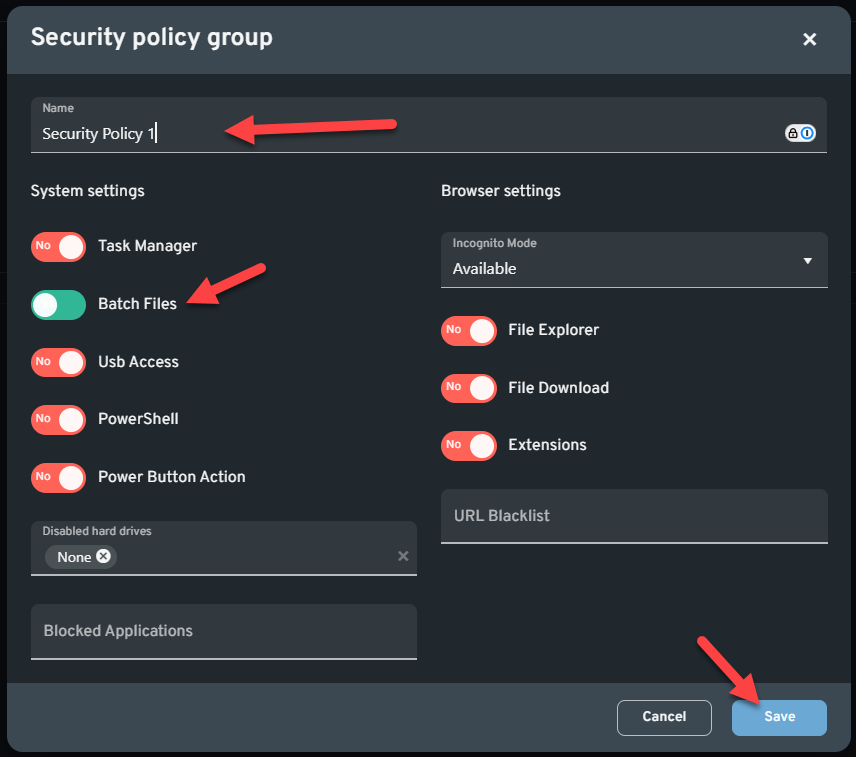
Enter the Security Group name, Enable Batch File, then click the “ Save” Button.
-
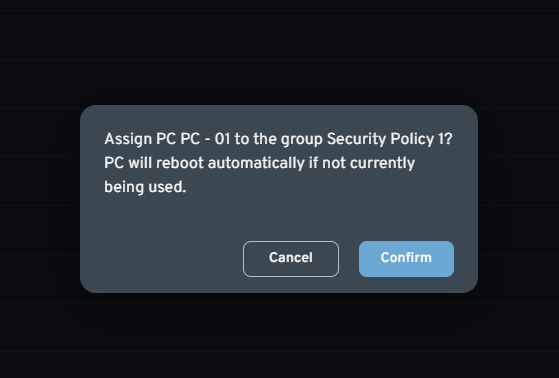
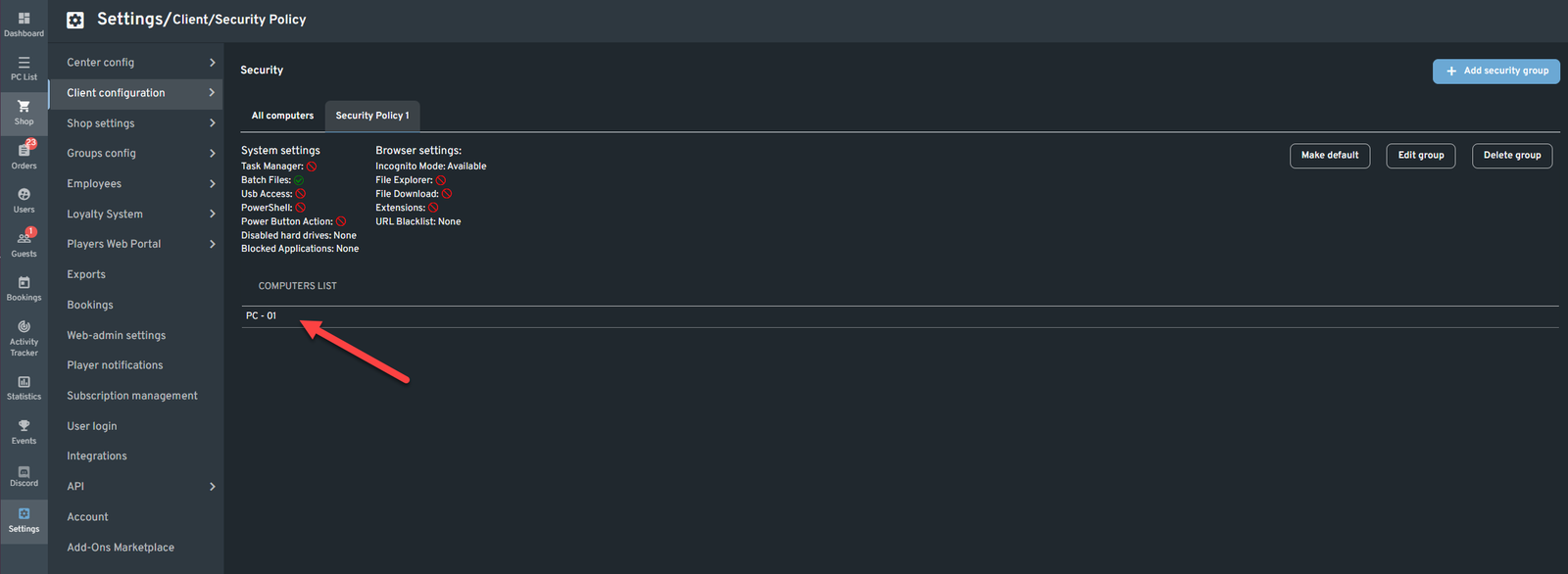
Click the Machine you want to add then Assign to the newly created Security Pollicy group and confirm.

-
You will now see the Machine added on the Security Policy Group. Machines will restart automatically after the move. But you can also reboot twice manually. You should be able to launch Marvel Rivals via Epic Launcher in ggleap.
Was this article helpful?
More in Games & launchers
- 🛠️ League of Legends Crashing – Troubleshooting Guide
- Final Fantasy XIV: "An unexpected error has occurred. Exiting FINAL FANTASY XIV.(6d)"
- League of Legends being forced to close every after matches
- RIOT Game Language is changed from default
- Troubleshooting: Steam Connectivity - How to Force TCP with the -tcp Parameter