Español
 中文
 العربية
Adding Game Time to an Existing User
There are several ways to add time or game time offers to a user through the web admin:
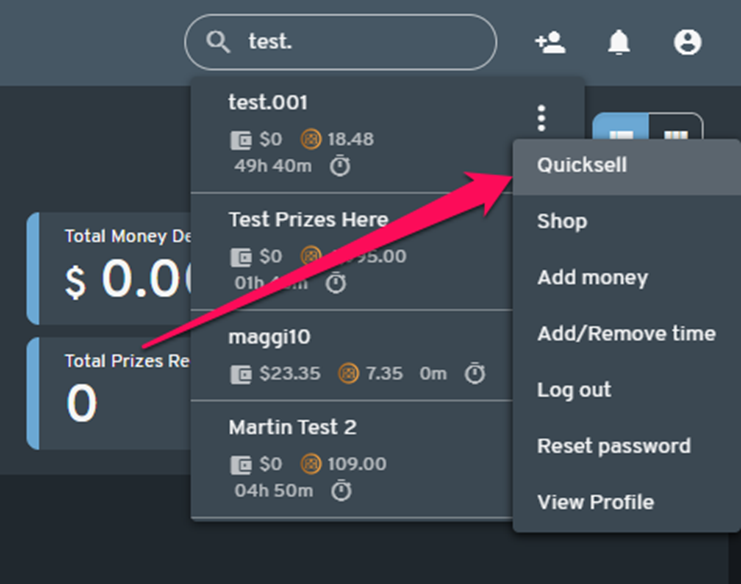
1. User Search (Dashboard)
Use the search field (top-right corner) to find the user.
- Click the three dots (more options) next to the user's name.
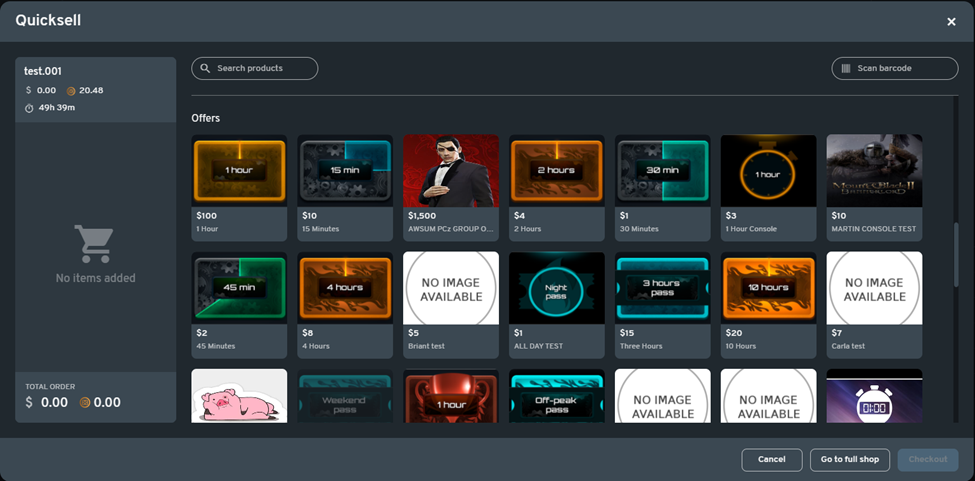
- Select "Quicksell" to add available offers.
2. From the User Profile
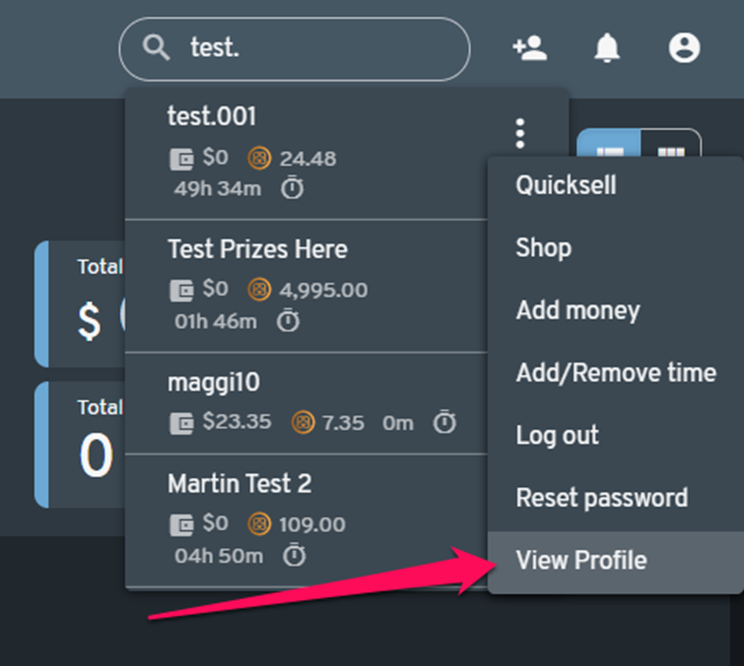
- Go to the user's profile.
- Click "Start Shopping" (top-right), or
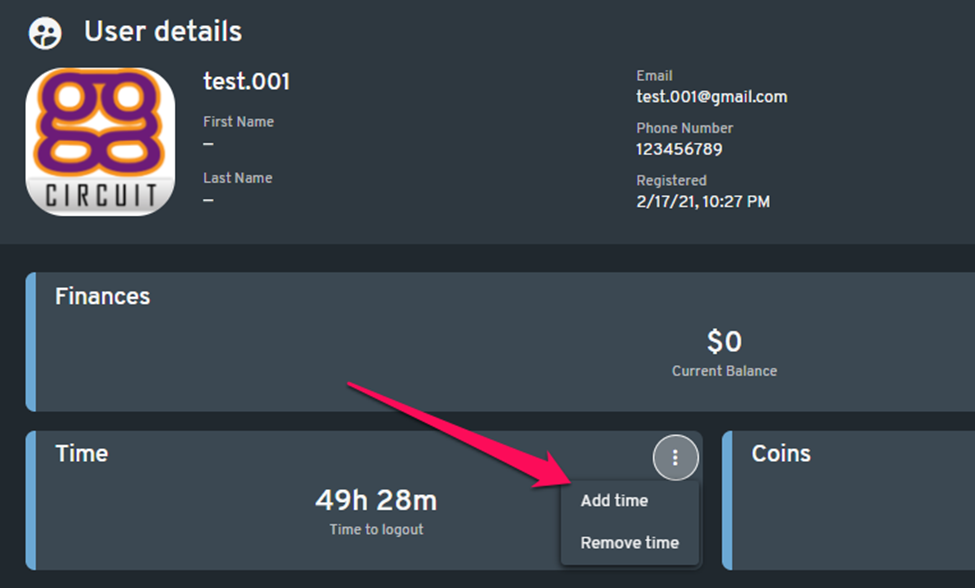
- If Legacy mode is enabled, click "Add Time" under the Time section.
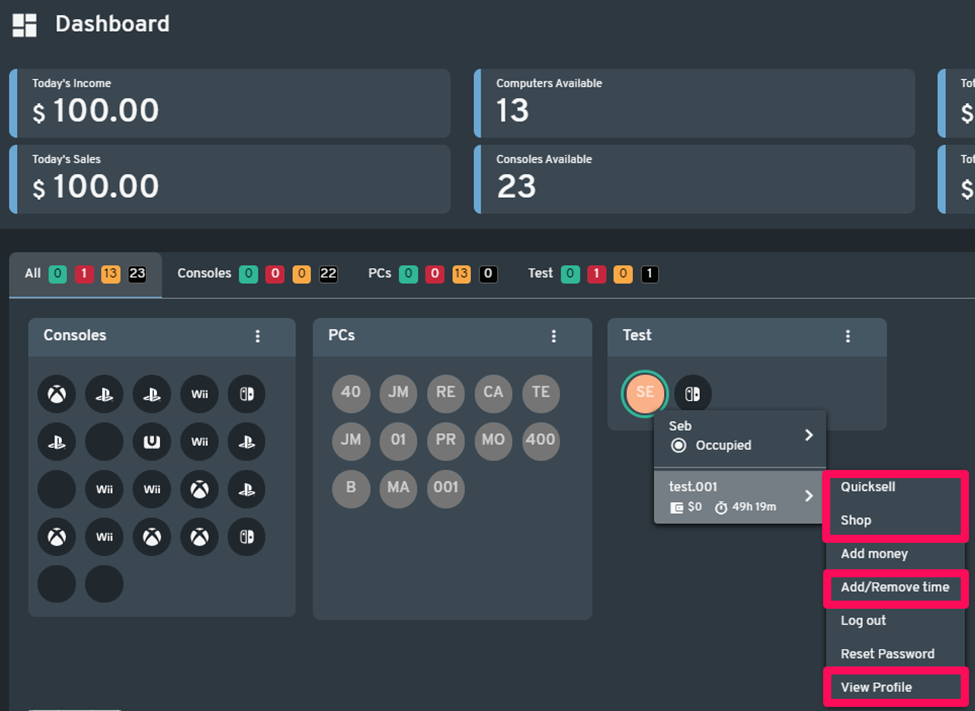
3. From a Logged-In PC
List View
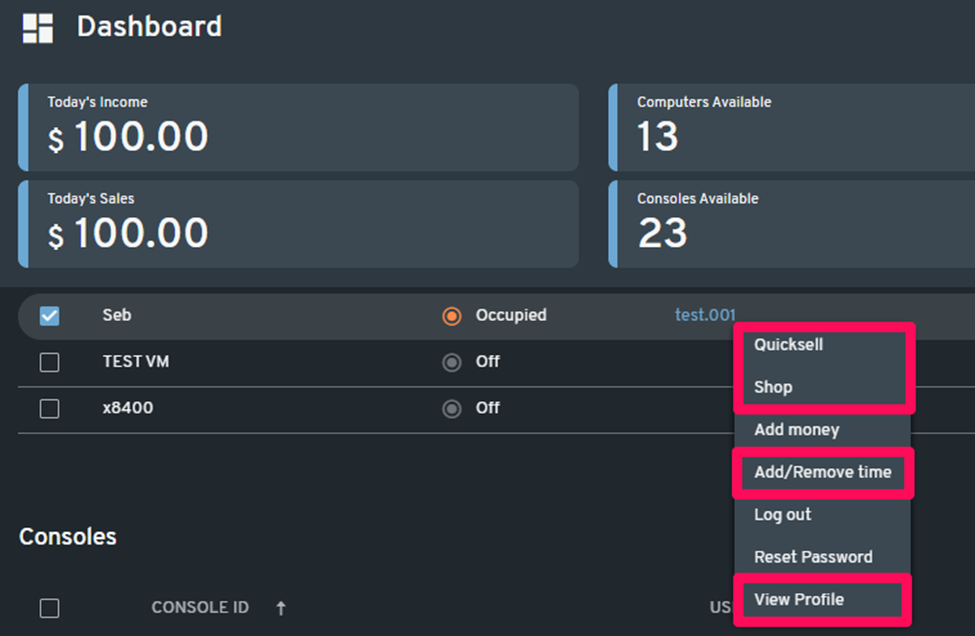
- Click the username from the PC Dashboard.
- Choose from the menu: "Quicksell", "Shop", "Add/Remove Time", or "View Profile".
Graphical View
- Click the node where the user is logged in.
- In the dropdown, click the username to open a secondary menu.
- Select: "Quicksell", "Shop", "Add/Remove Time", or "View Profile".