

 Español
 中文
 العربية
🗒️Coin reports
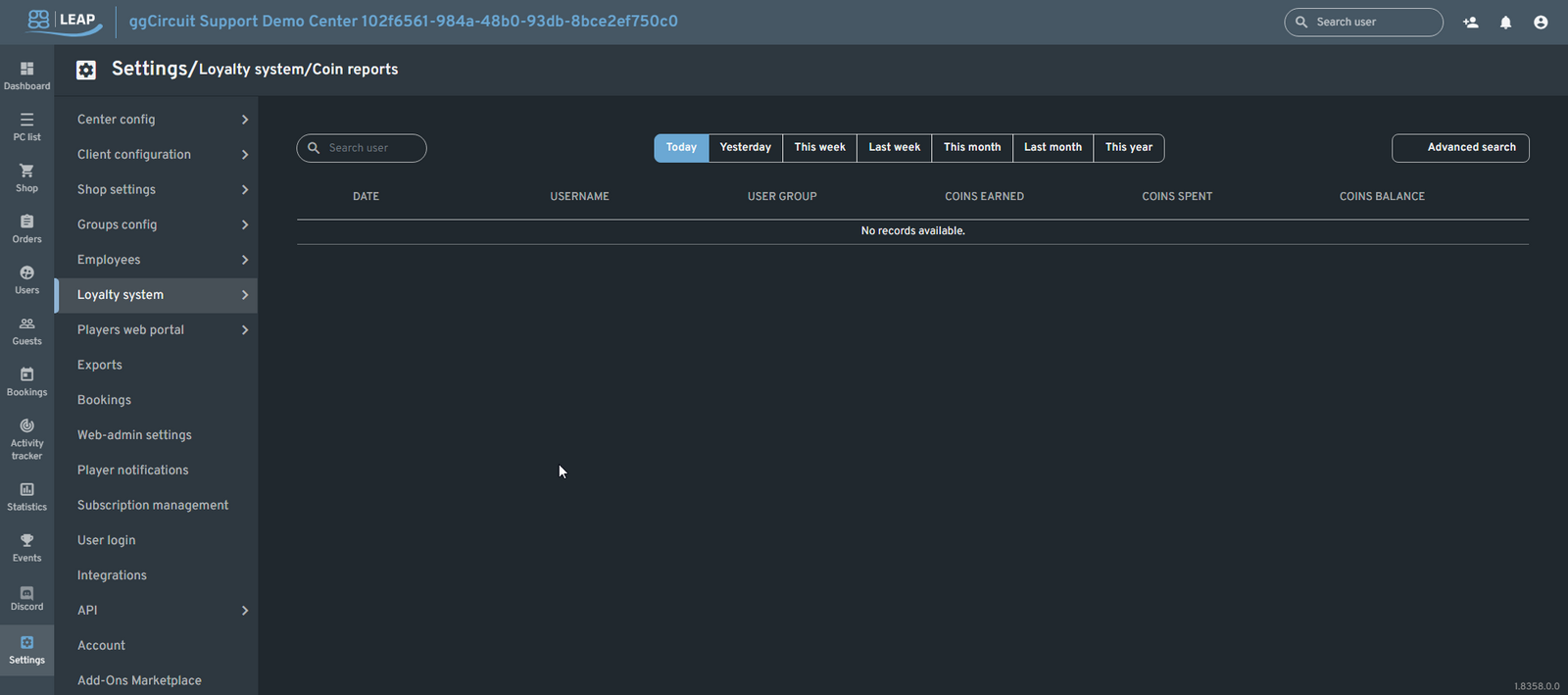
Coin Reports
Location: Settings ▶ Loyalty system ▶ Coin reports
Track every player’s coin earnings and spendings across custom timeframes, with both quick presets and a powerful advanced search.
Overview
At the top of the page:
-
Search user — type to filter the report by a specific username.
-
Quick date presets — one-click filters for:
-
Today
-
Yesterday
-
This week
-
Last week
-
This month
-
Last month
-
This year
-
Advanced search button — open a dialog for custom filtering (see below).
The main table displays each transaction:
| Date | Username | User group | Coins earned | Coins spent | Coins balance |
|---|---|---|---|---|---|
| No records available | – | – | – | – | – |
Advanced Search
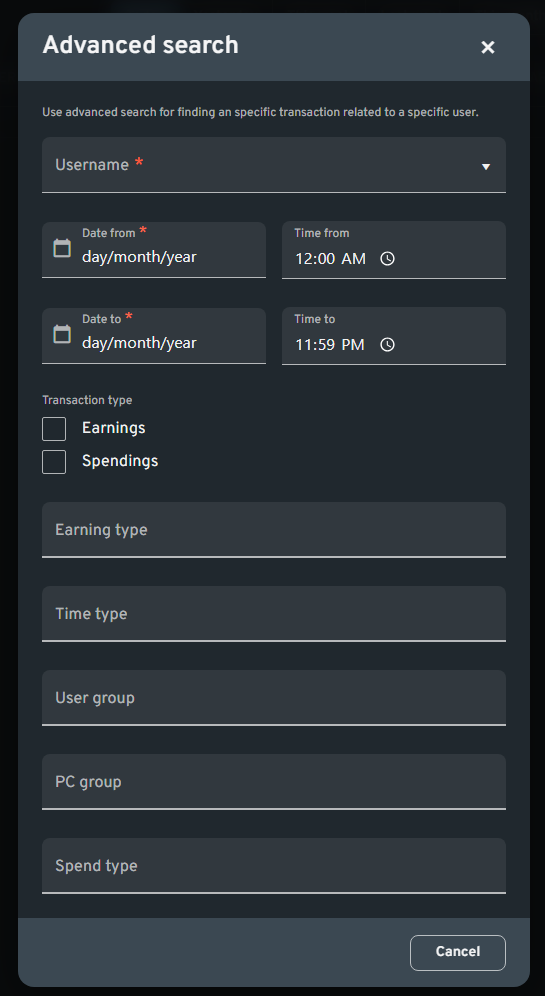
Click Advanced search to refine your query by multiple criteria:
-
Username (Required)
-
Date from & Time from
-
Date to & Time to
-
Transaction type
-
Earnings
-
Spendings
-
Earning type (e.g., “Login bonus,” “Referral reward”)
-
Time type (e.g., “Playtime,” “Idle time”)
-
User group (e.g., Free, VIP, Platinum)
-
PC group (e.g., General Systems, VIP machines)
-
Spend type (e.g., “Prize redemption,” “In-shop purchase”)
After filling in at least the Username, click Search (or Submit) to view only matching records.
Tip: Use the This week or Last month presets for a fast overview, then dive into Advanced search when you need to audit a particular user’s coin history or investigate specific earning/spending categories.