

 Español
 中文
 العربية
🪙 Coin configuration
The ggLeap Loyalty System uses "Coins" that customers can earn and redeem for prizes. This guide walks you through how to configure the system to enhance your customers' gaming experience.
📑 Table of Contents
🔧 Coin Configuration
Access this section from:
Web Admin → Settings → Loyalty System → Coin Configuration
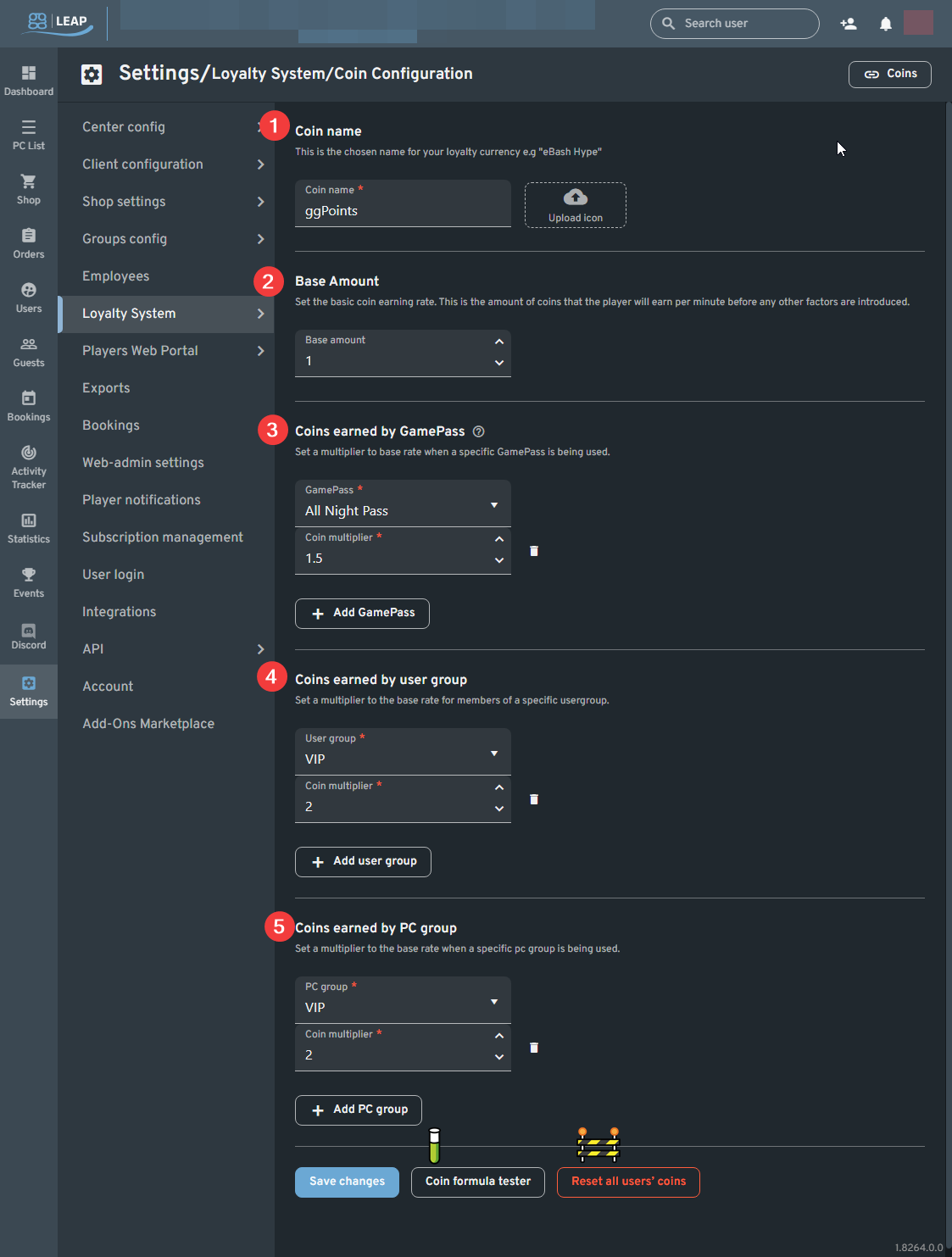
1. Coin Name
- Customize the name of your loyalty currency.
- Upload a custom coin icon to personalize the look.
2. Base Amount
- Sets the default coin earning rate per minute when customers are logged into a PC.
3. Coins Earned by Offer (GamePass)
- Apply a multiplier to the base rate for specific GamePass offers.
4. Coins Earned by User Group
- Apply a multiplier for specific User Groups (e.g., VIPs earn more coins).
5. Coins Earned by PC Group
- Apply a multiplier for specific PC Groups (e.g., premium setups earn more coins).
🧪 Coin Formula Tester
The "Coin Formula Tester" tool lets you preview how many coins a customer would earn based on your configuration.
This is especially useful to:
- Test stacked multiplier scenarios
- Plan fair prize pricing
- Ensure your system is balanced
Formula Used:
Coins = (Offer Multiplier × User Group Multiplier × PC Group Multiplier) × (Base Coin Rate × Minutes Logged In)
Resetting All Users' Coins
The "Reset all users' coins" button will set every registered user’s coin balance back to zero.