

 Español
 中文
 العربية
Content (Players Web Portal)
Content
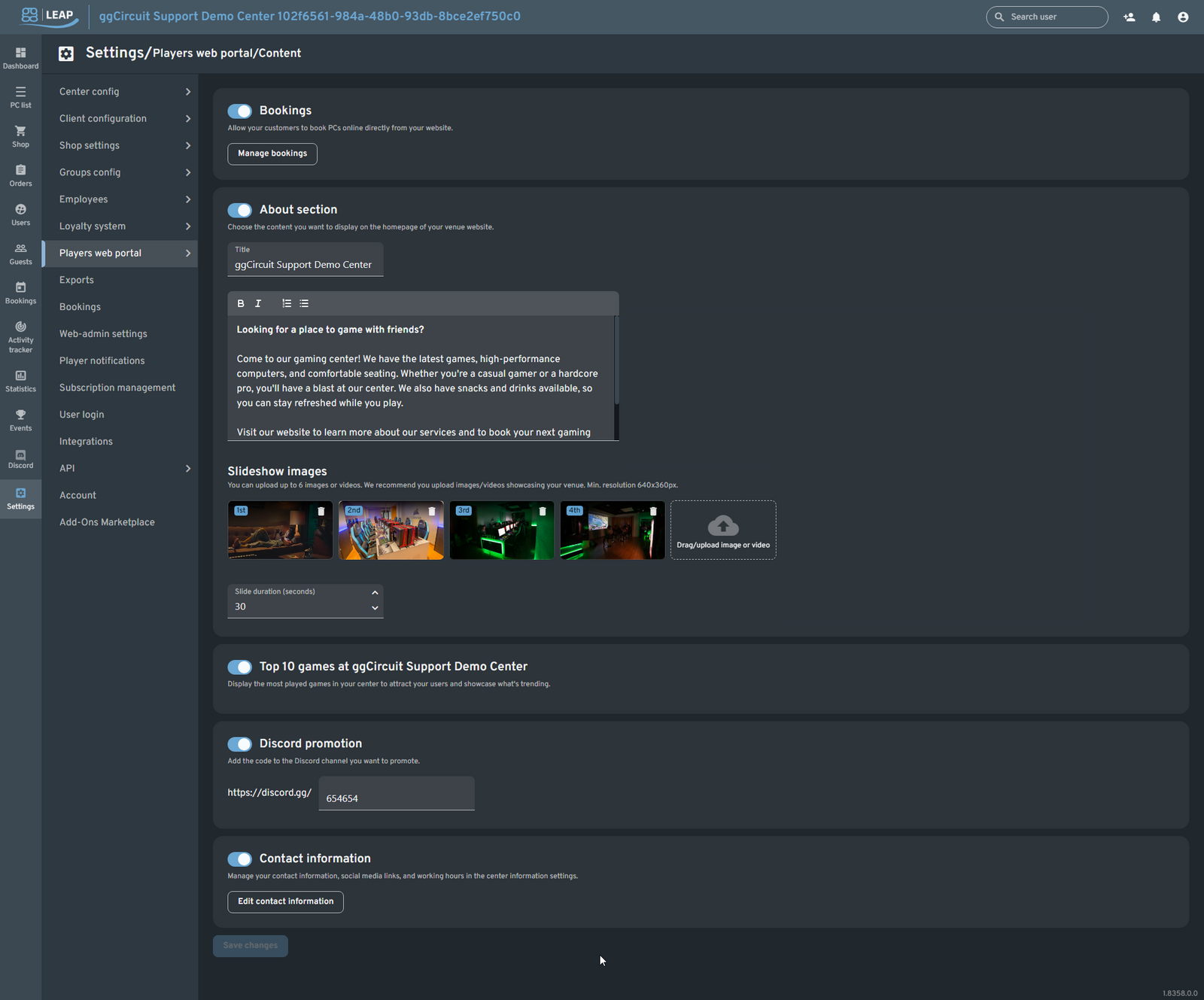
Toggle and customize the following sections of your portal homepage:
- Bookings
▶️ Enable online PC bookings and click Manage bookings to configure available time slots and fees. - About
▶️ Toggle on to add a Title and rich-text Description about your venue. - Slideshow images
Upload up to six images or videos (min. 640×360 px) to showcase arcade shots, events, or promos. Set Slide duration in seconds. - Top 10 games
▶️ Show your center’s most-played titles to entice web visitors. - Discord promotion
▶️ Enter your Discord invite code to link players directly to your community server. - Contact information
▶️ Click Edit contact information to manage social links, email, phone, and hours of operation.
After making changes, click Save changes to publish.