

 Español
 中文
 العربية
Marketing coupons
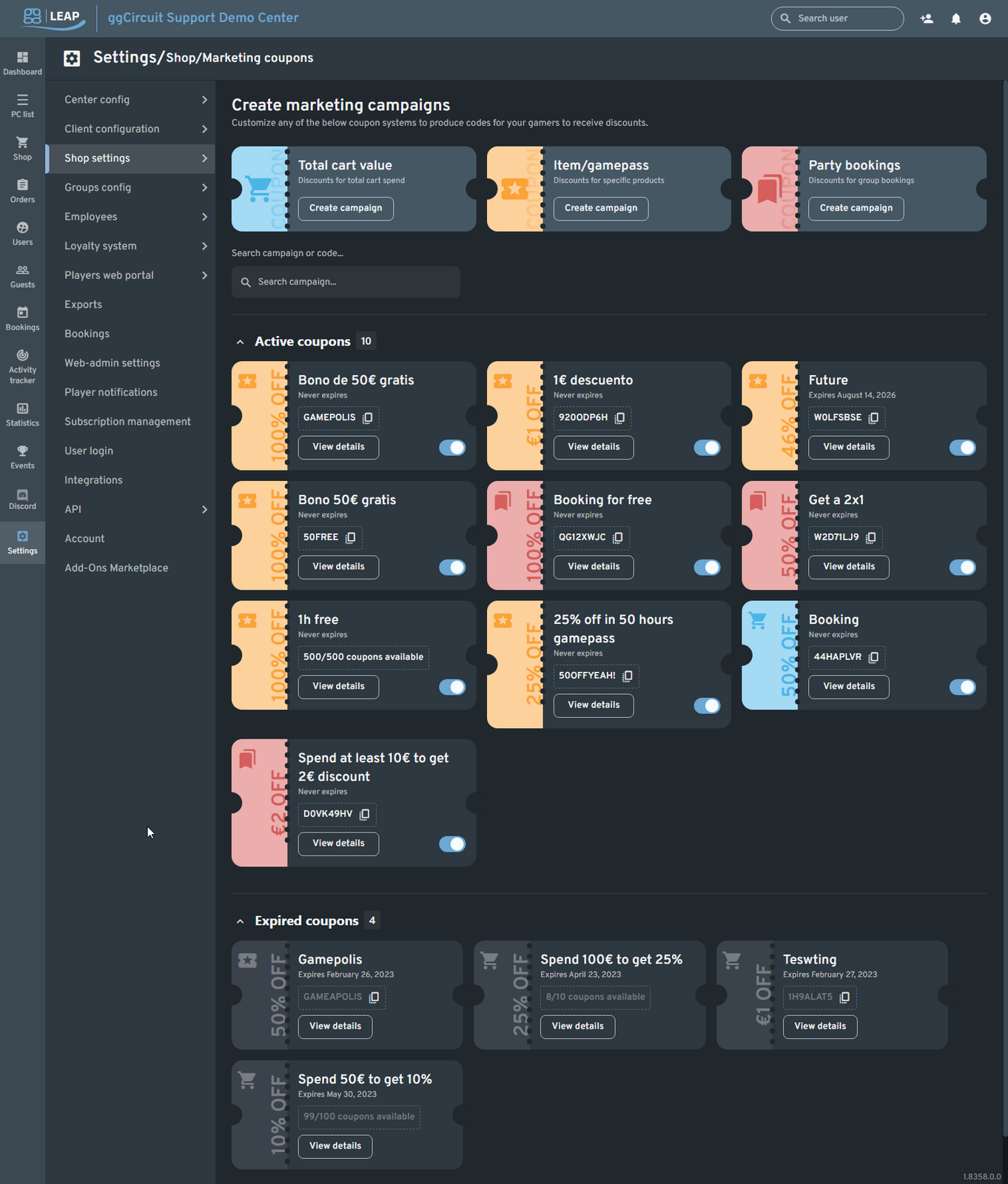
Settings → Shop → Marketing Coupons
Path: Settings ▶ Shop settings ▶ Marketing coupons
| # | Element | Description |
|---|---|---|
| 1 | Total cart value | Discounts based on the total spend in cart. |
| 2 | Item/GamePass | Discounts for specific products or passes. |
| 3 | Party bookings | Discounts for group bookings. |
| 4 | Search | Find existing campaigns or codes by name or code. |
| 5 | Active / Expired coupons | Toggle sections to view current vs. expired campaigns. |
Total Cart Value Discount
Configure thresholds and discount rules for cart-wide campaigns.
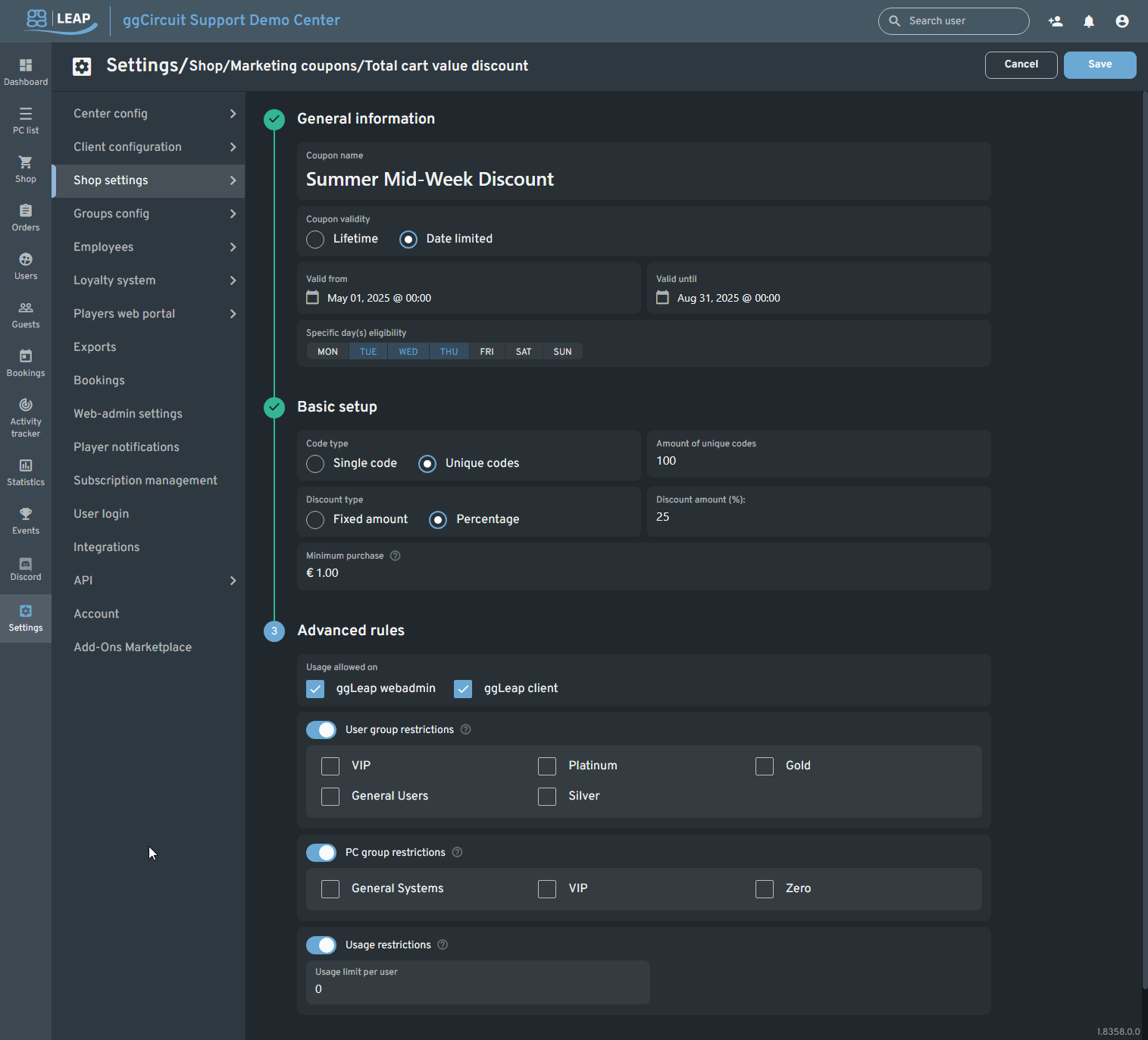
General Information
| Field | Description |
|---|---|
| Coupon name | Name shown to admins and players. |
| Coupon validity | ○ Lifetime○ Date limited |
| Valid from / until | Start and end dates & times when this coupon is redeemable. |
| Specific day(s) | Restrict usage to selected weekdays (Mon–Sun). |
Basic Setup
| Field | Description | Default / Options |
|---|---|---|
| Code type | ○ Single code○ Unique codes | |
| Amount of codes | Number of unique codes to generate (if selected). | 0–∞ |
| Discount type | ○ Fixed amount (EUR)○ Percentage | |
| Discount amount | Value or percentage to deduct from the cart total. | |
| Minimum purchase | (Optional) Cart minimum required to apply the discount. |
Advanced Rules
| Rule | Options |
|---|---|
| Usage allowed on | ☑ ggLeap webadmin☑ ggLeap client |
| User group restrictions | Toggle on to limit by user groups (VIP, Platinum, etc.) |
| PC group restrictions | Toggle on to limit by PC groups (General, VIP, etc.) |
| Usage restrictions | Toggle on and set per-user usage limit. |
Save
Item or GamePass Coupon
Create discounts for specific products or GamePass durations.
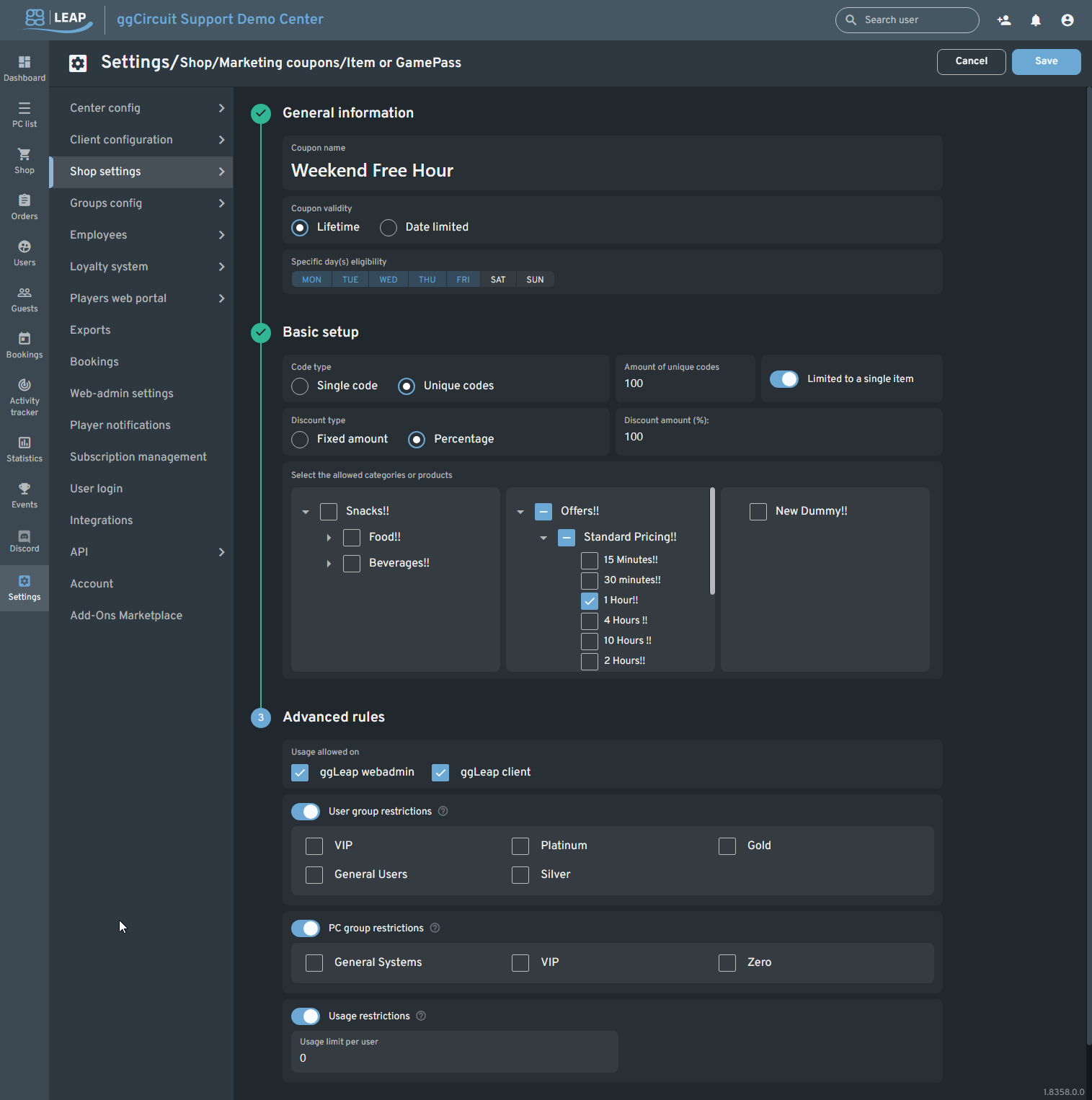
General Information
| Field | Description |
|---|---|
| Coupon name | Descriptive name for the campaign. |
| Coupon validity | ○ Lifetime○ Date limited |
| Specific day(s) | Restrict coupon to certain weekdays. |
Basic Setup
| Field | Description | Default / Options |
|---|---|---|
| Code type | ○ Single code○ Unique codes | |
| Amount of codes | Number of unique codes to generate. | |
| Discount type | ○ Fixed amount (EUR)○ Percentage | |
| Discount amount | Value or percentage discount for the selected items. | |
| Limited to single item | Toggle on to apply one coupon per product only. | |
| Allowed categories/products | Tree selector: pick categories or individual products to include. |
Advanced Rules
| Rule | Options |
|---|---|
| Usage allowed on | ☑ ggLeap webadmin☑ ggLeap client |
| User group restrictions | Toggle on and select allowed user groups. |
| PC group restrictions | Toggle on and select allowed PC groups. |
| Usage restrictions | Toggle on and define per-user usage limit. |
Save
Party Booking Coupon
Set up discounts specifically for group bookings.
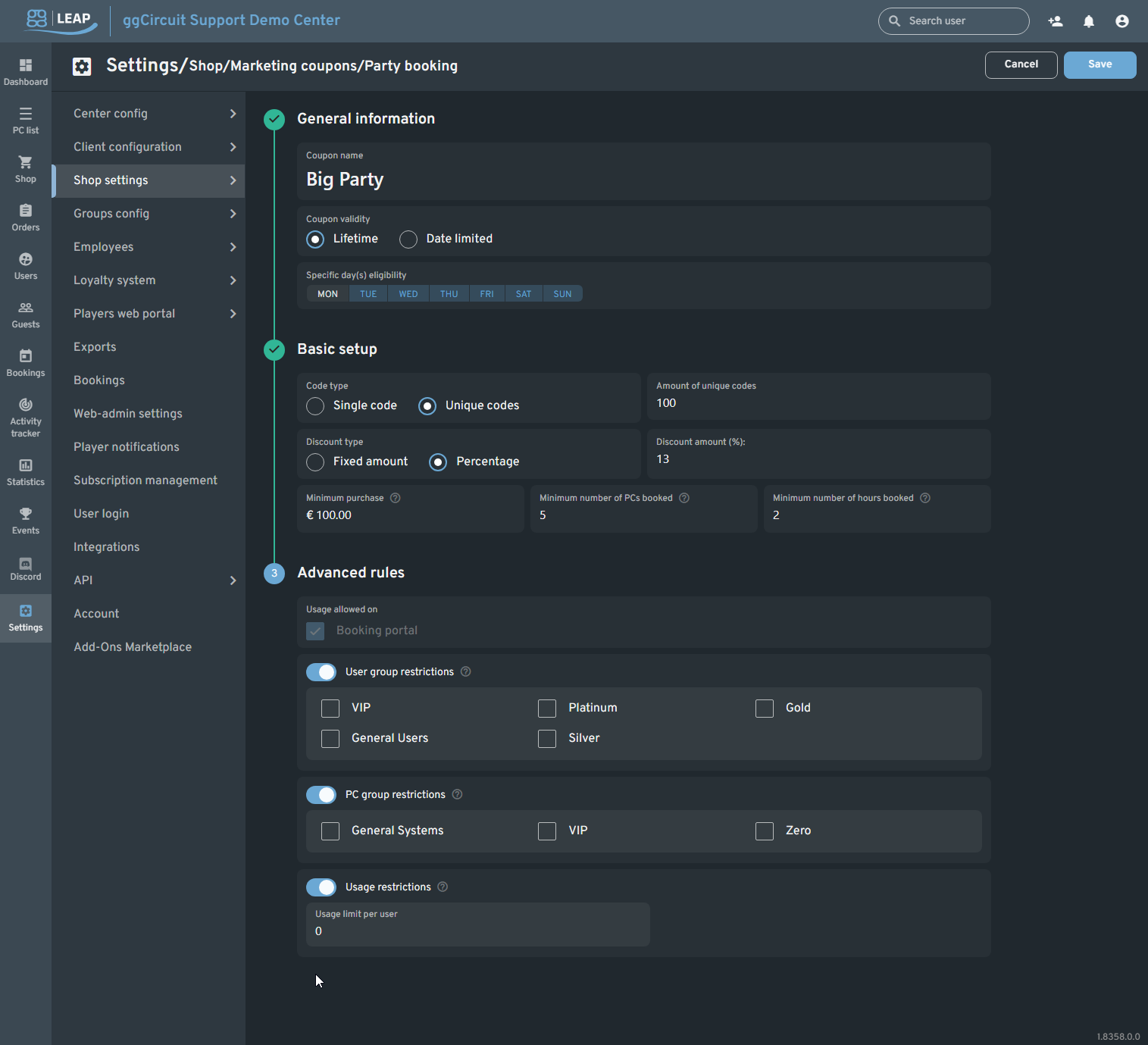
General Information
| Field | Description |
|---|---|
| Coupon name | Name of the party booking campaign. |
| Coupon validity | ○ Lifetime○ Date limited |
| Specific day(s) | Restrict usage to selected weekdays. |
Basic Setup
| Field | Description | Default / Options |
|---|---|---|
| Code type | ○ Single code○ Unique codes | |
| Amount of codes | Number of unique codes to generate. | |
| Discount type | ○ Fixed amount (EUR)○ Percentage | |
| Discount amount | Value or percentage discount on the booking. | |
| Minimum purchase | Minimum cart value required (EUR). | |
| Minimum PCs booked | Minimum number of PCs in booking. | |
| Minimum hours booked | Minimum total booking duration (hours). |
Advanced Rules
| Rule | Options |
|---|---|
| Usage allowed on | ☑ Booking portal |
| User group restrictions | Toggle on and select allowed user groups. |
| PC group restrictions | Toggle on and select allowed PC groups. |
| Usage restrictions | Toggle on and define per-user usage limit. |