

 Español
 中文
 العربية
Shop Configuration
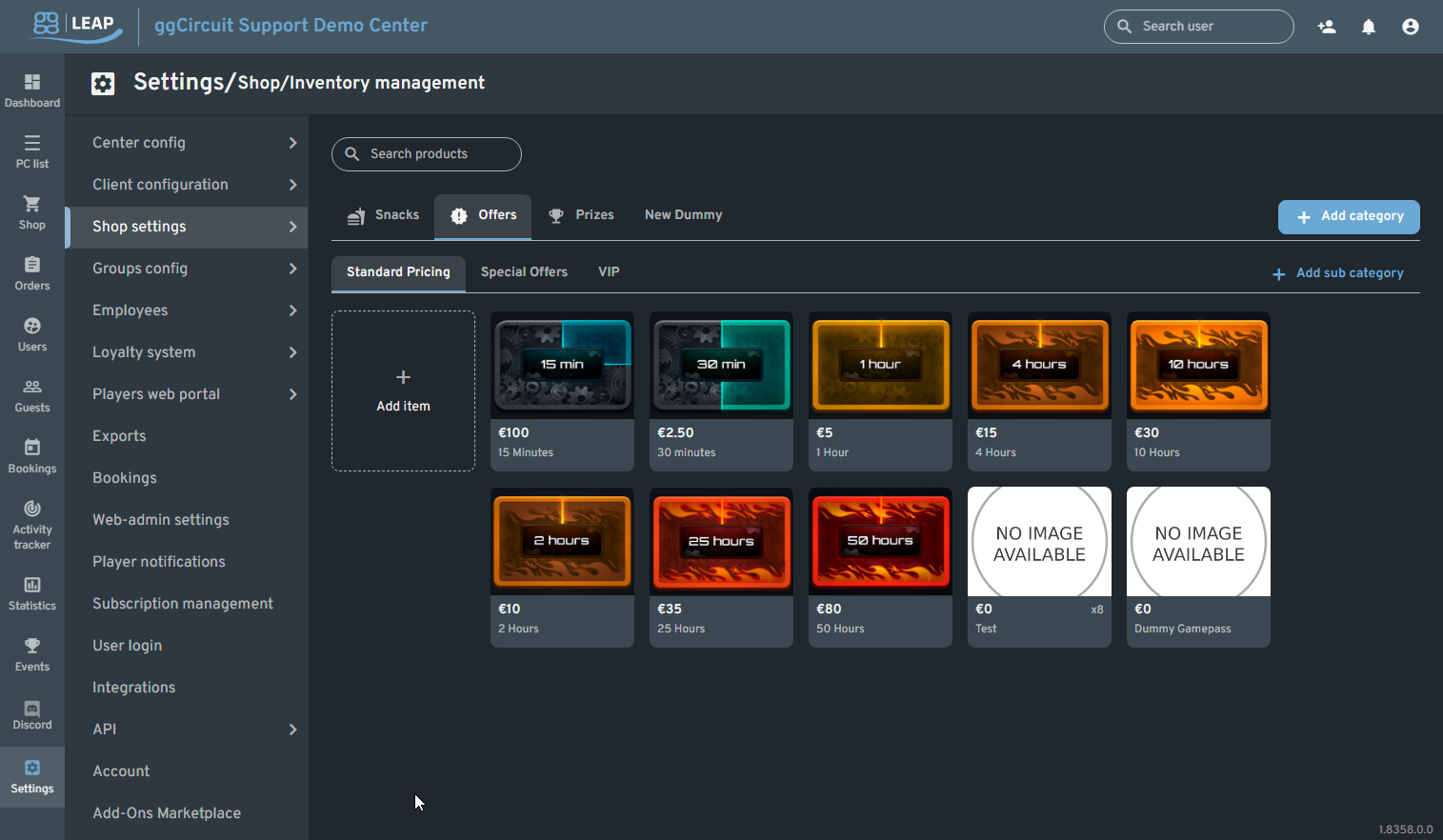
Settings → Shop Configuration
Path: Settings ▶ Shop settings ▶ Shop Configuration
Shop Configuration
Search and manage products, categories, and pricing.
| Callout | Element | Description |
|---|---|---|
| 1 | Search products | Filter the grid by product name. |
| 2 | Category tabs | Switch between top-level categories (e.g. Snacks, Offers, Prizes, New Dummy). |
| 3 | Sub-tabs | View pricing tiers: Standard Pricing, Special Offers, VIP. |
| 4 | + Add category | Open the modal to create a new category. |
| 5 | + Add sub category | Create a sub-category under the current tab. |
| 6 | Add item tile | Click to open the Add Product modal for a new item. |
| 7 | Product tiles | Each tile shows: |
- Image/placeholder
- Price
- Duration or description |
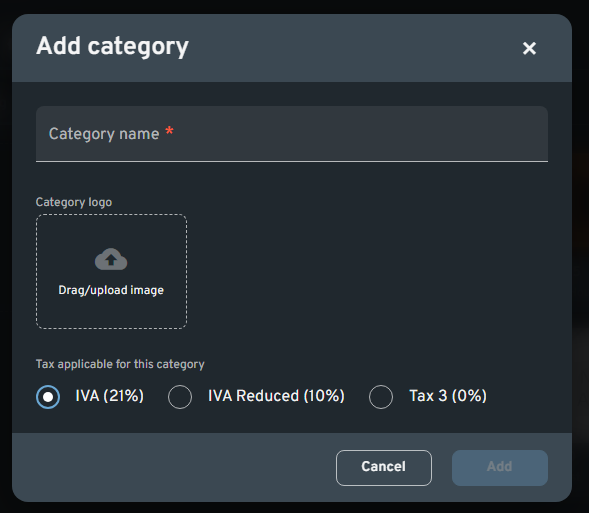
Adding a Category
| Field | Description |
|---|---|
| Category name | Required. Name of the new category. |
| Category logo | Optional. Drag/upload a logo image. |
| Tax applicable | Choose tax rate for all products in this category: |
| IVA (21%) | |
| IVA Reduced (10%) | |
| Tax 3 (0%) |
Actions:
- Add: Create the category
- Cancel: Discard changes
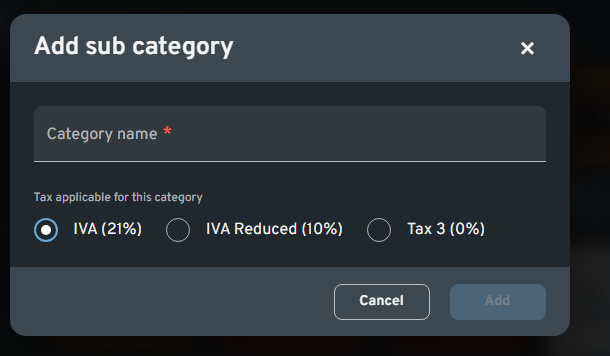
Adding a Sub-category
| Field | Description |
|---|---|
| Category name | Required. Name of the new sub-category. |
| Tax applicable | Same tax options as parent categories. |
Actions:
- Add: Create the sub-category
- Cancel: Discard changes
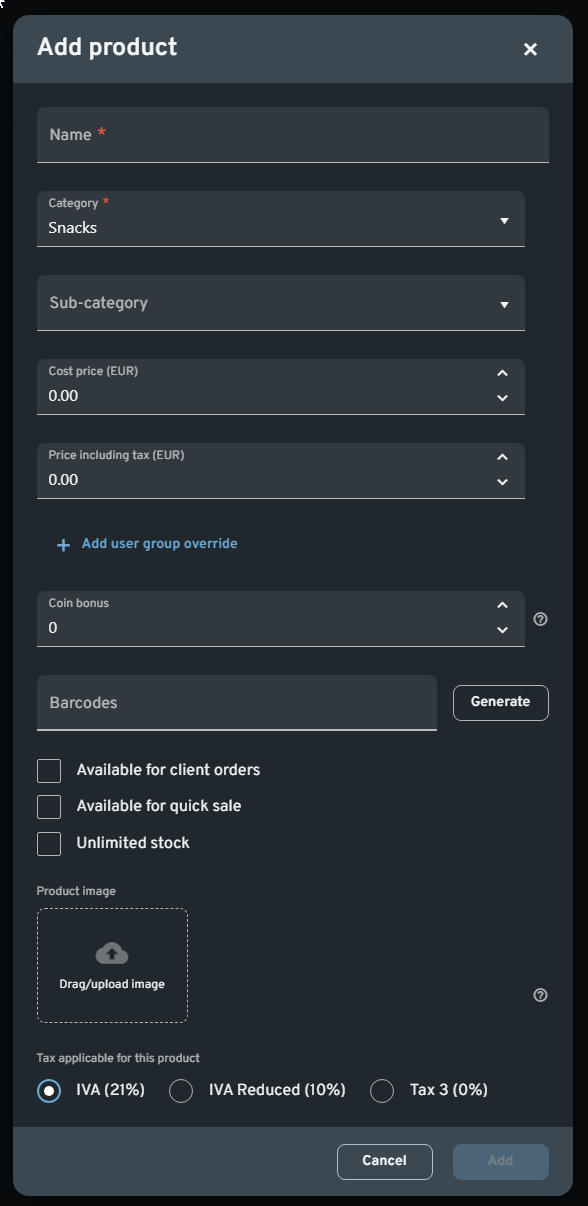
Adding a Product
| Field | Description | Default / Options |
|---|---|---|
| Name | Required. Product display name. | — |
| Category | Required. Select parent category. | Dropdown of existing categories |
| Sub-category | Optional. Select under which sub-category this lives. | Dropdown |
| Cost price (EUR) | Purchase cost. | 0.00 |
| Price including tax (EUR) | Sale price shown to customers (includes tax if applicable). | 0.00 |
| + Add user group override | Create a special price for a specific user group. | Link opens override section |
| Coin bonus | Number of loyalty coins awarded when purchased. | 0 |
| Barcodes | Enter manual code(s) or click Generate to auto-generate. | Input + button |
| Available for client orders | Checkbox. Allow ordering in the client UI. | ☑️ / ☐ |
| Available for quick sale | Checkbox. Show in quick-sale POS. | ☑️ / ☐ |
| Unlimited stock | Checkbox. Bypass inventory count. | ☑️ / ☐ |
| Product image | Drag/upload an image for this product. | — |
| Tax applicable | Choose which tax applies to this product (overrides category if needed). | IVA (21%) / IVA Reduced (10%) / Tax 3 (0%) |
Actions:
- Add: Create the product and close modal
- Cancel: Discard changes