

 Español
 中文
 العربية
Applying Language Settings
To change the language in the ggLeap Web Administrator, follow these steps:
1. Navigate to Language Settings
Go to:
Settings > Center Config > Language
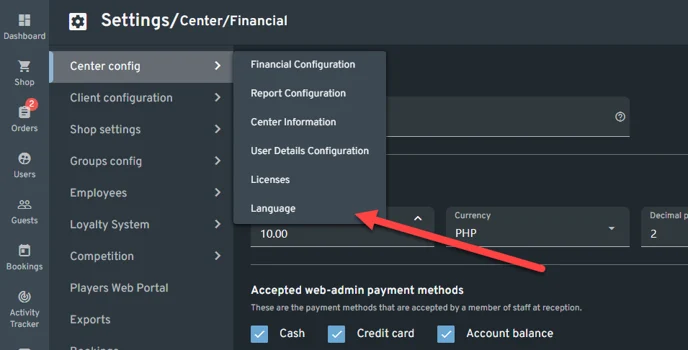
2. Select Your Preferred Language
- Choose the language you'd like to use for both the web admin and the client.
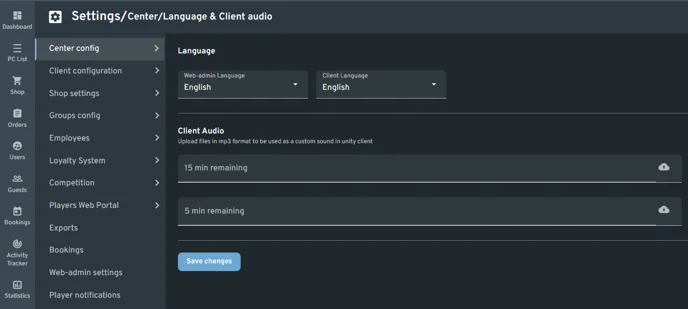
3. Save and Apply
- Click "Save changes" to confirm.
Supported Languages
| Web Admin Language | Client Language |
|---|---|
| Arabic | Arabic |
| Italian | Italian |
| Portuguese | Portuguese |
| French | French |
| Spanish | Spanish |
| Turkish | Turkish |
| German | German |
| English | English |
| Bulgarian | Bulgarian |
| Russian | Russian |