

 Español
 中文
 العربية
Home Screen
Location: Settings ▶ Client configuration ▶ Home screen
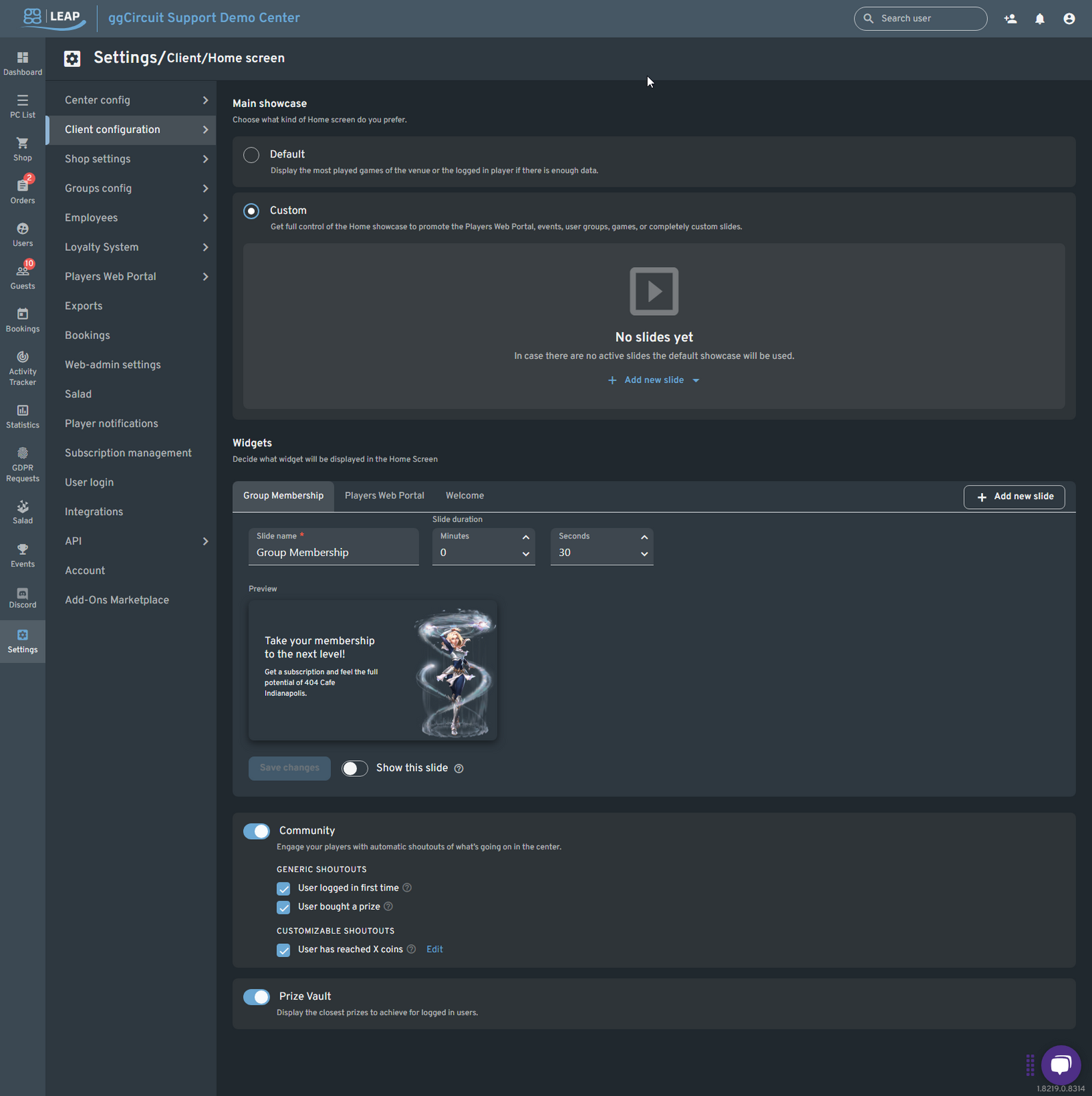
Main showcase
- Default: Auto-generate slides from your venue’s most-played games.
- Custom: Build your own slideshow of promotions, events, or custom slides.
Widgets & Slides
Decide which widgets appear and in what order:
| Widget | Purpose |
|---|---|
| Group Membership | Promote your loyalty/subscription tiers. |
| Players Web Portal | Show QR-code or link to your online booking/portal. |
| Welcome | Greet first-time or returning players. |
| Custom Slide | Image or video of your choice—with optional link. |
Add or edit slides:
- Click + Add new slide and pick a slide type (Players Web Portal, Featured Game, Arcade, Subscriptions, Discord, Custom).
- Configure:
- Slide name
- Duration (minutes & seconds)
- Content preview or upload
- Link URL (for Custom slides)
- Show this slide: toggle on/off
- Reorder by dragging the tab handles.
Community Shoutouts
- Enable/Disable the Community widget.
- Generic triggers: first login, prize purchase.
- Customizable: e.g. “User has reached X coins.”
Prize Vault
Toggle on to display the nearest prize goals for logged-in users.