Español
 中文
 العربية
Creating a New User
Steps on adding a new user.
Step 1
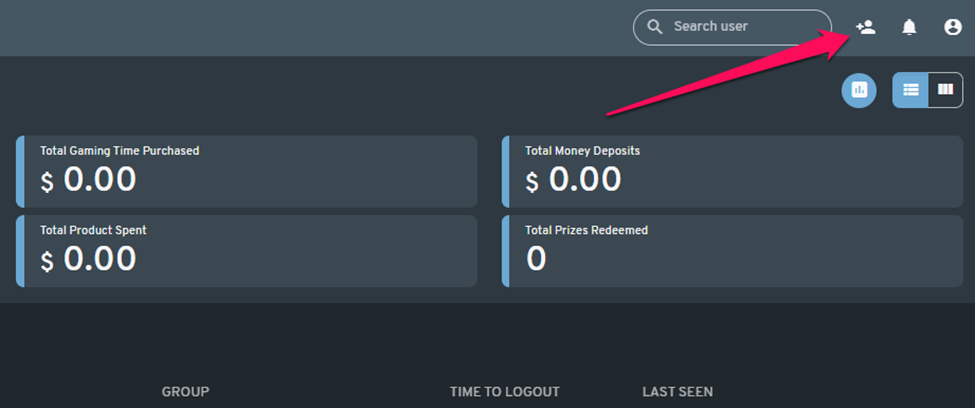
To create a new user, simply click on the "Add User" button located in the upper right corner of the screen.
Step 2
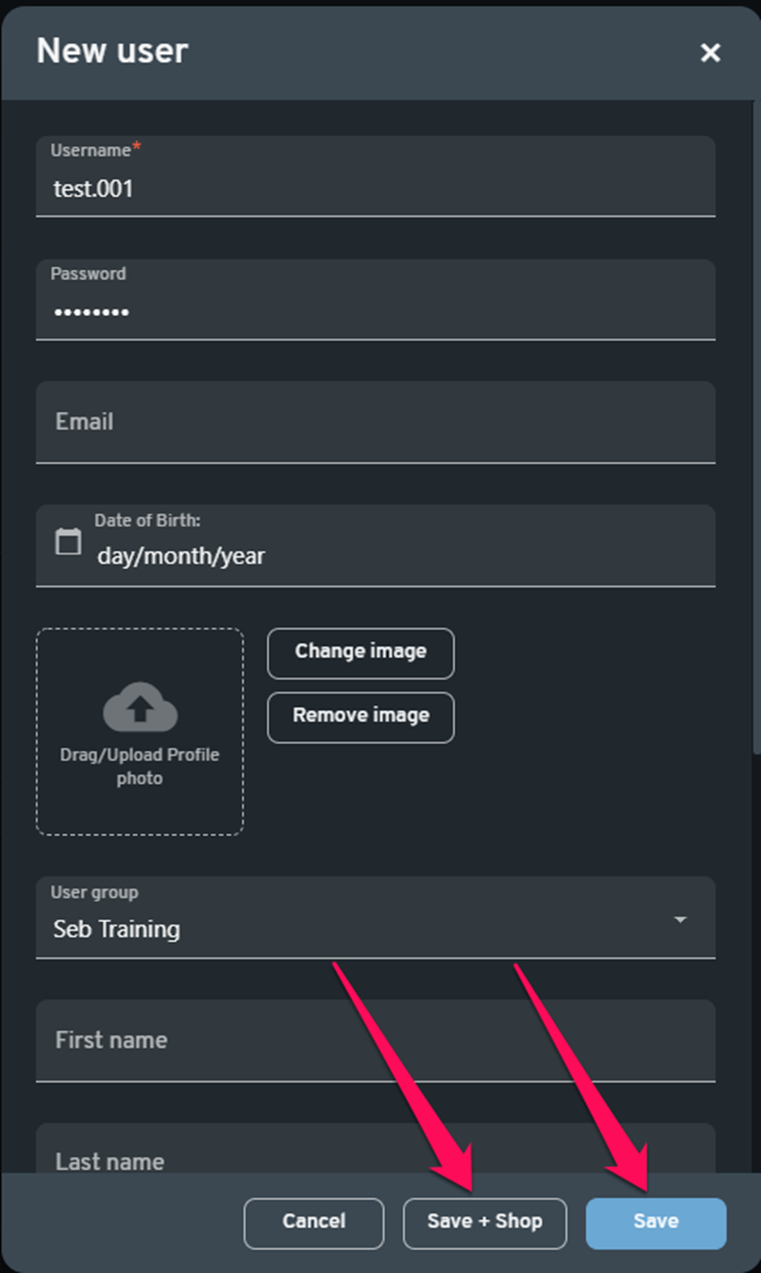
Complete user registration information. Only username is a required entry on web admin,
NOTE: other details such as email address and date of birth will be required from the user during their first login attempt.
Note: The emailaddress must be unique per user (it does not have to be "real" for initial account creation, but must be unique and valid ie *xxxxxx@hotmail.com).*
Password must be a minimum of 6 characters.
Step 3
After data entry is complete, unless the customer does not want to use a computer now, you will need to click "Save" or "Save + Shop" to add an offer (computer time) to the account.
NOTE: You should, however, only perform this step if you have already configured pricing/offers with the POS settings.