Español
 中文
 العربية
How to setup Google Workspace as an SSO source
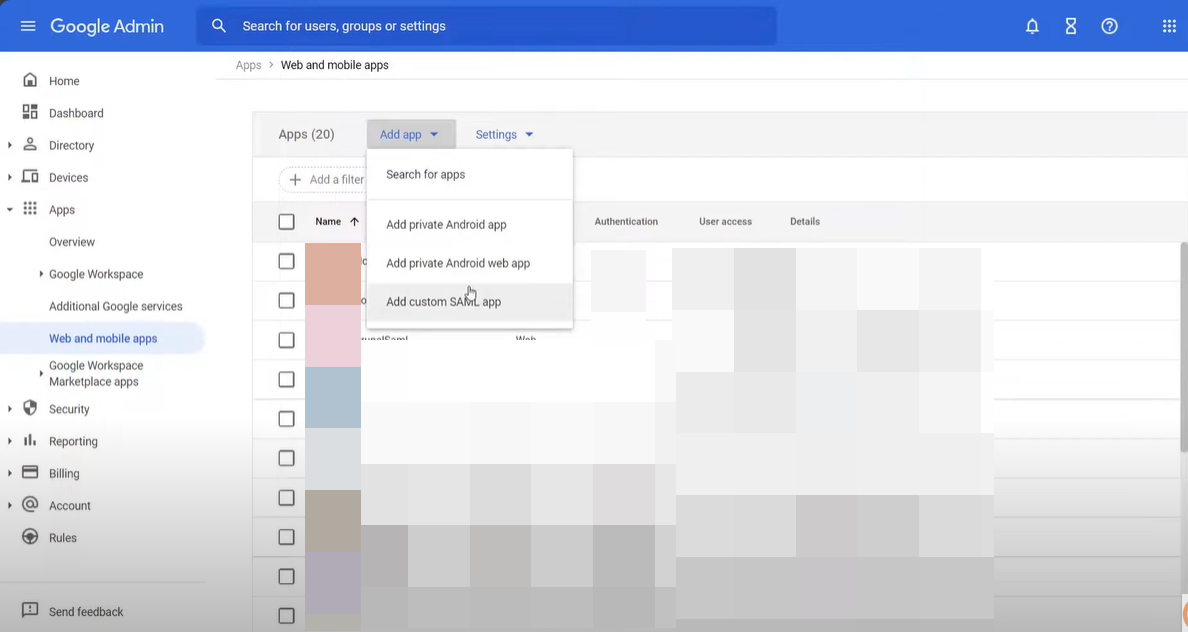
From the Dashboard Add App > Add custom SAML app
Enter App Details
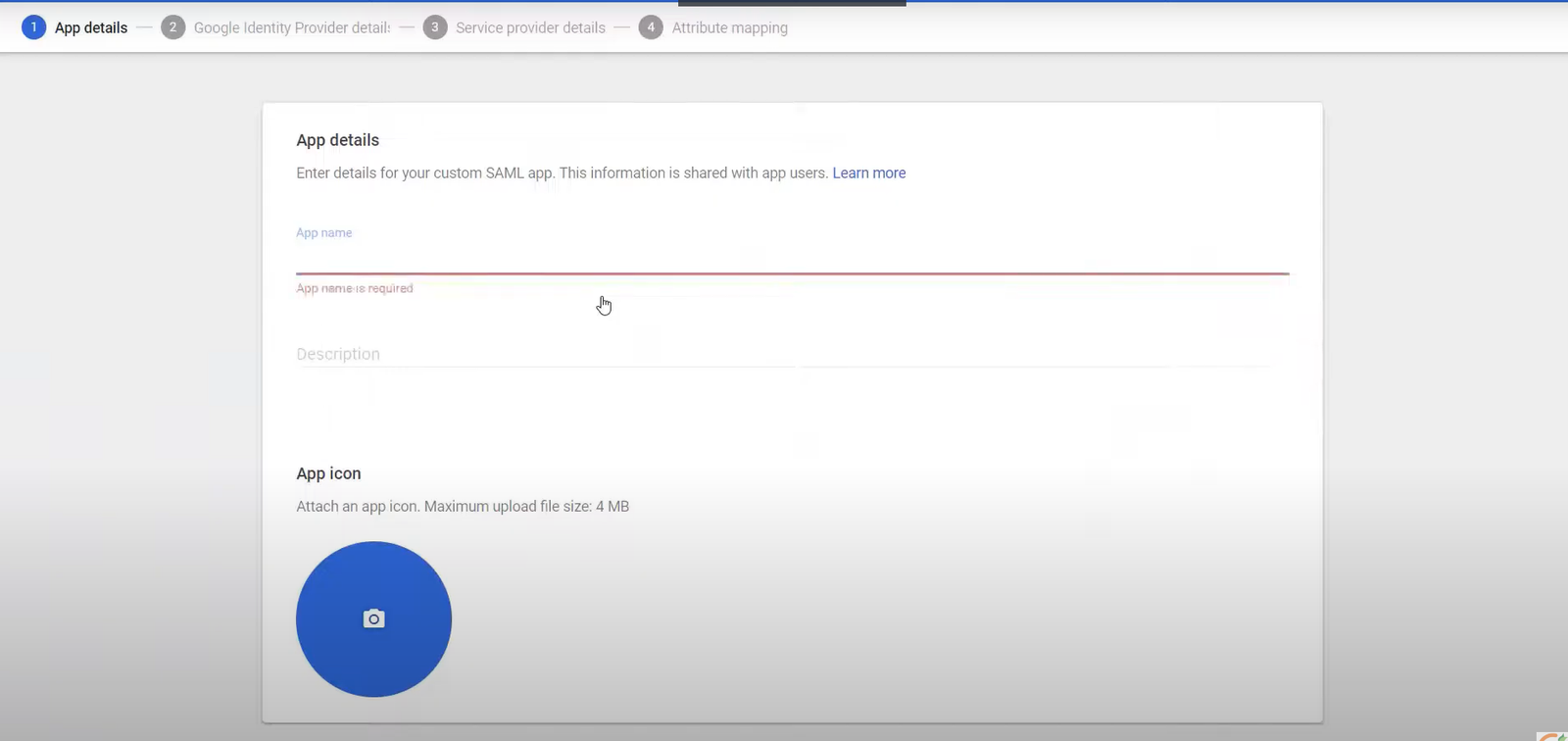
Hit the continue button below
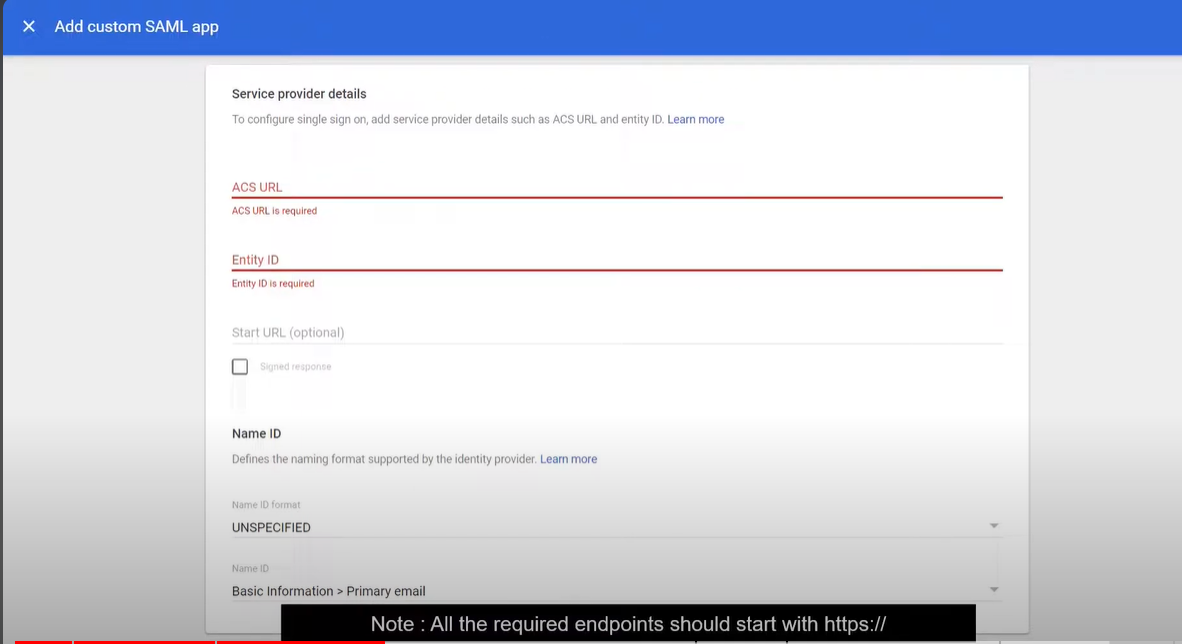
Fill out the following
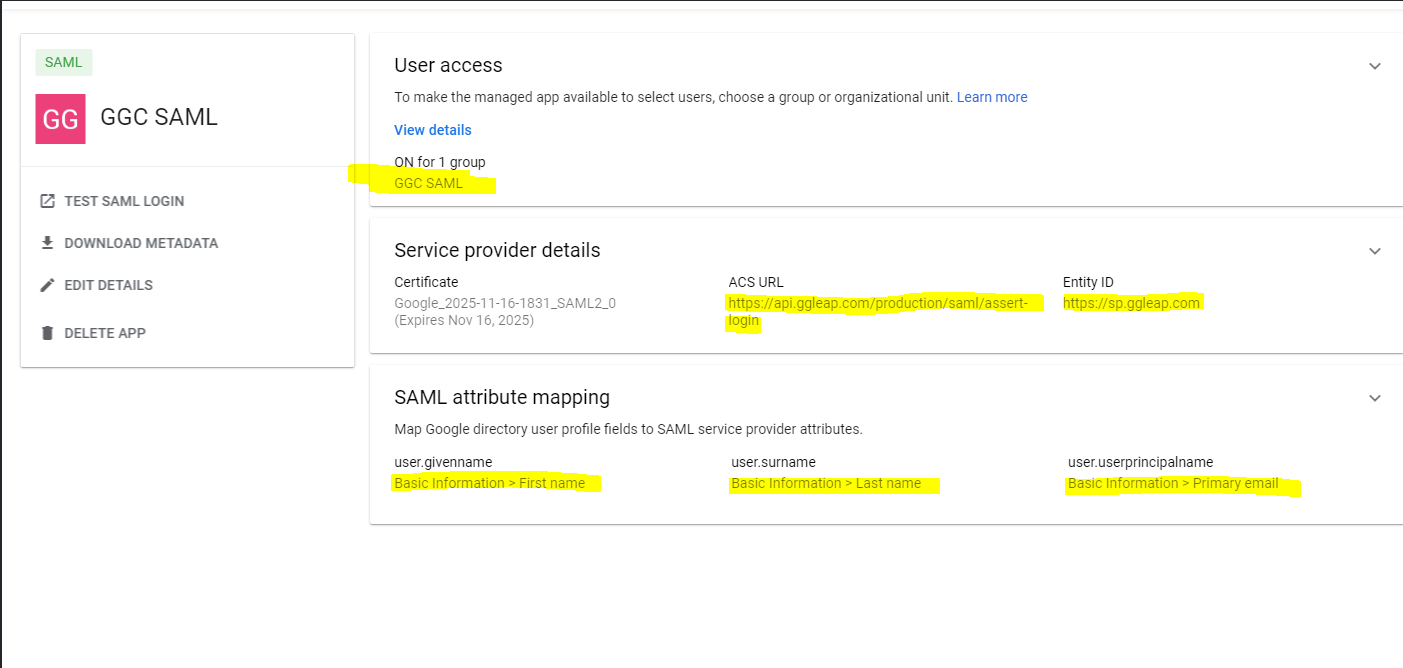
ACS URL:
https://api.ggleap.com/production/saml/assert-login
Entity ID:
https://sp.ggleap.com
Then click continue
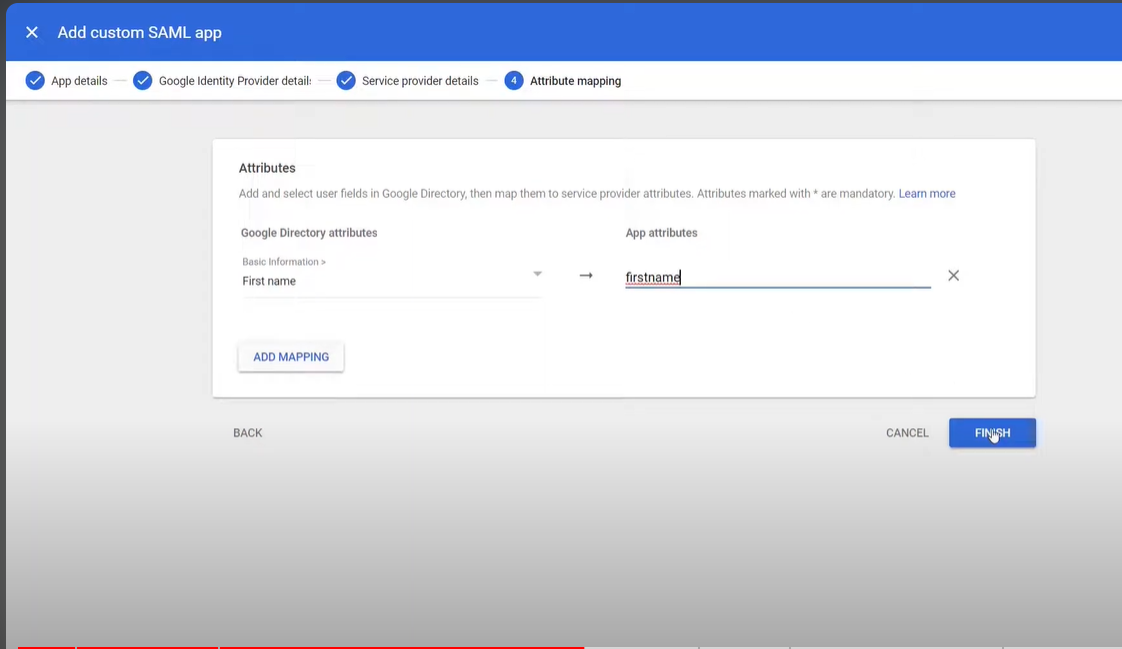
Add mappings for each
- SAML attribute mapping First name
- SAML attribute mapping Last name
- SAML attribute mapping Primary email
Download the Metadata
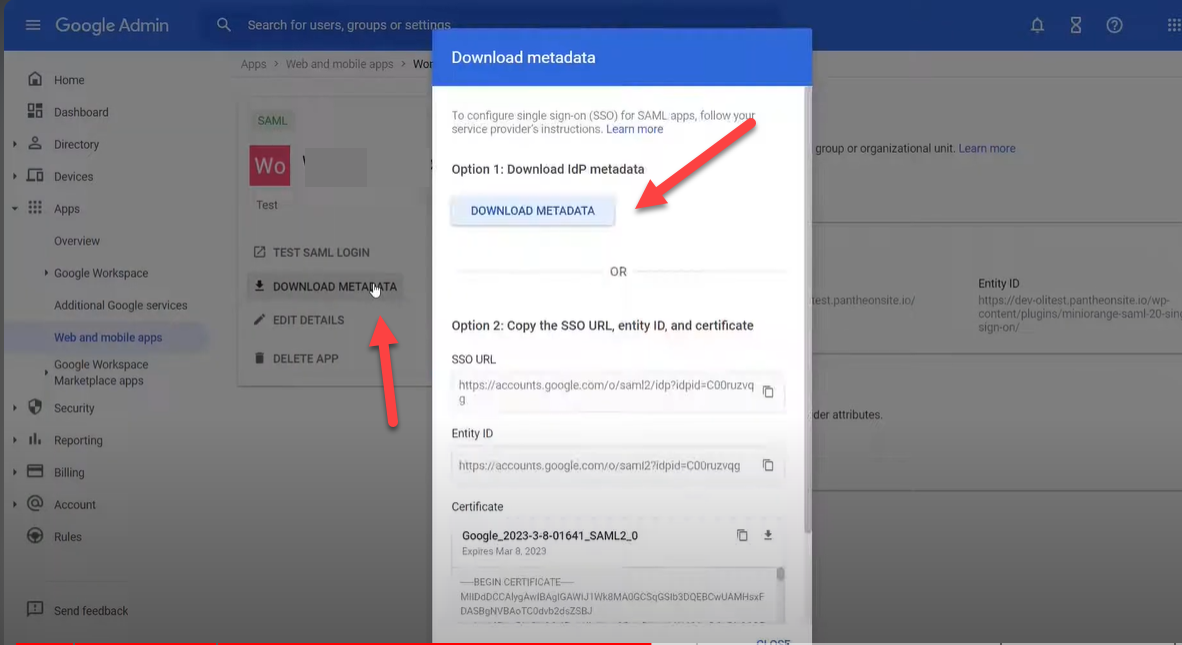
Upload the XML file to a hosting site.
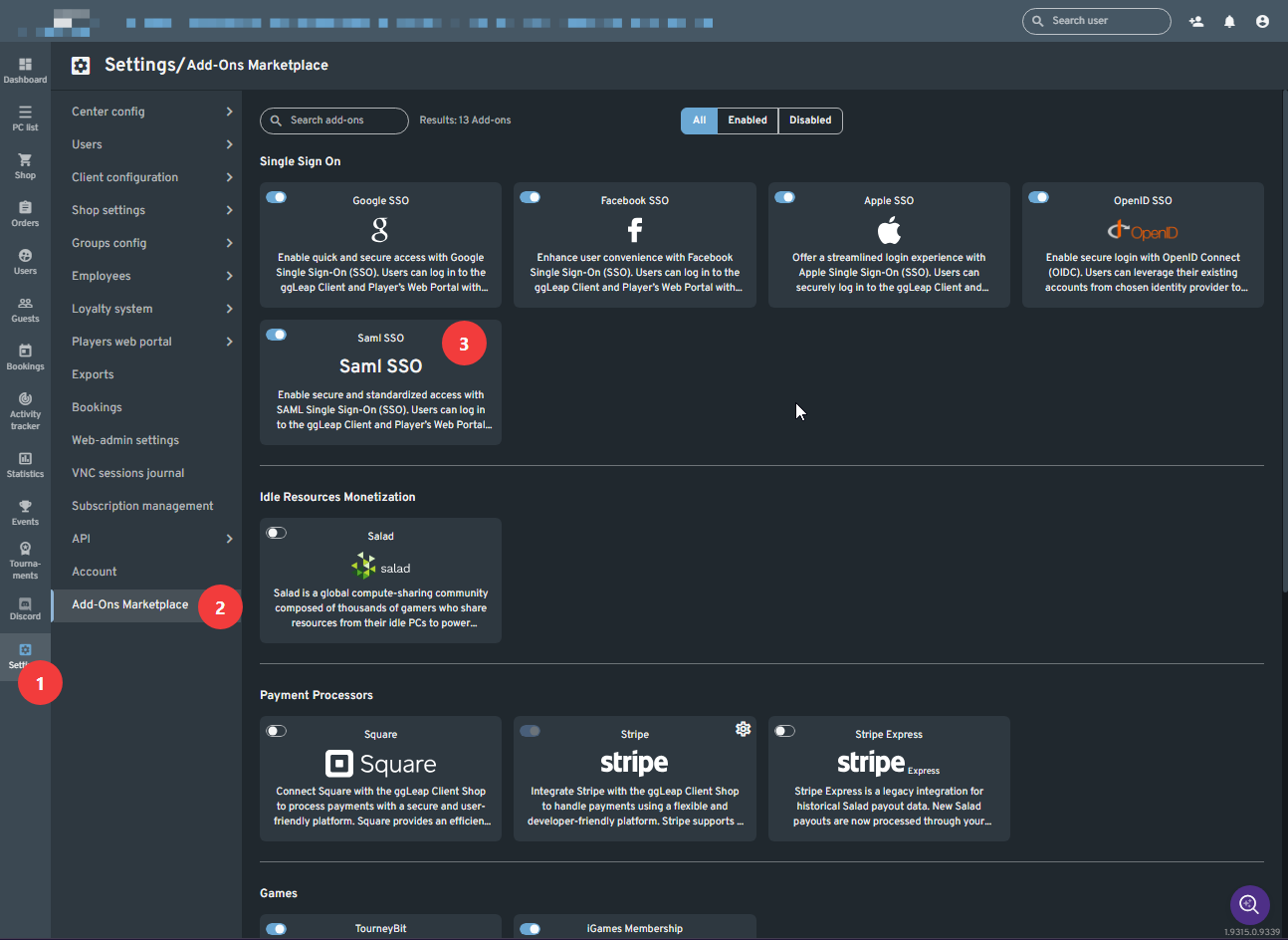
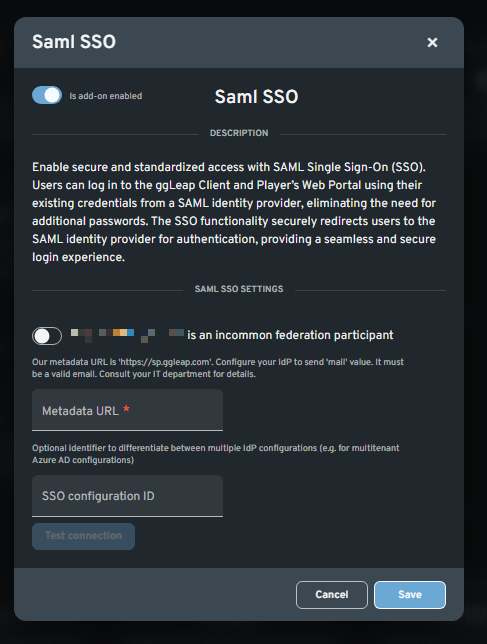
Paste the link in the MetaData URL field under the SAML SSO add-on section, and test the connection to see if it works.
Save