Español
 中文
 العربية
💳 ggLeap Stripe Integration
Integrating Stripe with ggLeap allows you to accept digital payments from gamers using their phones by simply scanning a QR code.
🔧 How to Connect Stripe
- Go to the ggLeap Web Admin Panel:
- Navigate to Settings → Integrations → Stripe
- Or use this direct link: https://admin.ggleap.com/settings/integrations/stripe
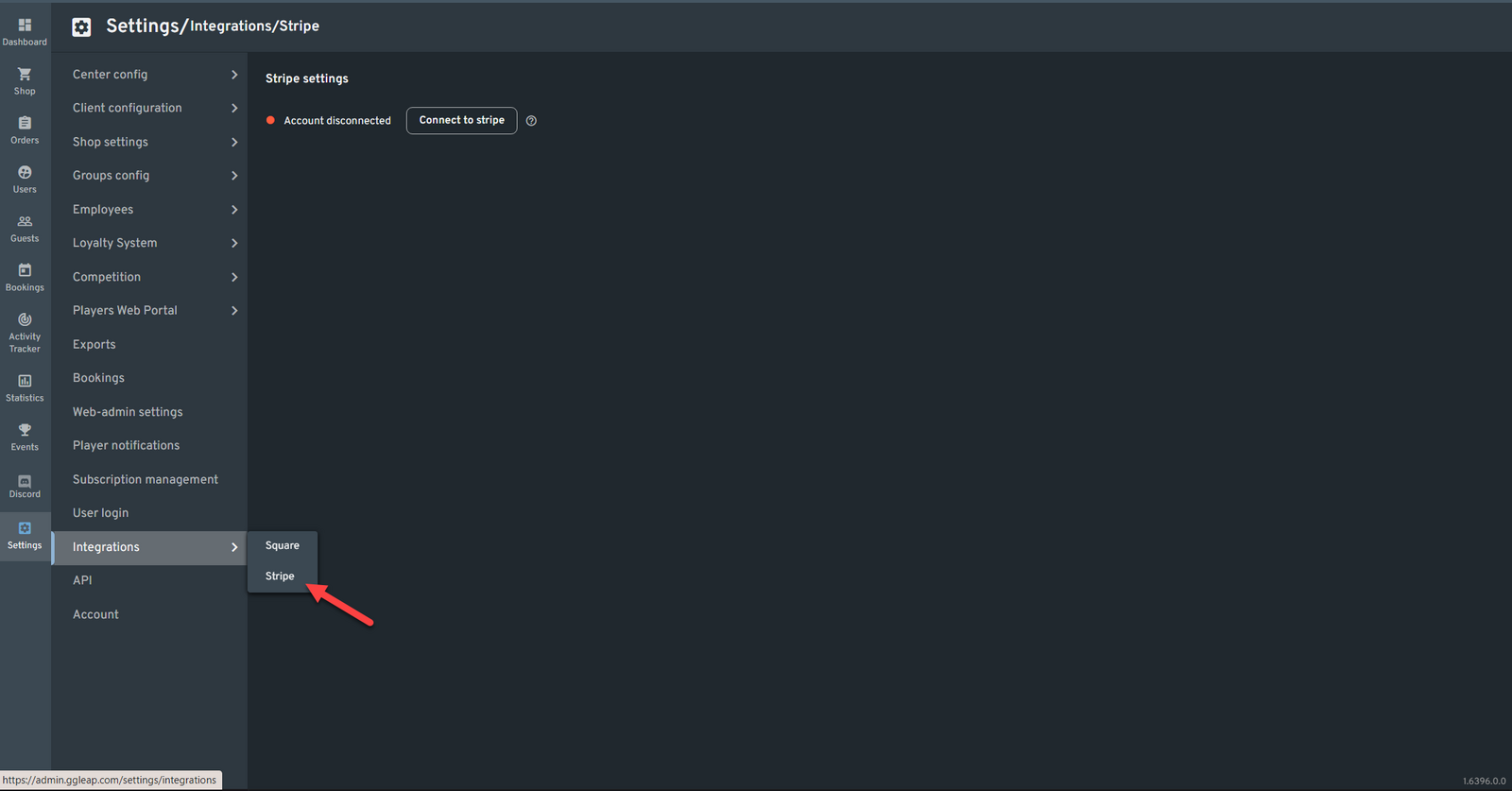
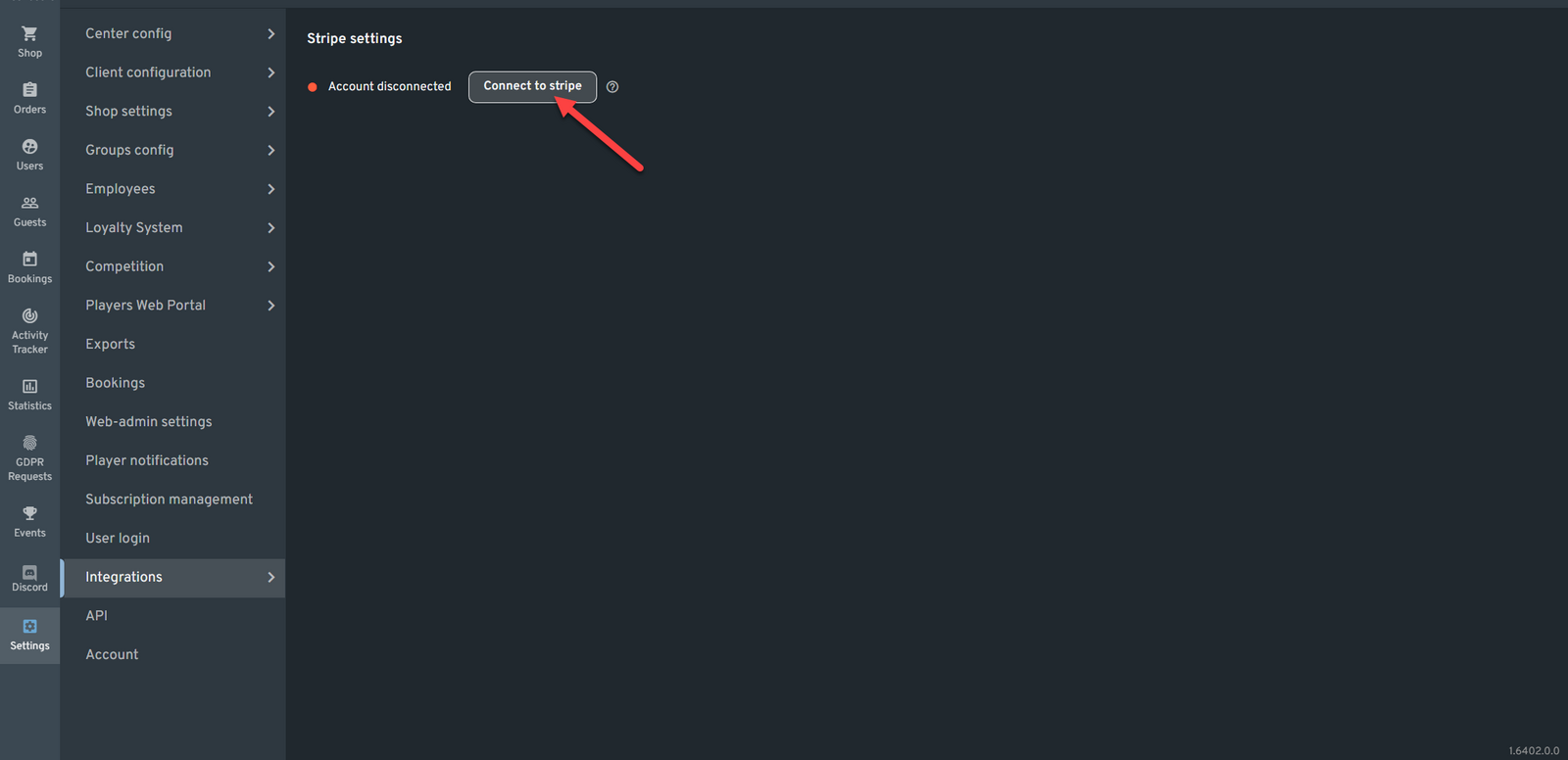
- Click the "Connect to Stripe" button.
- A pop-up window will appear asking you to log in with your Stripe credentials.
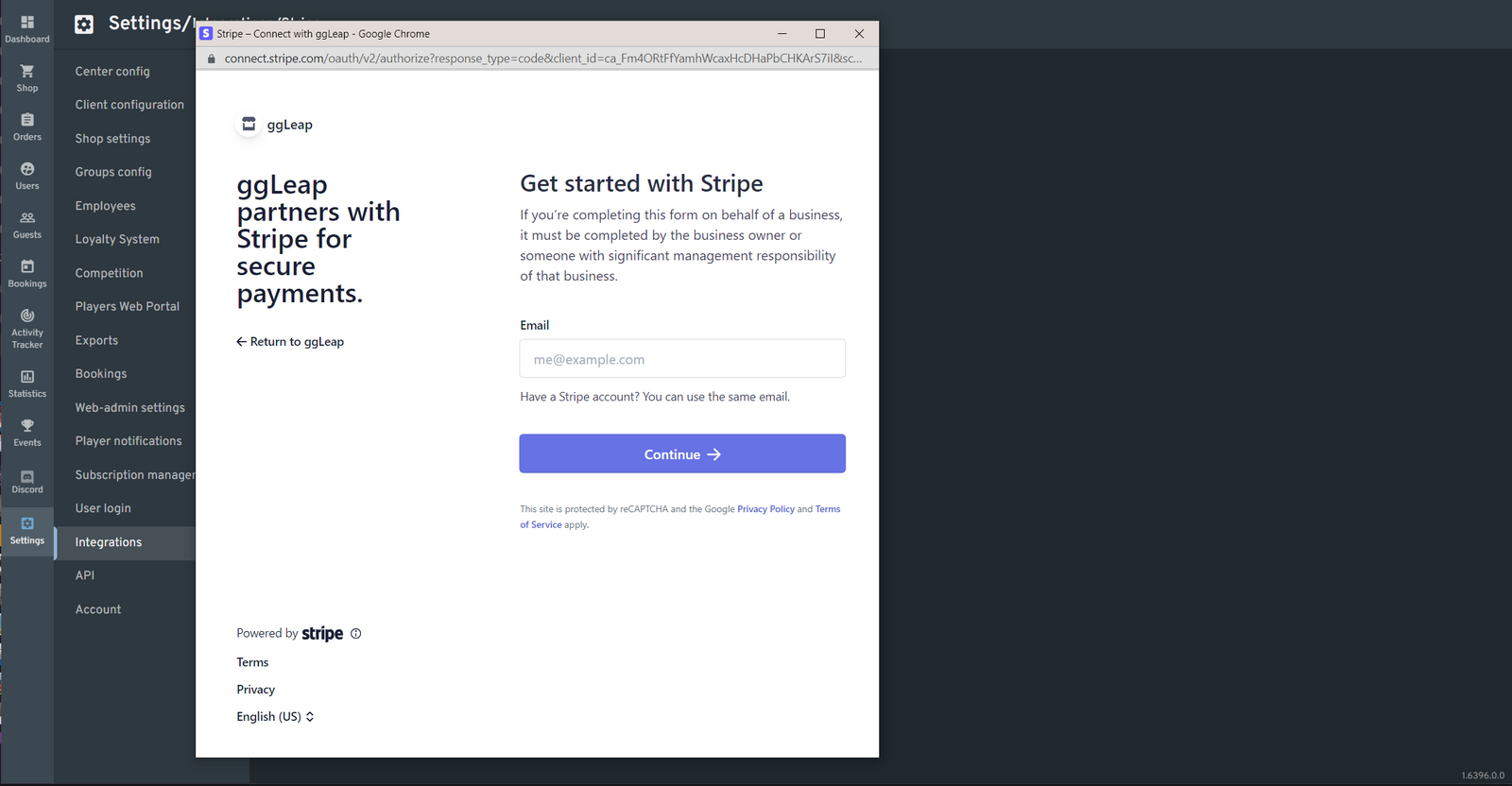
- After logging in, you'll be prompted to select the Stripe Business Account you want to connect.
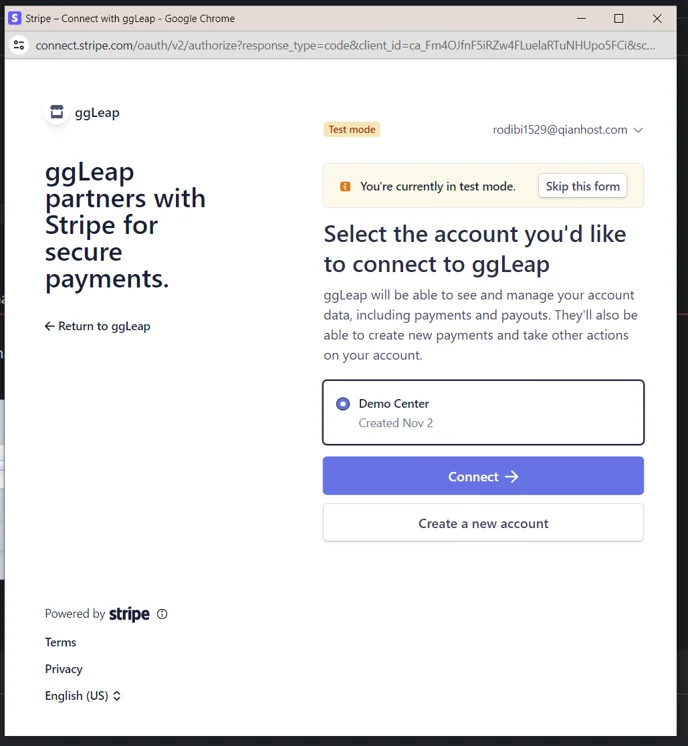
- Once connected, you will be redirected to your Stripe Dashboard.
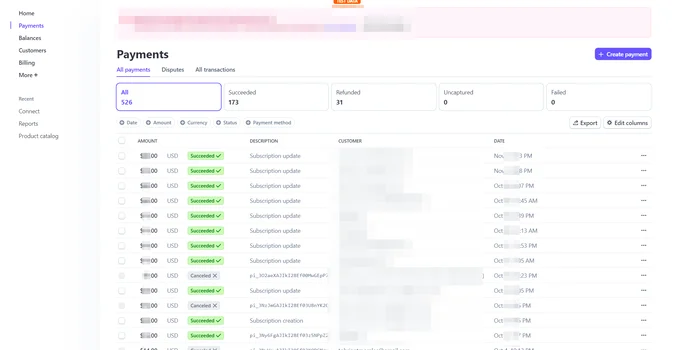
📈 Where to View Transactions
- Web Admin: View and manage your integration status and settings.
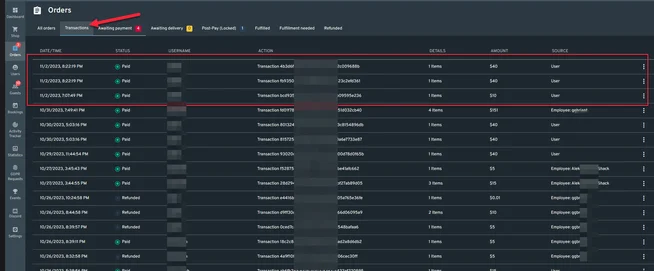
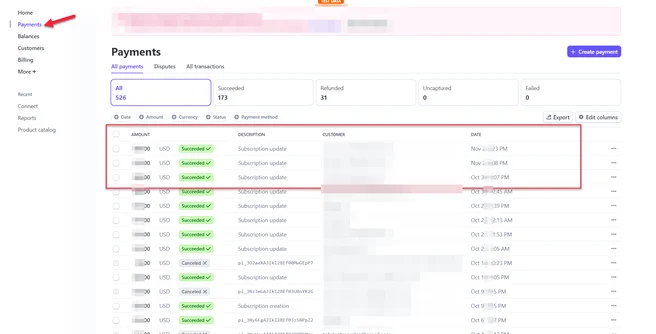
- Stripe Dashboard: Monitor all non-cash transactions under the Payments tab.