

 Español
 中文
 العربية
Checkout Using Stripe (via Phone)
Once Stripe is connected and properly configured, customers can seamlessly make purchases from the shop using their mobile phones.
Steps to Checkout:
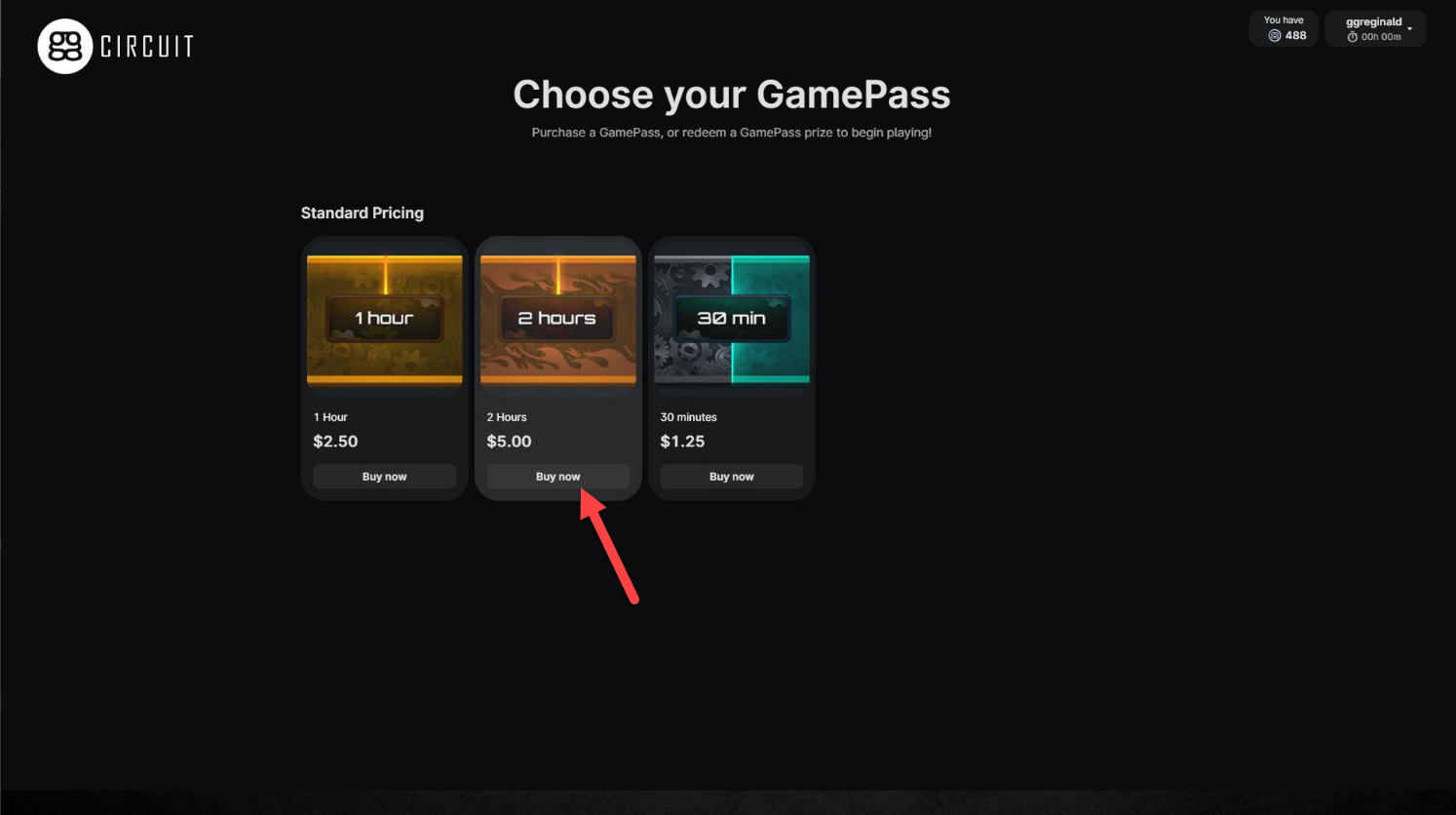
- Select the GamePass
- Browse the shop and choose the GamePass the customer would like to purchase.
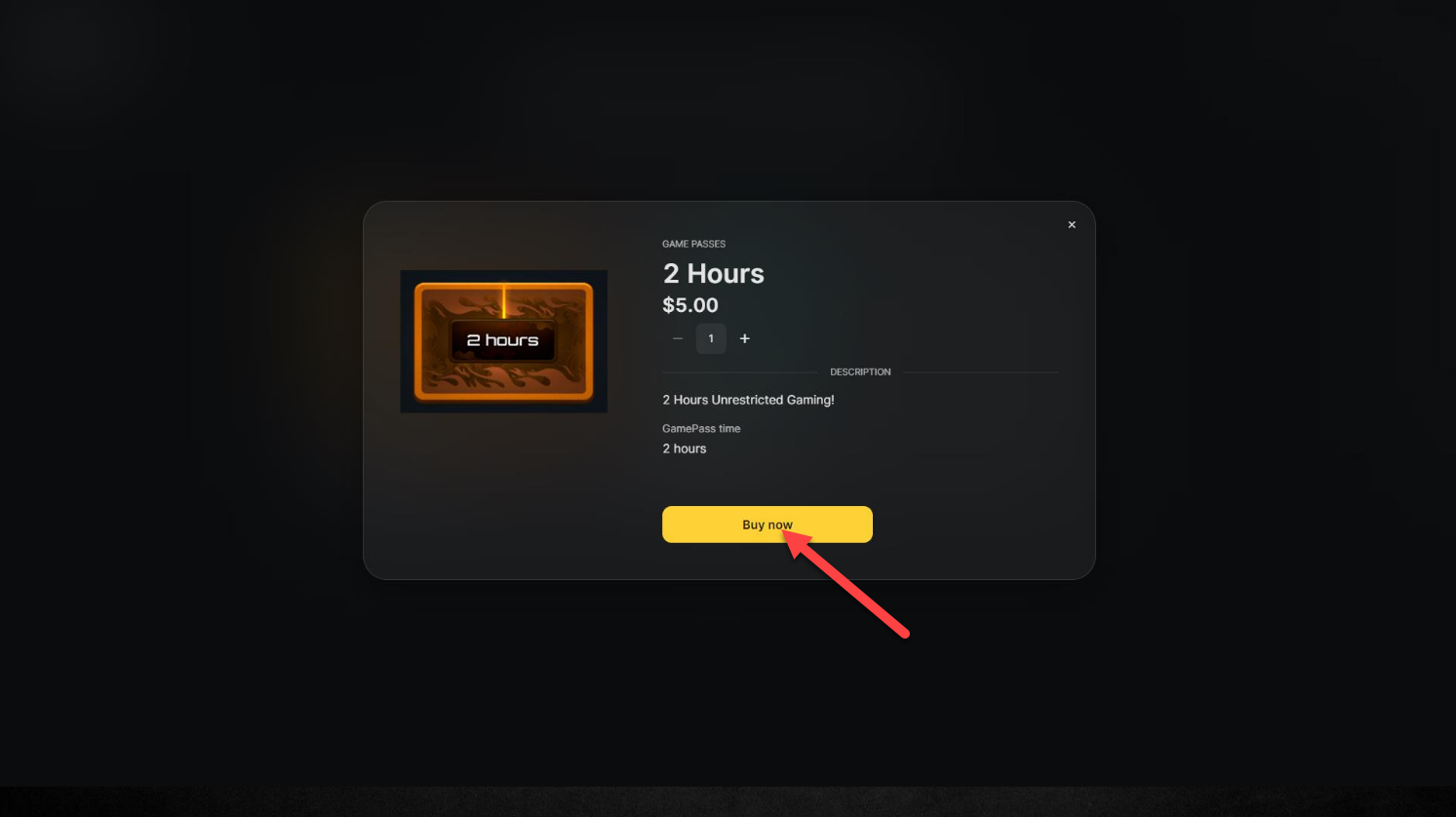
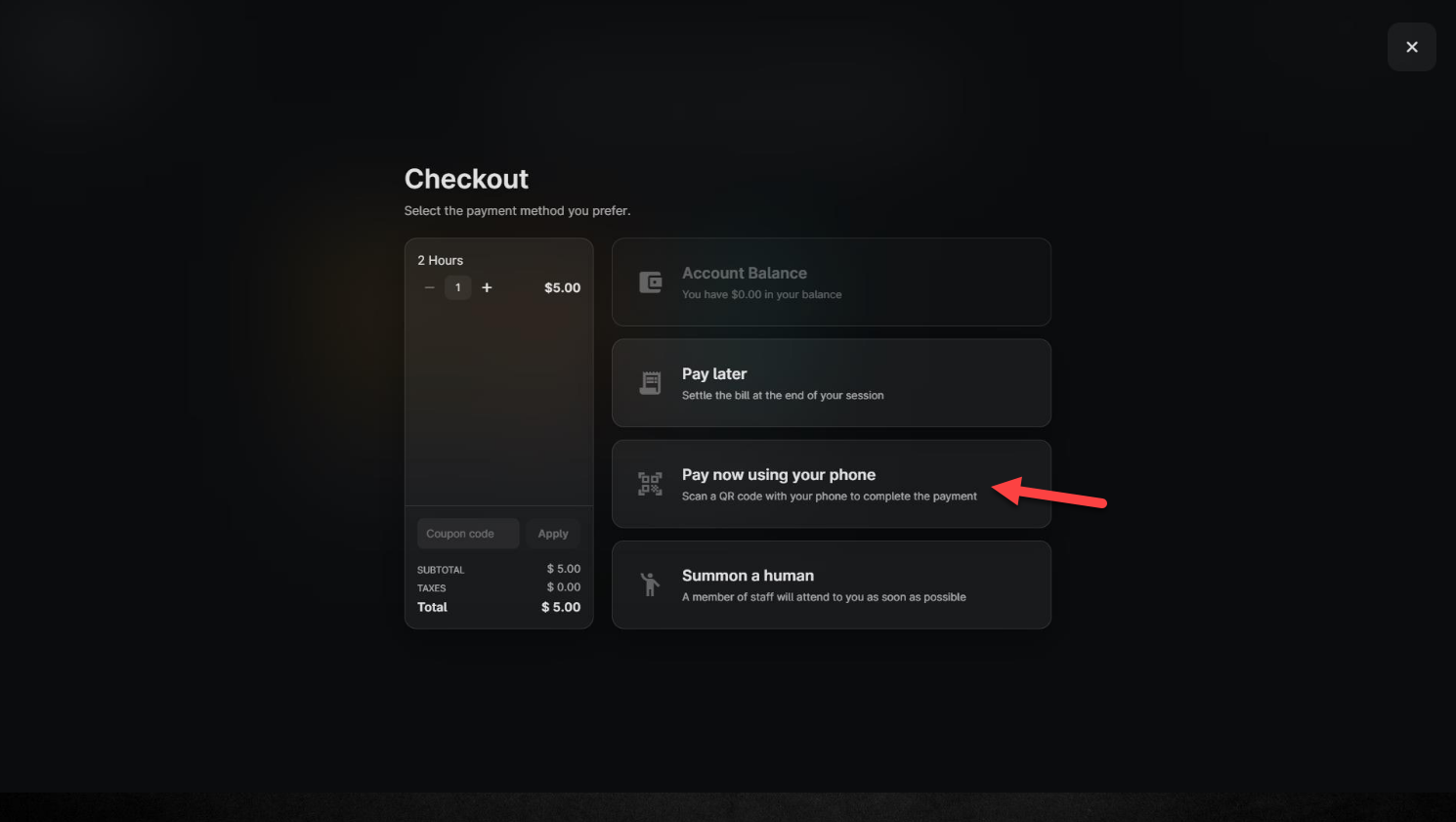
- Choose Payment Option
- Click on "Pay now using your phone."
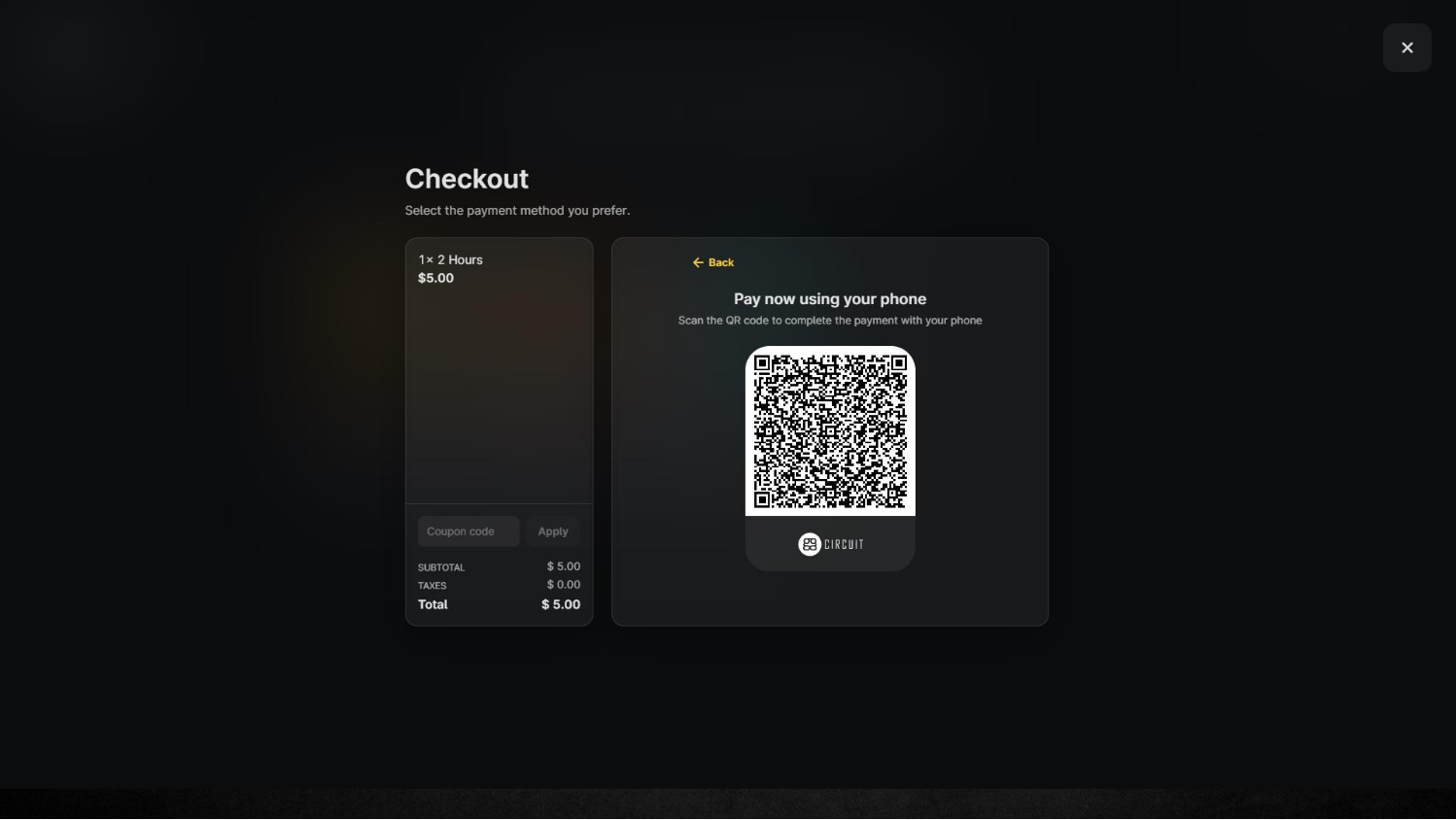
- Scan and Pay
- A QR code will be displayed on the screen.
- The customer scans the QR code using their mobile device and completes the payment through Stripe.
- Instant Activation
- Once the payment is confirmed, the GamePass or offer is instantly added to the customer’s account.