

 Español
 中文
 العربية
How to disconnect Stripe Integration
This article will discuss the steps in disconnecting your Stripe integration.
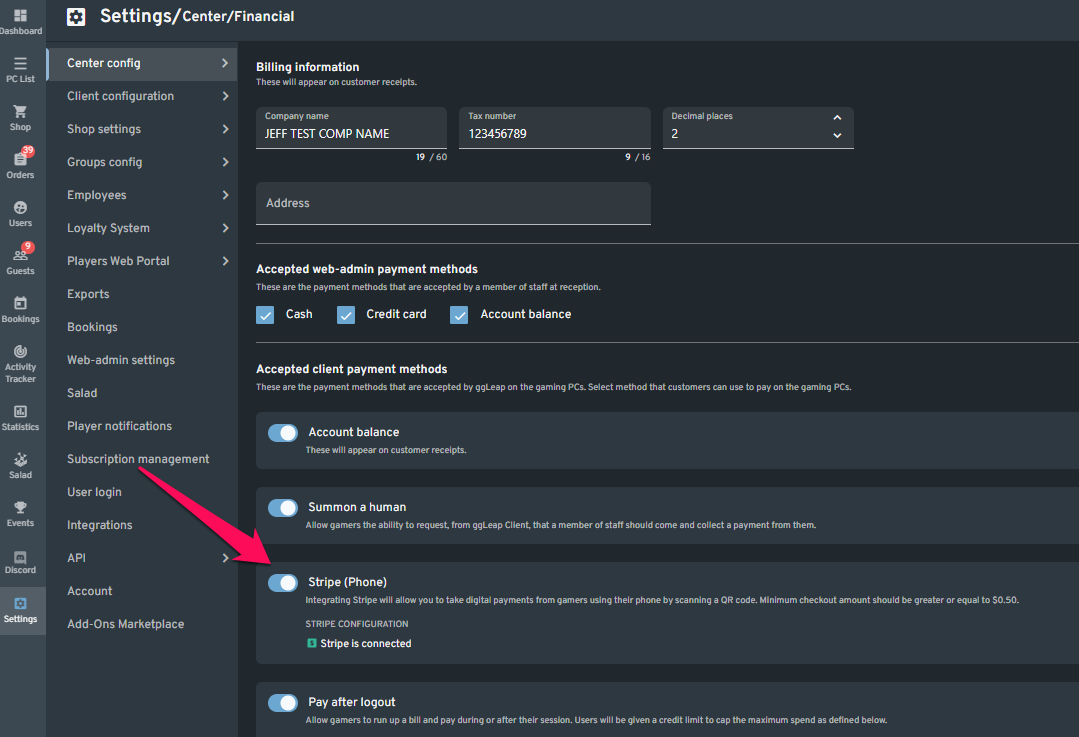
- In Settings > Center Configuration > Financial settings > Disable Stripe
- In Stripe, revoke ggLeap from Connect Extensions

Stripe Login | Sign in to the Stripe Dashboard
Sign in to the Stripe Dashboard to manage business payments and operations in your account. Manage payments and refunds, respond to disputes, and more.