Configuring Stripe in ggLeap Payments
Setup Stripe as mode of payment in ggLeap
Once done with Stripe Integrated and showing connect status go to:
https://admin.ggleap.com/settings/center/finance
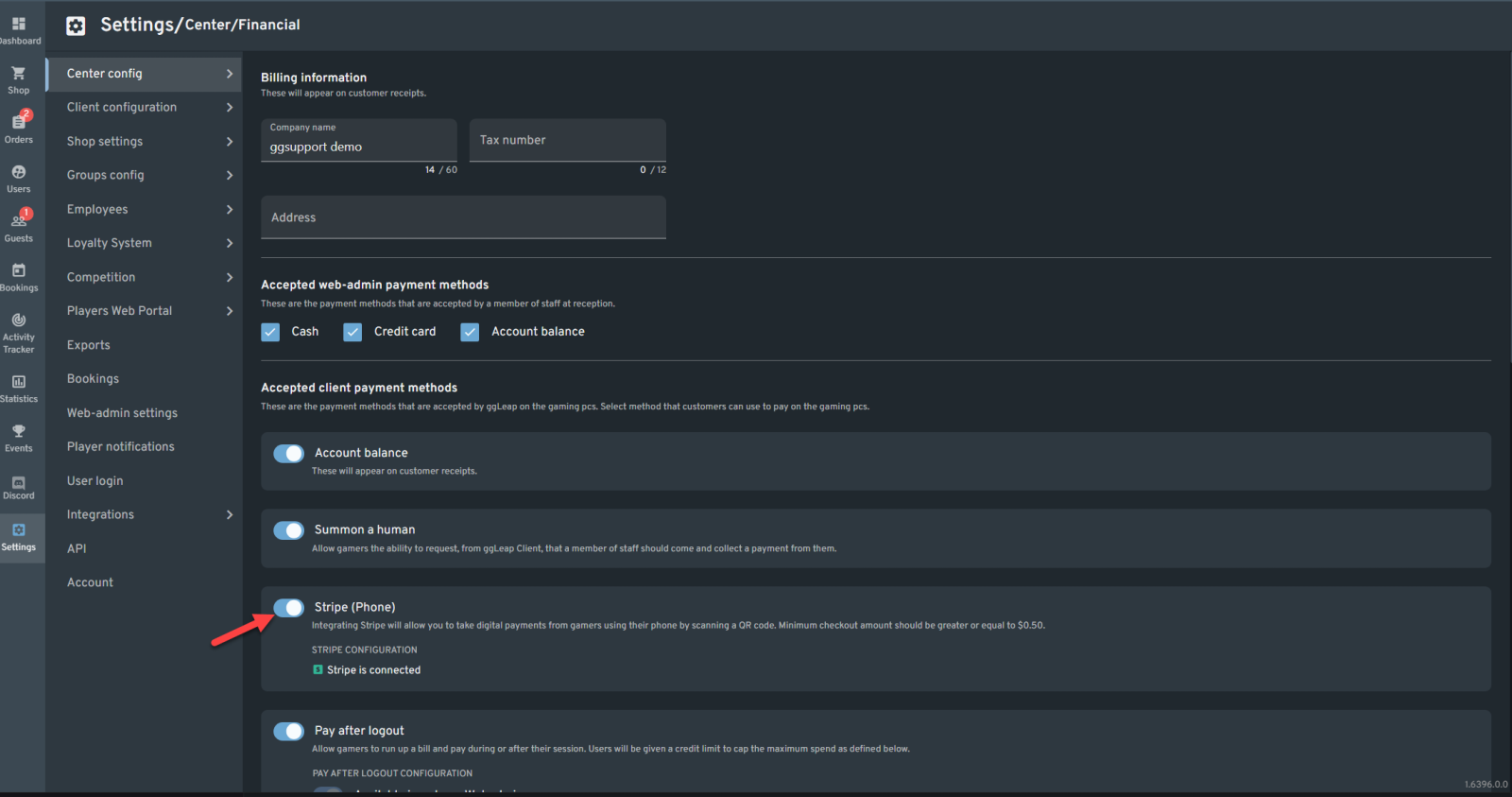
Under Accepted client Payment methods. Make sure to enable Stripe then click Save Changes on the bottom part of the page.
Stripe Global availability
Was this article helpful?


 Español
 中文
 العربية