Español
 中文
 العربية
Add / Withdraw Money
Manage user balances easily through the ggLeap dashboard. You can add or withdraw funds directly from a user's profile in just a few clicks.
💰 Add Money
Search for the User
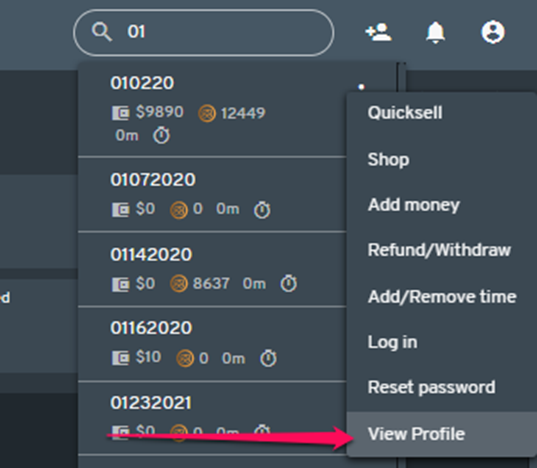
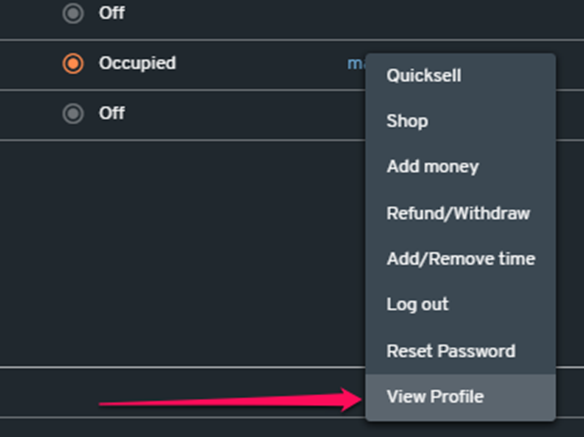
From the Dashboard, search for the user and click "View Profile".
||
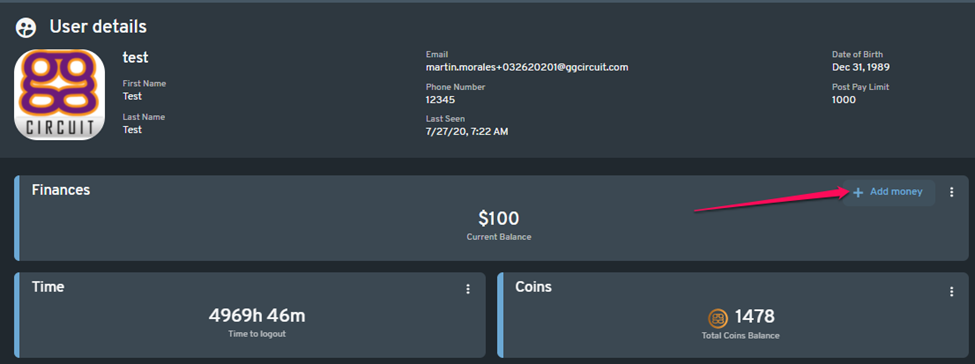
- Add Funds
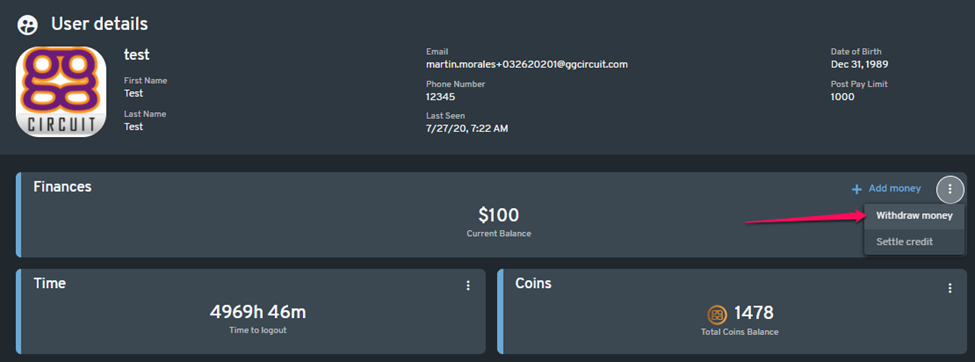
In the Finances section of the user's profile, click the "+ Add Money" button.
- Enter Amount & Payment Method
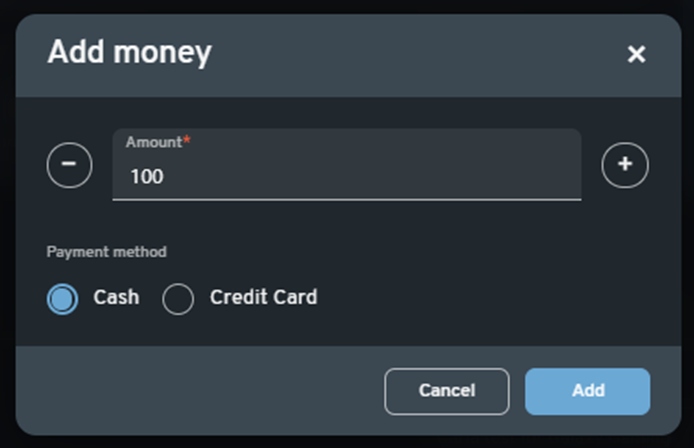
A pop-out window will appear.
- Enter the amount to be added.
- Select the preferred payment method.
- Click "Add" to deposit the money into the user’s account.
🧾 Withdraw Money
- View User Profile
Follow the same steps above to access the user's profile. - Initiate Withdrawal
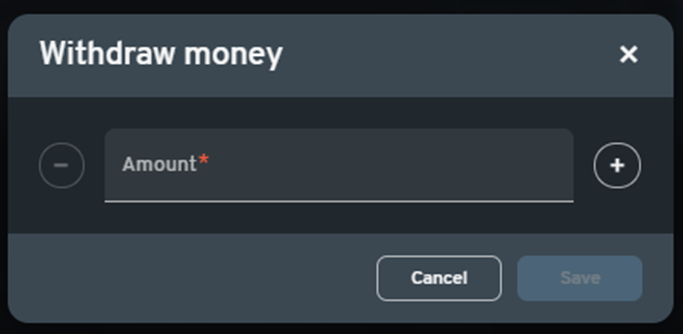
In the Finances section, click the three dots (⋮) button and select "Withdraw Money" from the dropdown menu.
- Enter Amount
In the pop-out window:
- Enter the amount to be removed from the user’s balance.
- Click "Save" to complete the transaction.