Español
 中文
 العربية
Special Cases for Game Enablement (Enabling Heroes of Newerth (HoN))
This game is a special case (and there are others like it) that requires interaction with ggLeap and Windows to be authorized to launch.
- Go to Settings > Client configuration > Games/Apps.
- Search for "Heroes of Newerth".
- Click the toggle on the upper left side of the game icon to enable it (it will turn blue when enabled) and then click the game icon again to open the game setting.
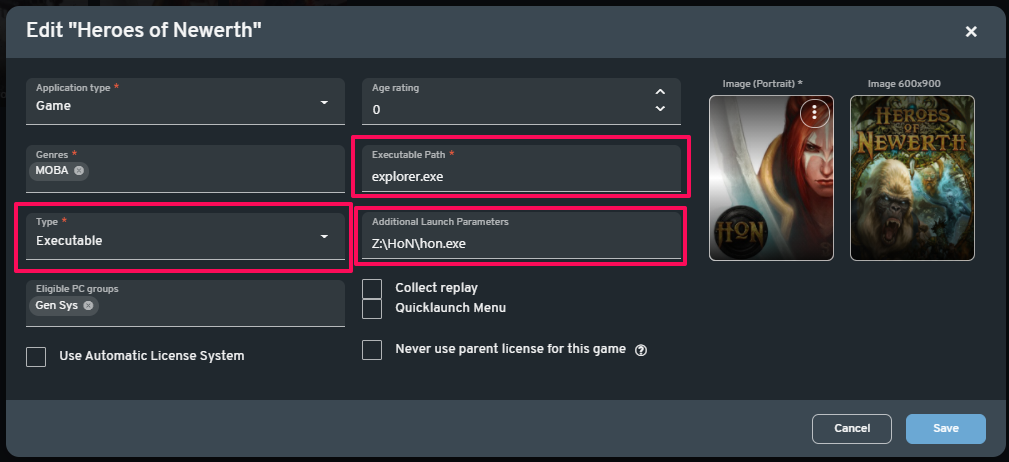
- Set the type as Executable.
- Enter "explorer.exe" as Executable Path.
- Enter the full path under Additional Launch Parameters (It might differ depending on install location).
- Click "Save".