

 Español
 中文
 العربية
How to force Incognito Mode on Google Chrome
This will force Google Chrome to launch on Incognito mode
-
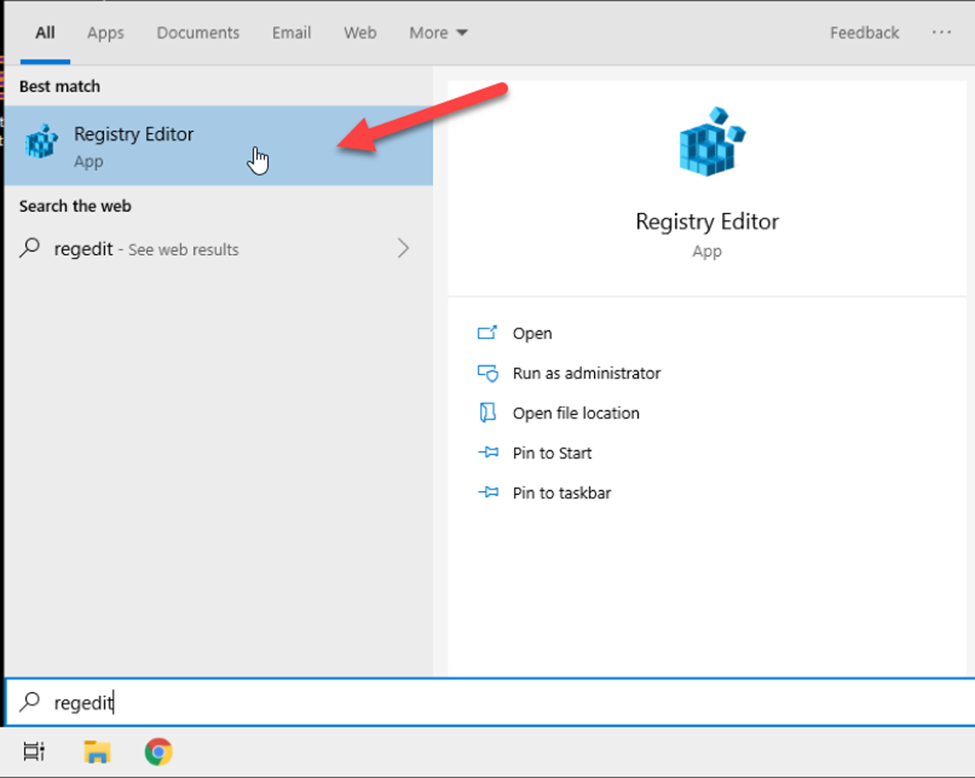
On Admin Mode, go to Start and search for "regedit" and Open Registry Editor.
-
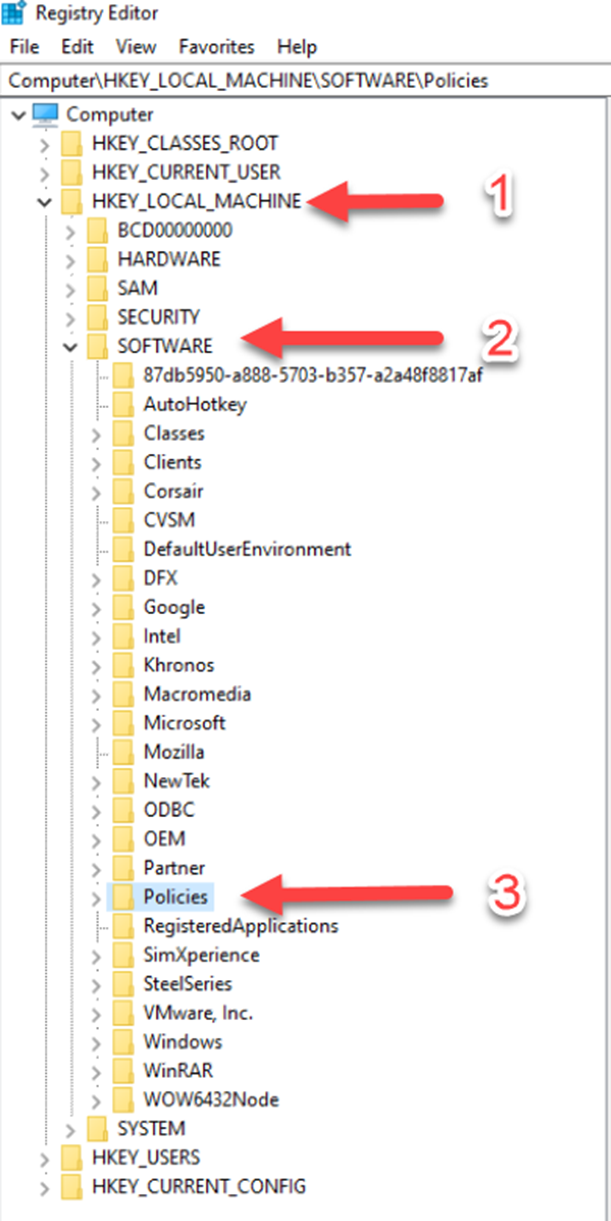
Go to Computer\HKEY_LOCAL_MACHINE\SOFTWARE\Policies
-
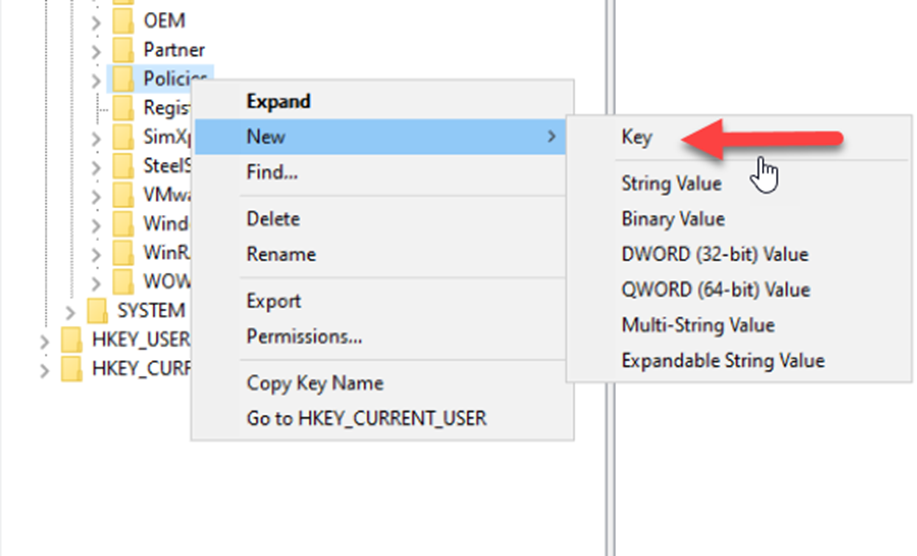
Right Click "Policies" and Create a new Key named "Google"
-
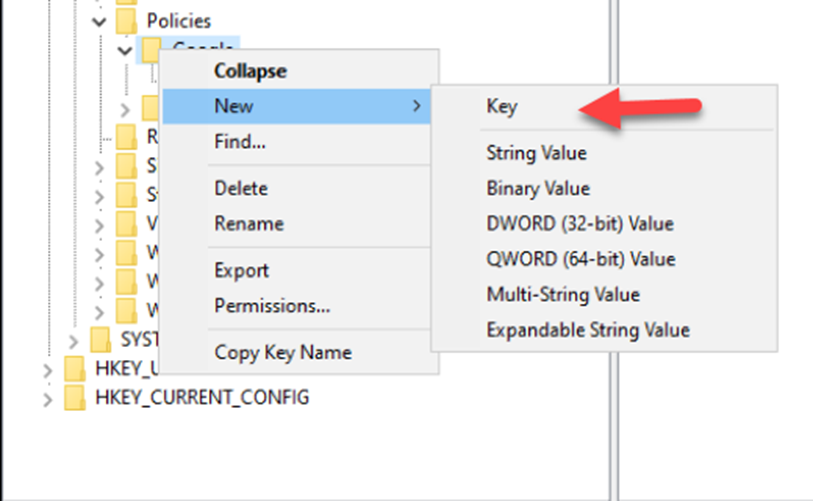
Once "Google" has been created, create another new key named "Chrome"
-
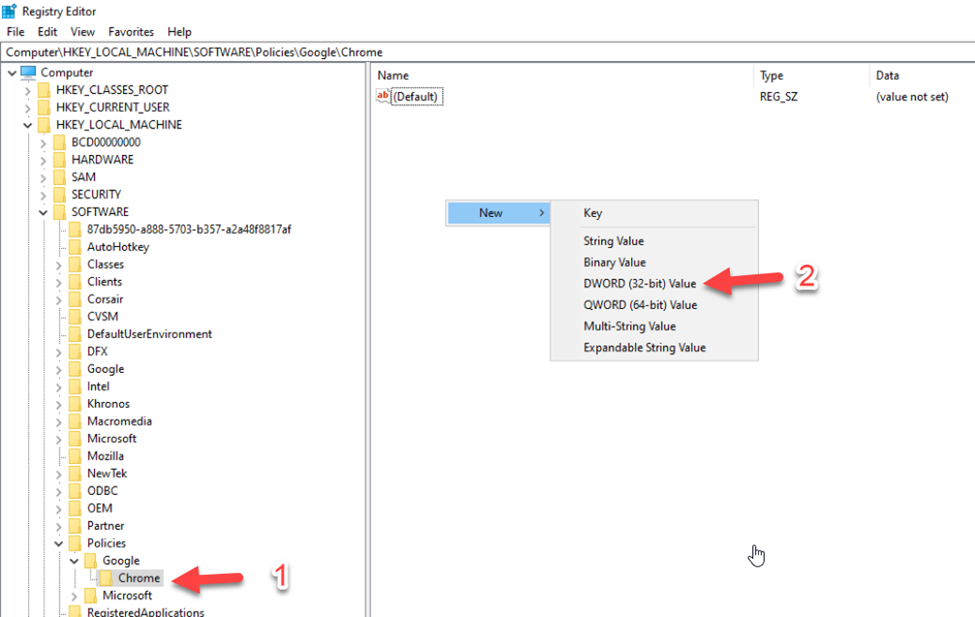
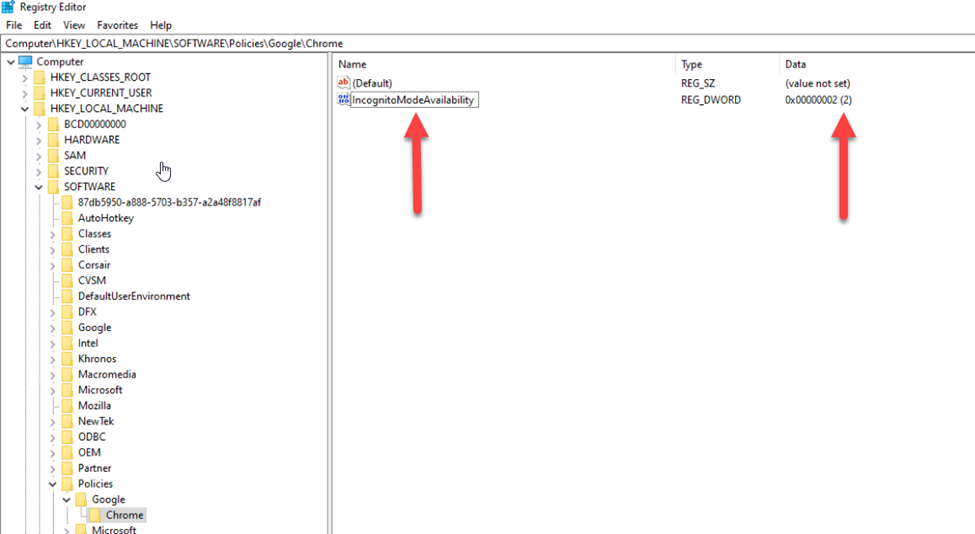
Go to the Chrome folder (Computer\HKEY_LOCAL_MACHINE\SOFTWARE\Policies\Google\Chrome)
-
On the right side, right click and Create a "DWORD (32 bit value)
-
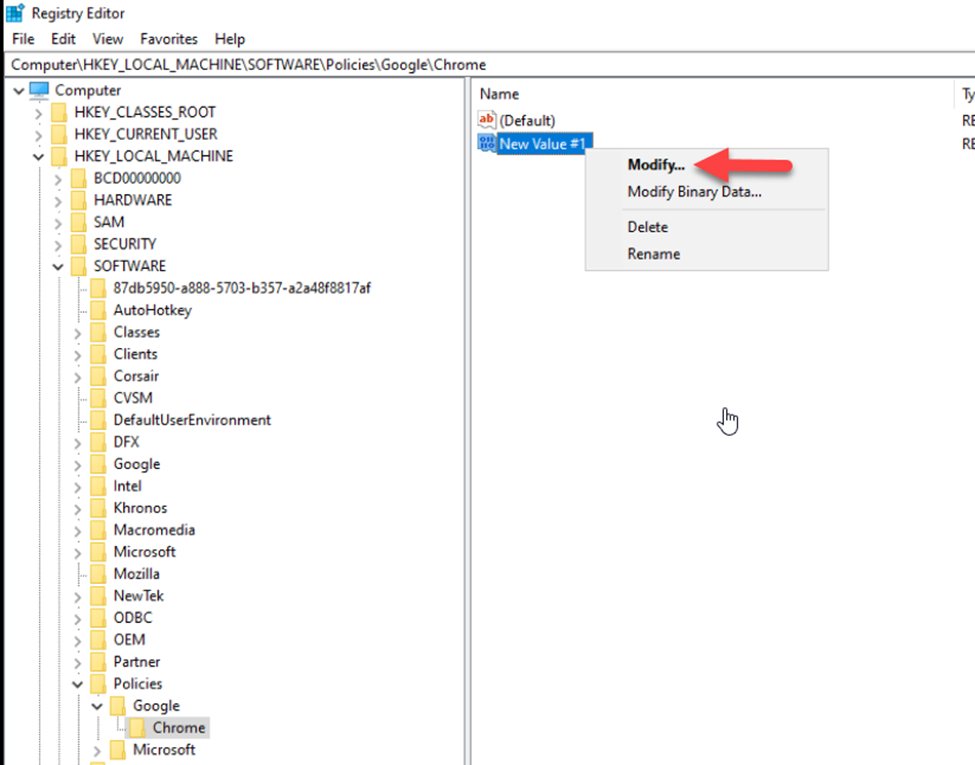
Once it has been created, right click on it and click "Modify".
-
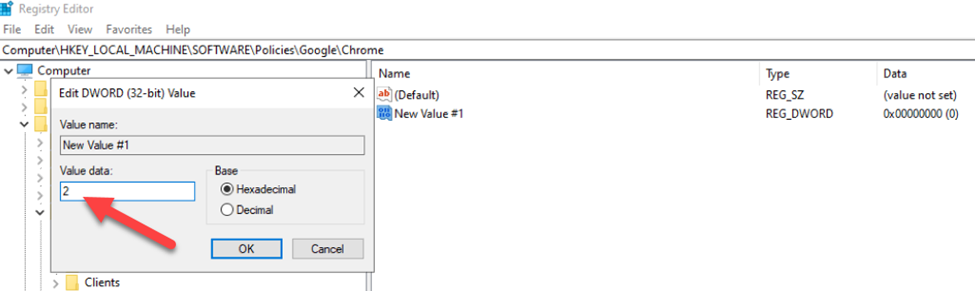
Set the the Value Data to "2" and click ok
-
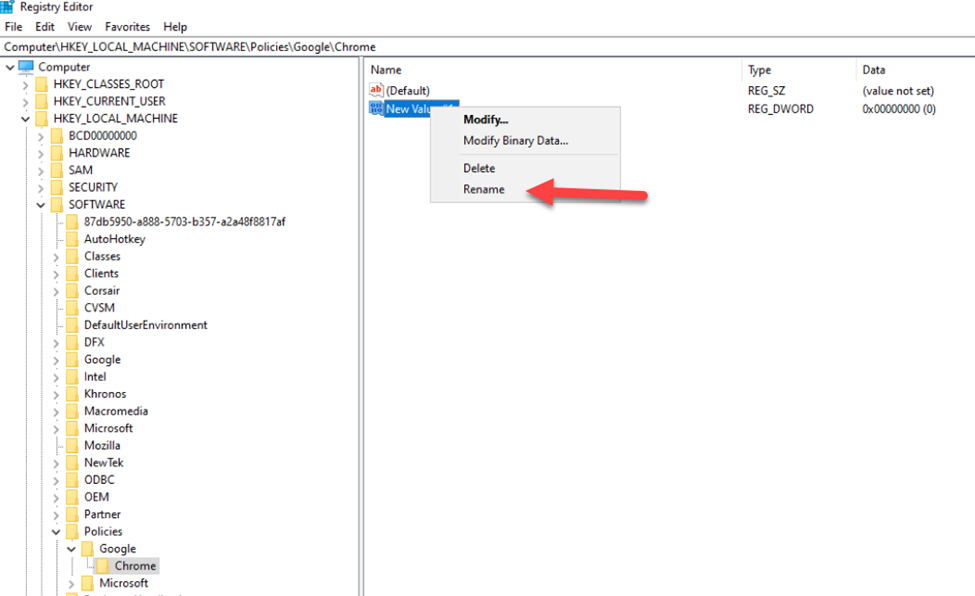
Right Click on the Created DWORD again and rename it to "IncognitoModeAvailability"
-
Check these entries and it should look like this when you're done.
-
Restart the PC.