

 Español
 中文
 العربية
How to add a new console in the Dashboard
To add a new console in your Dashboard, follow these steps:
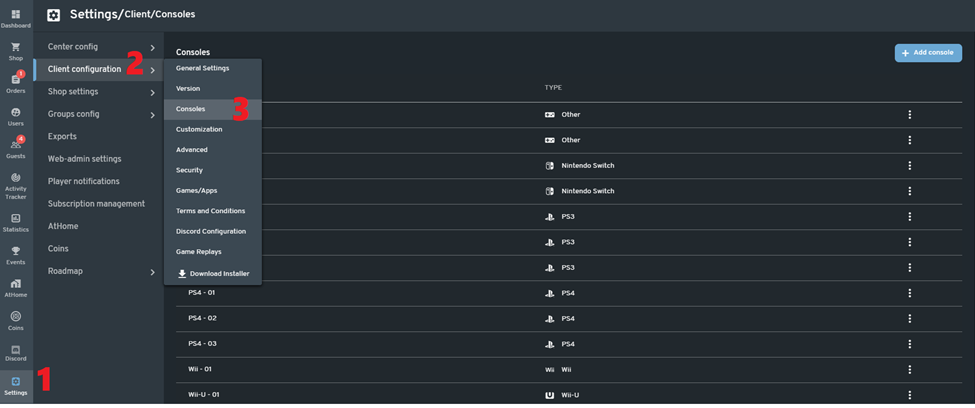
-In the web admin, go to Settings > Client configuration > Consoles.
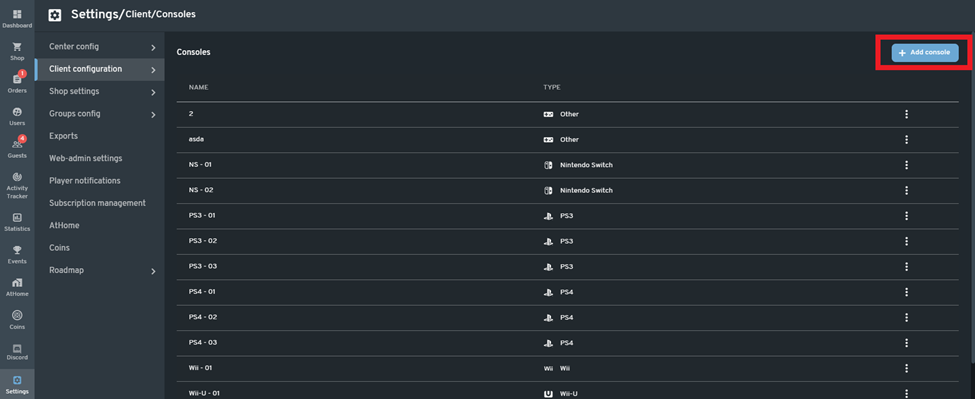
-Click the "+ Add console" button on the upper right side of the screen.
-Fill out the name and select the type of console that will be added.
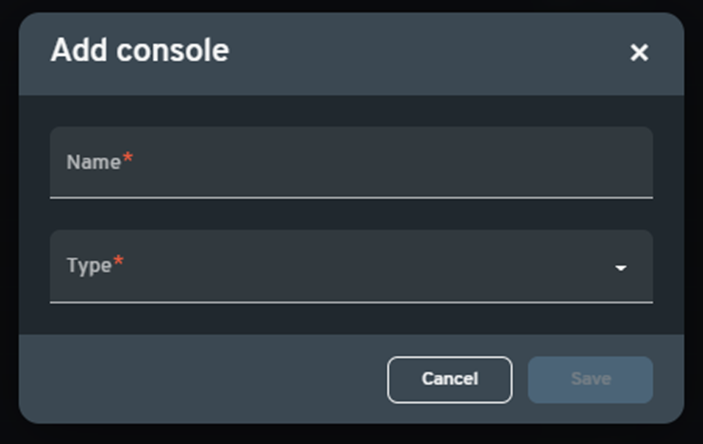
List of types of Console
- PS3
- PS4
- PS5
- Wii
- WiiU
- Xbox360
- XboxOne
- Nintendo Switch
- Other
-A notification will appear on the upper right side of the screen to indicate that the console has been added. You can create as many consoles as needed.