

 Español
 中文
 العربية
How to select multiple PCs and perform action on them
Selecting PCs in the Dashboard
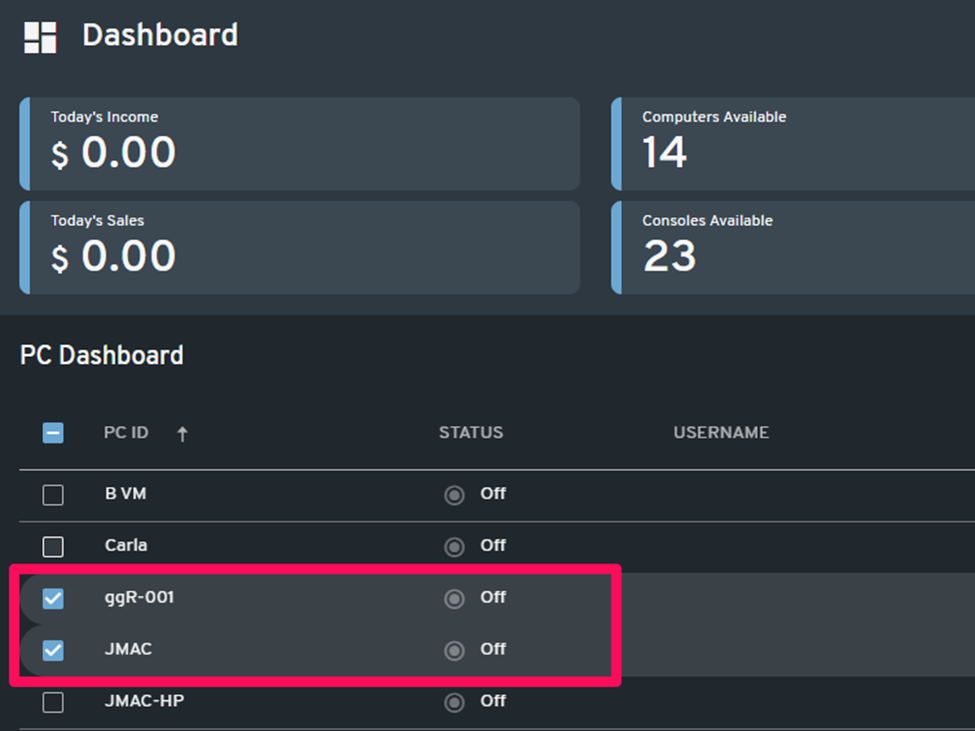
In list view, you can select/deselect multiple PCs just by clicking on them. Once the PC has been selected, it will be highlighted as shown below:
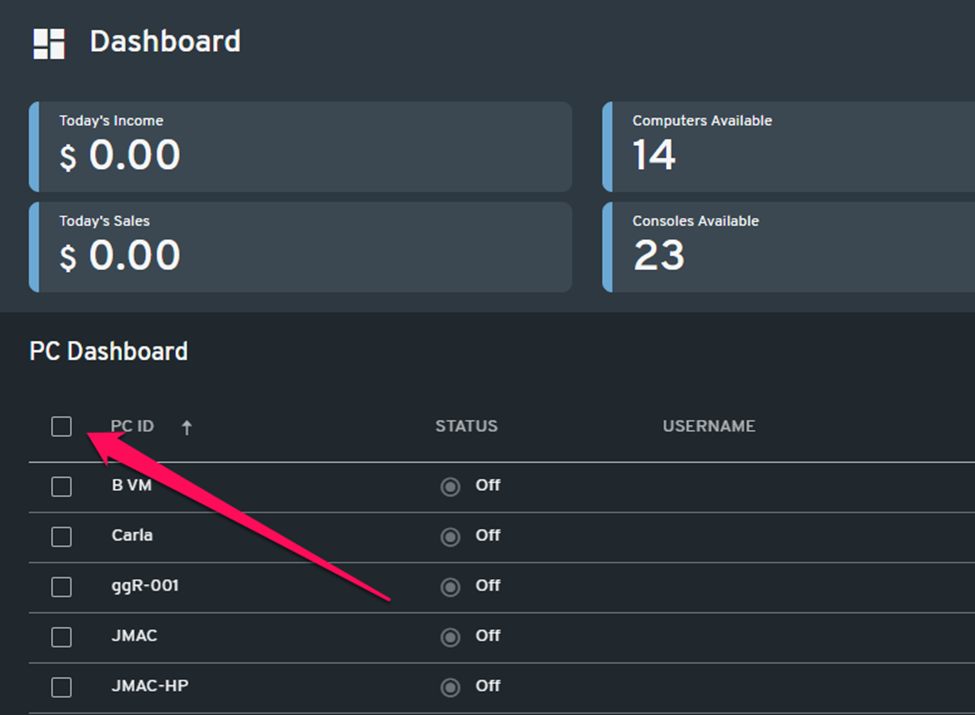
Clicking the box on the top of the list will select all of the PCs in the list.
Performing action on selected PCs
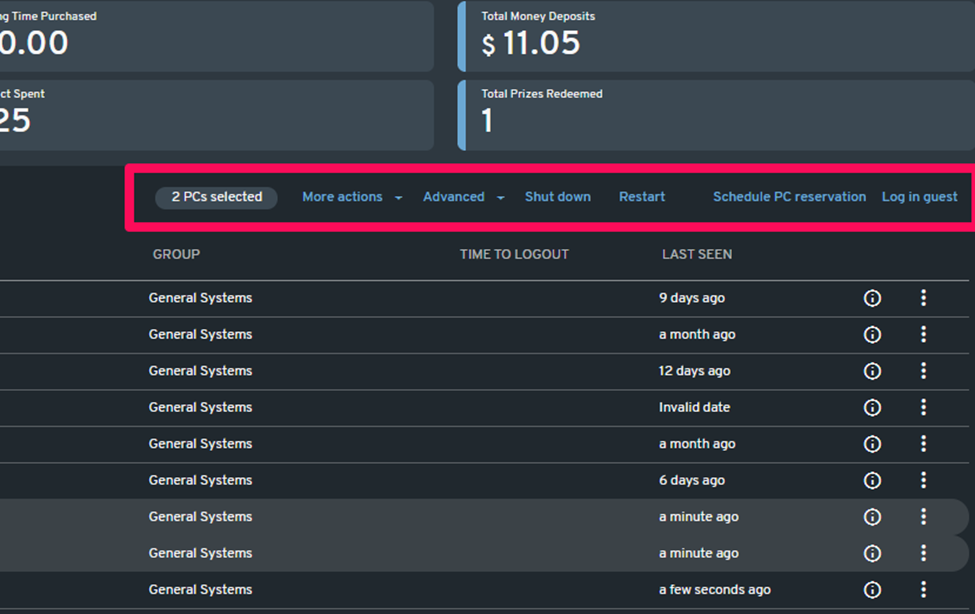
After selecting PCs, the menu to perform actions will appear at the top of the PC list.