

 Español
 中文
 العربية
When using a RAID 5 Array, space is not displayed appropriately in the ggRock Web UI Array Tab
Problem
The ggRock Array is configured as RAID 5.
After RAID parity, the Array usage/free space is misrepresented which may result in running out of space on the array prematurely.
Solution
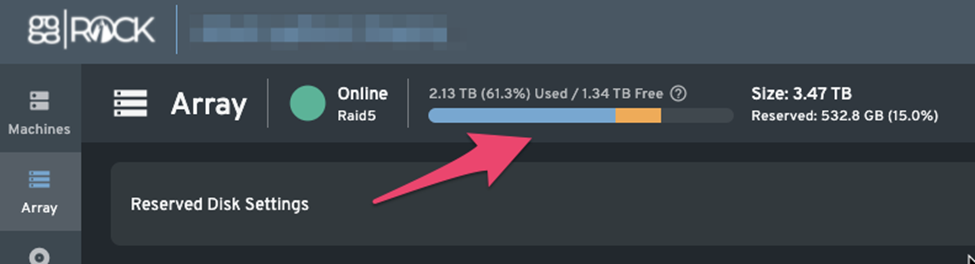
Currently the way the sizes in the graph on the Array tab is an area for improvement and in its current implementation for RAID types with parity may come off as misleading due to displaying values prior to taking into consideration any parity information associated with the RAID type selected that uses space on the Array.
In the case of this example, aside from any issue with the display of free space, the reserved space in the ggRock Array is set to 0%. Rather than reducing reserved space in the Array, it is recommended to add an additional RAID5 stripe to the Array.
Additional Information
A future release of ggRock will adjust how RAID5, RAID6, RAID7 is shown to better display the real available space in the volume (including parity)