

 Español
 中文
 العربية
🧪 iPerf3 Network Speed Testing Guide
iPerf is an open-source network performance measurement tool developed by the Internet Performance Working Group. It allows users to test network throughput by creating TCP or UDP streams and sending traffic from one host (client) to another (server). The results show the maximum achievable bandwidth, helping diagnose network issues or validate performance.
🧩 TCP vs. UDP – What’s the Difference?
| Protocol | Connection Type | Reliable? | Use Case |
|---|---|---|---|
| TCP | Connection-based | ✅ Yes | File transfers, web browsing |
| UDP | Connectionless | ❌ No | Streaming, VoIP, gaming |
- TCP uses a three-way handshake to ensure reliable delivery.
- UDP sends data without establishing a connection, making it faster but less reliable.
🖥️ Installing iPerf3
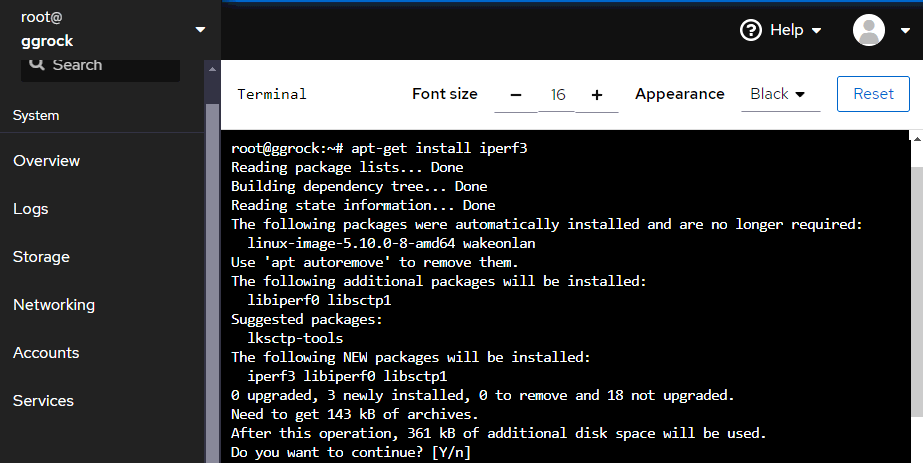
Linux (Debian-based systems)
- Log in to your Debian-based system.
- Run:
sudo apt-get install iperf3
- Press Y when prompted to confirm installation.
Windows
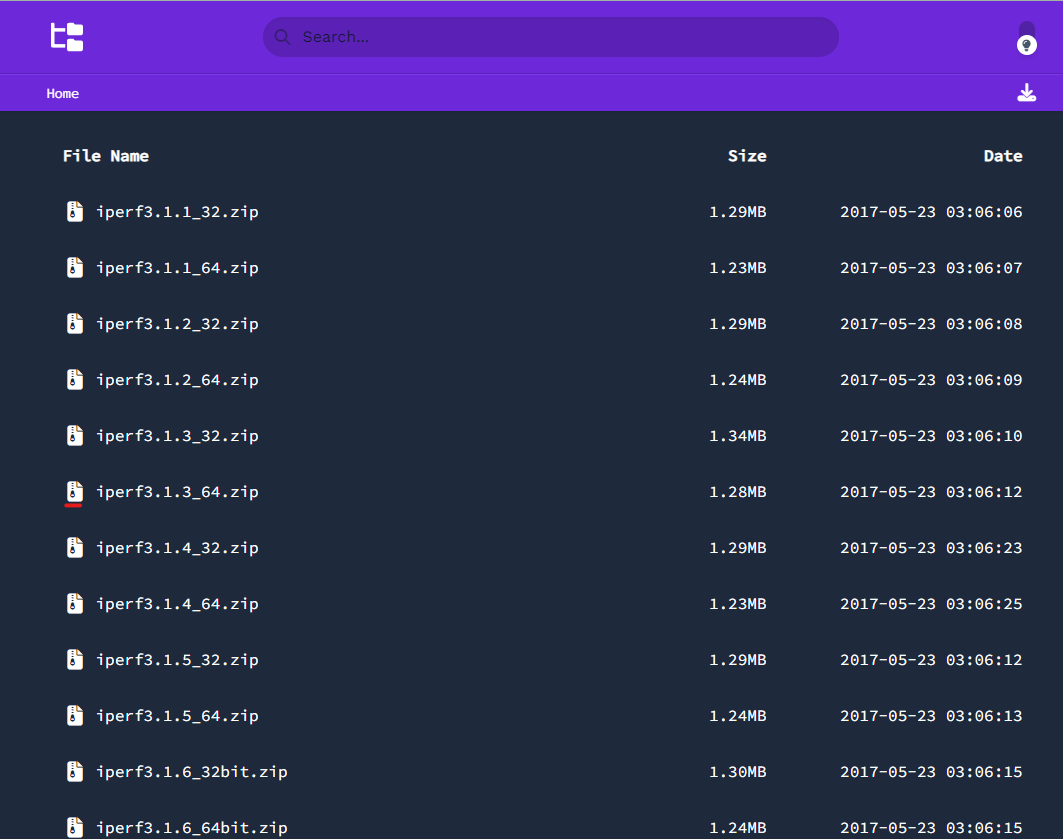
- Download iPerf3: https://files.budman.pw/
- Extract the zip file to a known location, e.g., Desktop.
▶️ Running iPerf3
Step 1: Start iPerf3 Server on Debian
On the Debian machine:
iperf3 -s
This starts the server in listening mode, waiting for a client connection.

Step 2: Run iPerf3 Client on Windows
- Open Command Prompt.
- Navigate to the extracted iPerf3 directory:
cd C:\Users\YourUsername\Desktop\iperf3

- Run the client test:
iperf3.exe -c

To run a reverse test (measuring download on client):
iperf3.exe -c -R
📊 Interpreting the Results
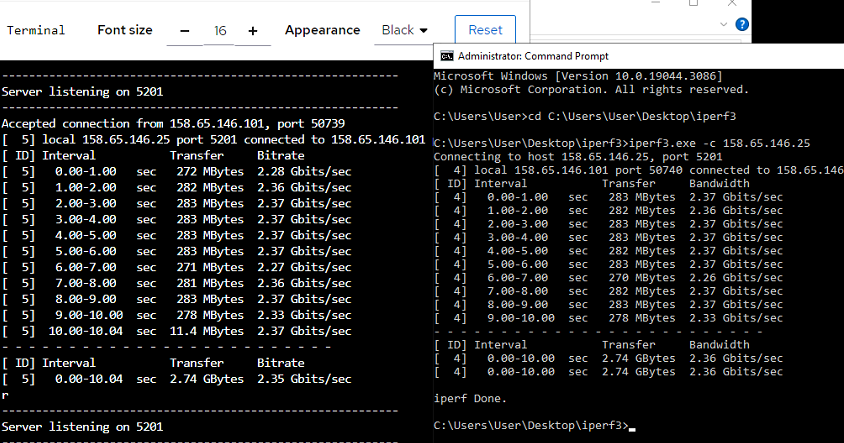
Sample Output
If you're testing from a remote client, the output will show:
- Sender (Client): Measures upload from client to server.
- Receiver (Server): Measures download from client to server.
You can swap directions using the -R flag on the client to test the opposite path.
🎥 Video Tutorial
Was this article helpful?
More in Network
- ggRock Machines consume twice the IP addresses. Double provisioning of IP addresses for ggRock
- Optimizing Network Card Settings
- Powering on all Machines in the center only results in a few being turned on
- Resolving System Instability and iSCSI Timeouts on Intel E800 Series (ICE) Adapters
- Slow machines and freezes - Network Cable Issue