

 Español
 中文
 العربية
How to use Memtest to check the memory of your ggRock server
This article serves as a basic guide to validating the reliability of the RAM in your ggRock server.
Problem
Client crashes, BSOD (blue screen), and other performance and reliability issues can be related to the RAM in your ggRock server if it is not ECC RAM.
Solution
Install and run memtester
- Access your ggRock server's terminal via Debian Control Panel, ssh, or physical access.
- Install memtester
apt-get install memtester
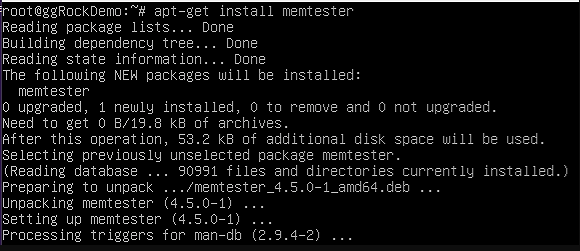
- Determine the amount of RAM physically installed in your ggRock server.
free -g

- Run memtester with slightly less than the amount of memory listed under the "total" column in your output of the free -g command.
memtester 6G
- If the process errors out, it will automatically cancel with the message "Killed".

- If the process proceeds, the memory test is now running.
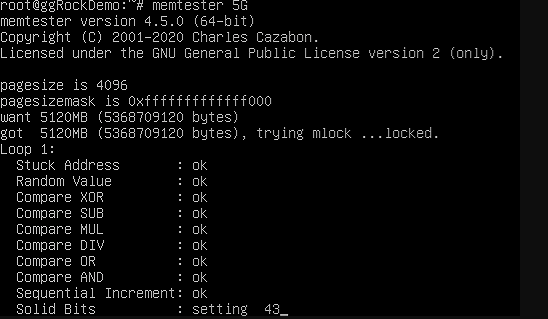
Tip:
A failure during the "stuck address check" typically occurs within the first 10 minutes of a test, give or take, which is a good litmus test for whether memory replacement is advisable.