

 Español
 中文
 العربية
🧯 BIOS Update Troubleshooting: System Won’t Boot to ggRock
❗ Problem
After performing a BIOS update, your system may no longer boot properly to ggRock. This can happen due to hardware changes or altered firmware behavior introduced by the update.
✅ Solution 1: Update the System Image
In many cases, updating the BIOS changes how the hardware interacts with Windows. You’ll need to recreate your system image using a system running the new BIOS revision.
- Boot into Windows on a system using the updated BIOS.
- Follow the guide: Update Windows System Image using Seamless Boot.
- Re-attempt booting to ggRock using this new image.
🔄 Solution 2: Perform a Cold Boot
Sometimes a BIOS update causes a temporary lockup or boot loop.
- Completely shut down the system — don't just restart.
- Wait a few seconds, then power the system back on.
- Attempt booting to ggRock again.
This can reset hardware states and clear transient firmware issues.
🧭 Solution 3: Revert the BIOS Version
If the update causes persistent issues and isn’t essential, consider reverting to a previous, known-good BIOS version.
Example (Intel Motherboard – ISO Image BIOS Downgrade):
- Download the ISO Image BIOS Update for the version you want from Intel's support site.
- Burn the ISO to a bootable CD.
- Insert the CD and boot from it.
- At the prompt, press Enter to start the update process.
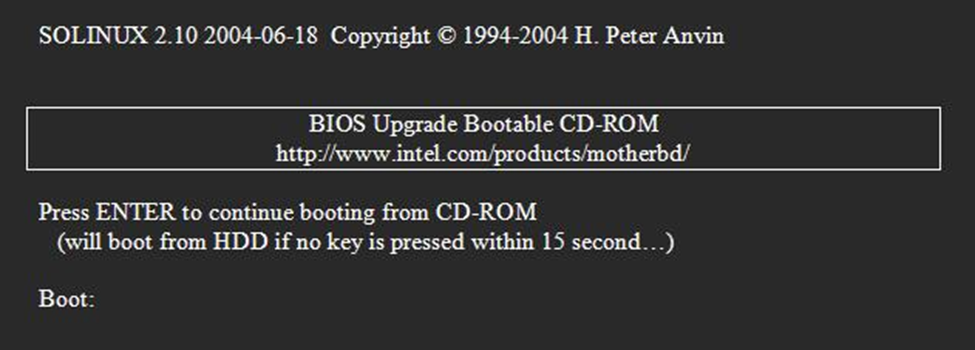
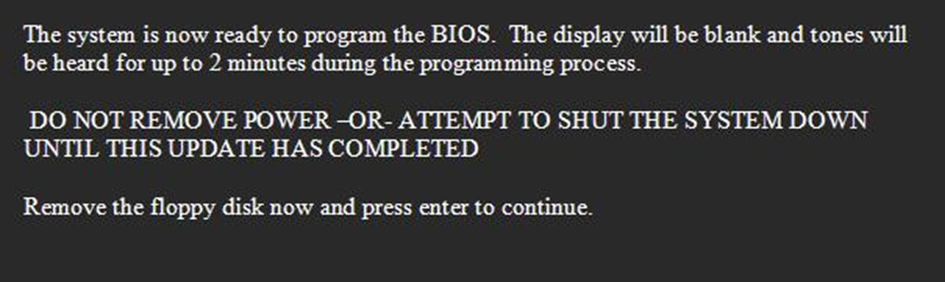
- When prompted, remove the CD and press Enter.
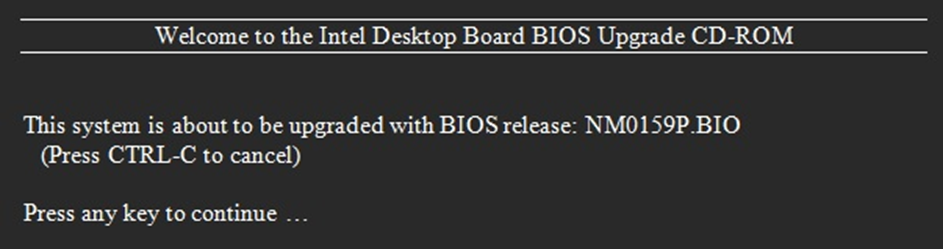
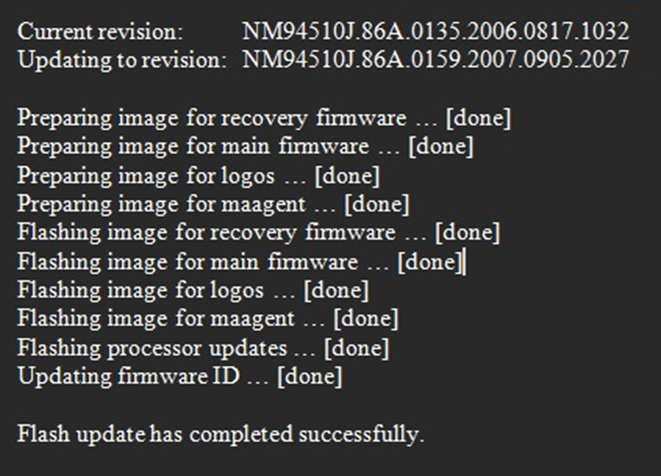
- Watch the BIOS update status window for progress.
Once complete, try booting to ggRock again.
⚠️ Some systems may support USB-based or internal recovery options instead of CD-based BIOS flashing.
📌 Additional Information
Only update your BIOS if:
- It enables support for new hardware/software required in your environment.
- It addresses critical security vulnerabilities.
- It fixes a specific bug or compatibility issue affecting your current systems.
🚫 Unnecessary BIOS updates may cause instability or compatibility issues, especially in PXE/iSCSI boot environments like ggRock.