

 Español
 中文
 العربية
ggRock Machine Secure Boot Violation when booting with a UEFI BIOS
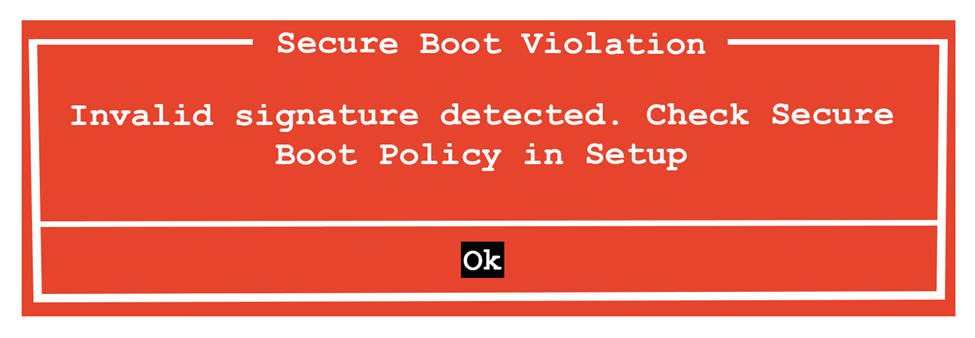
Secure Boot Violation Invalid signature detected. Check Secure Boot Policy in Setup Reset/Clear Cryptographic Keys Disable Secure Boot
ggRock Machine Secure Boot Violation when booting with a UEFI BIOS
Problem
The following error appears on bootup:
Secure Boot Violation Error
Invalid signature detected. Check Secure Boot Policy in Setup
When booting an operating system, modern UEFI-based systems require a digital signature to ensure the operating system being booted is trusted.
Solution 1
Example is from Alienware.
- Access the BIOS setup of the system (Press F2, F10, DEL, etc depending on vendor).
- Access the Security menu.
- Toggle the Secure Boot setting to "Disabled".
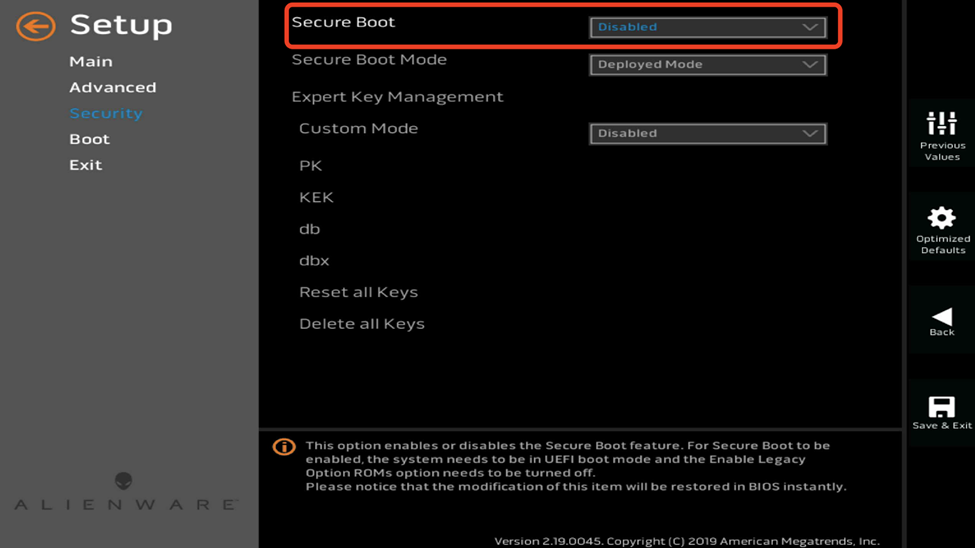
- Attempt booting again.
Solution 2
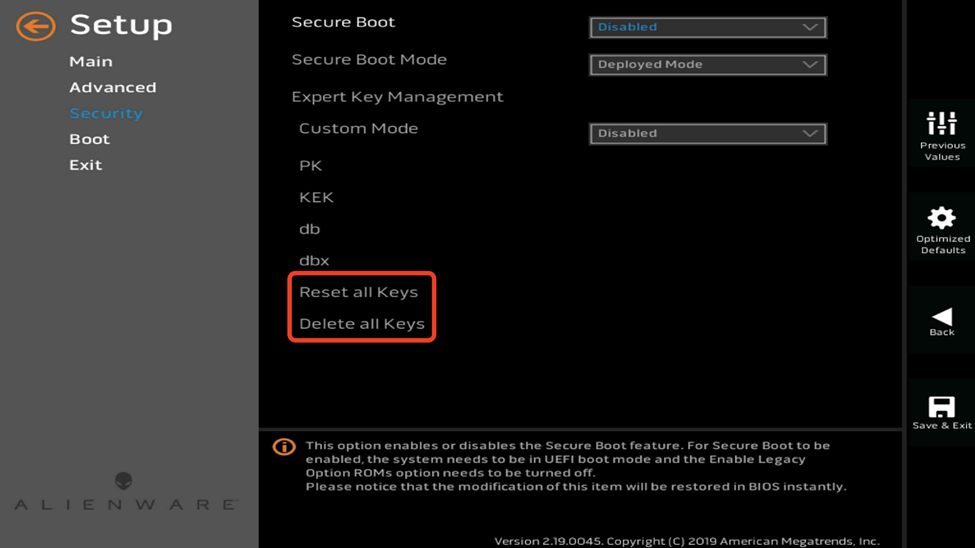
Example is from Alienware.
-
Access the BIOS setup of the system (Press F2, F10, DEL, etc depending on vendor).
-
Access the Security menu.
-
Reset or Clear the cryptographic keys.
-
Attempt booting again.
Additional Information
The system image you have created may be incompatible with your BIOS configuration - that is to say, if you create a system image under legacy boot mode, it will work for both legacy and UEFI modes, but if you create a system image under UEFI mode, it will ONLY work for UEFI-mode boot.
Was this article helpful?
More in Boot & PXE errors
- 🧩 PXE Boot Fails with PXE-E21 (Remote Host Cancelled)
- Booting Many ggRock Machines at Once Results in a large portion of the PCs not loading data on boot (files missing on System and Games drive
- Cannot boot one system, unable to delete from ggRock Web UI
- Diskless PCs Fail to PXE Boot After a Meraki/Cisco Switch Firmware Upgrade (STP Edge-Port / PortFast Fix)
- Getting Device Ready Boot Loop After Image Creation