Español
 中文
 العربية
Changing a VM's Screen Resolution
-
Boot up a VM in ggRock.
-
Put the VM in Admin Mode
-
When in Admin mode, hold Shift and Press Windows - it will reboot.
-
Click Troubleshoot>Advanced>UEFI Settings
-
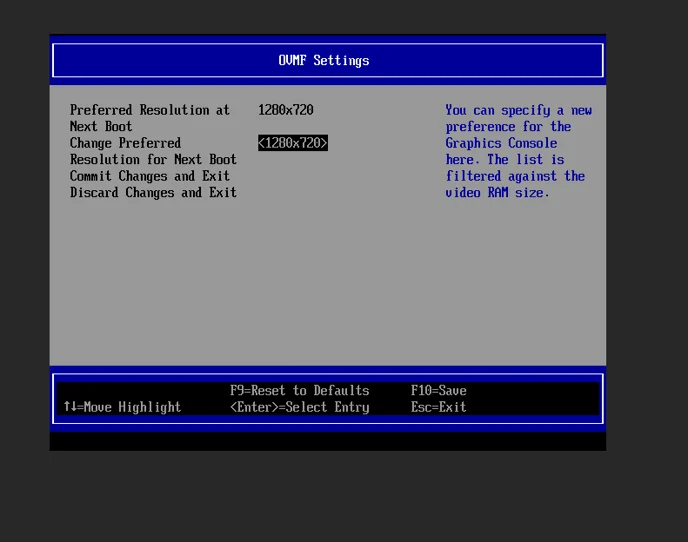
Go to Device Manager> OVMF Platform Configuration > Change Preferred Resolution