

 Español
 中文
 العربية
ggRock Web UI Overview
A visual guide to the new and improved ggRock Web UI.
ggRock Web UI Overview
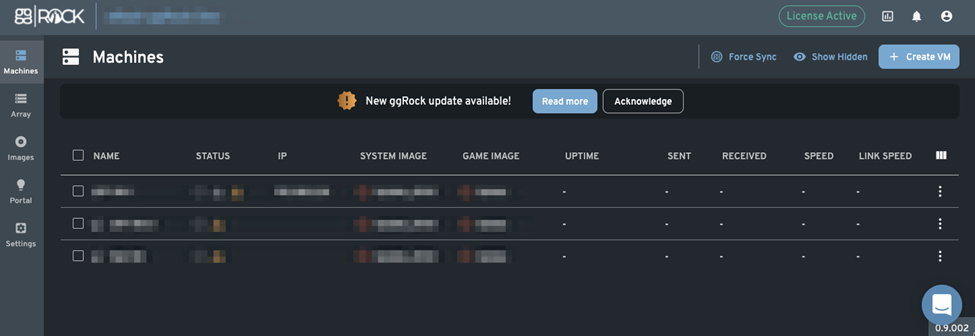
Machines

Array Monitor machines

- Enable ggLeap Integration
- Power machines off and on
- Configure machines
- Restart Machines
Initial Configuration of Disk Array

- Monitor S.M.A.R.T. Status of Hard Drives
- Array Maintenance
- Disk Replacement
Manage System images

- Manage Game Images
- Apply Writebacks
- Manage Snapshots
Submit ideas

- View ideas under consideration
- View accepted ideas
- View features in the roadmap
- View features under development
- View released features
General

- Adjust RAM Cache Size
- Adjust Maximum VM RAM allocation
- Adjust server reserved RAM
- Enable/disable dark mode
- Change release streams (for members of the ggRock Power Users cohort)
Network

- View Network Bridge Configuration Status
- Configure Network Bridge
Array and Images

- Enable/Disable automatically importing the ggRock array on application start
- Configure available space (hourly) warning threshold
- Configure reserved disk space (restrict machine boot and snapshot creation) threshold
- Configure unutilized snapshot retention
- Configure uprotected snapshot retention
- Configure inactive writeback retention
Software Update

- View update information
- Upgrade ggRock
- Downgrade ggRock
Subscription
- View ggRock Subscription Information
Employees
-
View Employees List
-
Create Employees
-
Edit Employees
-
Delete Employees
-
View Roles
-
Create Roles
-
Edit Roles
-
Delete Roles
Server Stats
- Access Grafana Statistics Monitoring Facility
User Menu
- View username of user that is currently logged in
- Log out of the ggRock Web UI