

 Español
 中文
 العربية
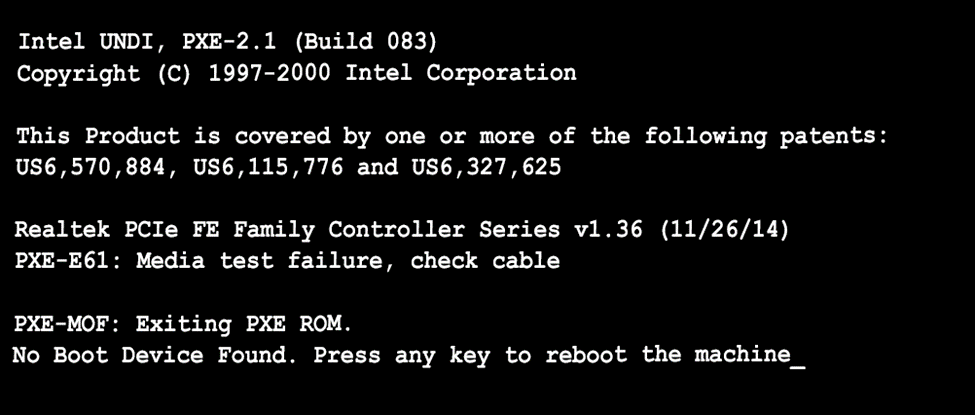
ggRock Client Machine boot stuck on "Media test failed, check cable."
Client Machine boot stuck on "Media test failed, check cable." Media test failed check cable
Problem
The following error appears on bootup:
PXE-E61: Media test failure, check cable
Solution
Problem presents on a single computer
- Check that the network cable is firmly seated in the PC.
- Check that the network cable is firmly seated in the wall jack.
- Attempt booting again.
Was this article helpful?
More in Boot & PXE errors
- 🧩 PXE Boot Fails with PXE-E21 (Remote Host Cancelled)
- Booting Many ggRock Machines at Once Results in a large portion of the PCs not loading data on boot (files missing on System and Games drive
- Cannot boot one system, unable to delete from ggRock Web UI
- Diskless PCs Fail to PXE Boot After a Meraki/Cisco Switch Firmware Upgrade (STP Edge-Port / PortFast Fix)
- Getting Device Ready Boot Loop After Image Creation