

 Español
 中文
 العربية
General Client Settings
General Settings
Location: Settings ▶ Client configuration ▶ General Settings
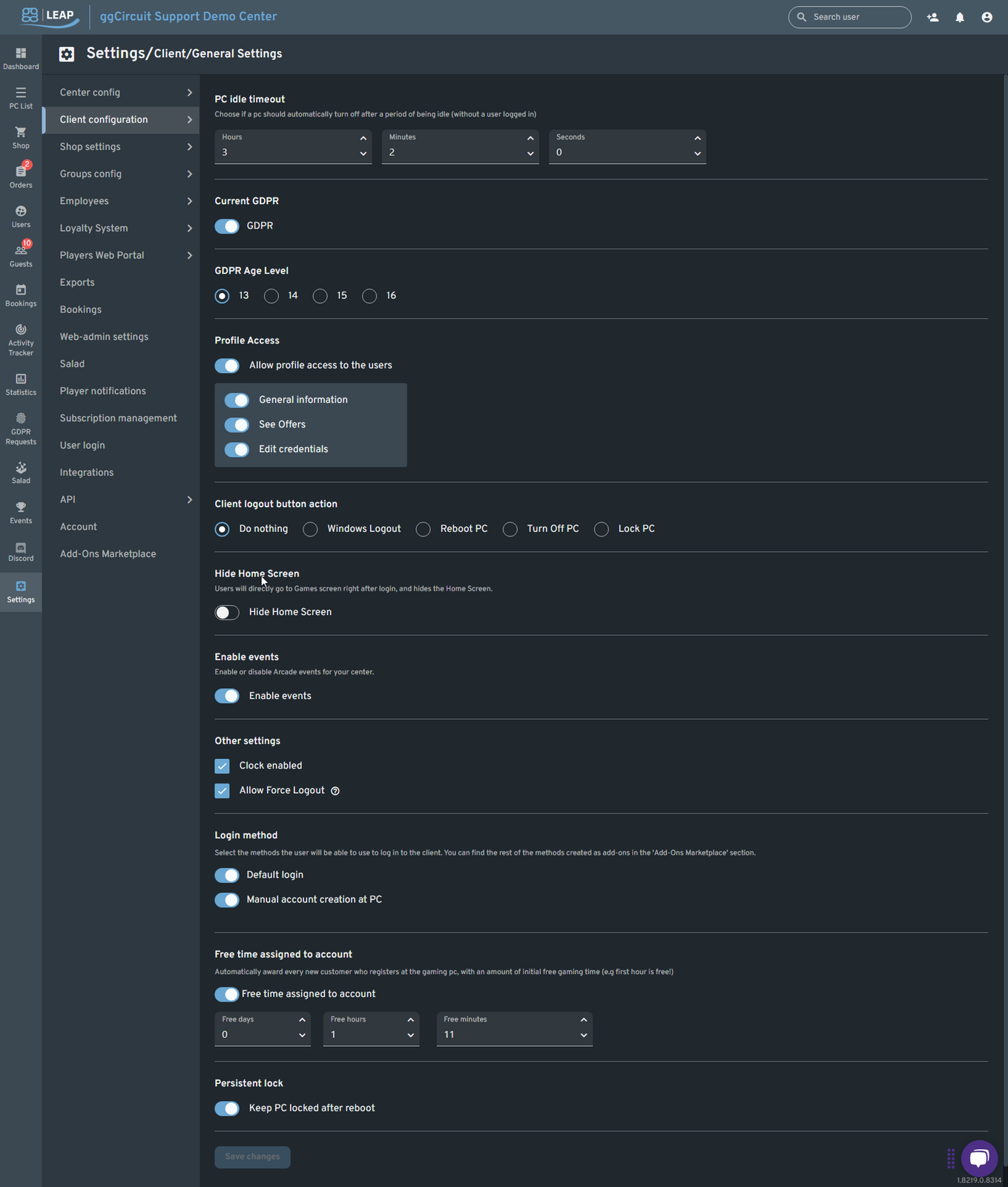
| Setting | Description |
|---|---|
| PC idle timeout | ⏱ Automatically turn off a PC after it’s been idle (no user logged in). Set hours, minutes, seconds. |
| Current GDPR | 🔒 Toggle GDPR compliance for all client screens. |
| GDPR Age Level | 13 – 16 years: Select the minimum age to enforce. |
| Profile Access | 👤 Allow users to view/edit their profile: * General information * See offers * Edit credentials |
| Client logout button action | 🚪 Choose what the client does when the user clicks “Logout”: Do nothing / Windows Logout / Reboot PC / Turn Off PC / Lock PC |
| Hide Home Screen | 🏠 Skip the Home screen and go straight to the Games screen after login. |
| Enable events | 🎉 Toggle arcade or tournament events on the client. |
| Other settings | ⚙️ • Clock enabled (show the clock) * Allow Force Logout (staff tool to remotely log out PCs) |
| Login method | 🔑 Default login (email/password) or Manual account creation at PC. |
| Free time assigned to account | ⌛ Automatically award new customers a set amount of free gaming time (days/hours/minutes). |
| Persistent lock | 🔐 Keep the PC locked even after reboot, until manually unlocked by staff. |