Español
 中文
 العربية
🎨 Customizing the ggLeap Client
Personalize your ggLeap client to reflect your center's brand and vibe. You can update your center logo, apply a custom theme, configure background visuals, and personalize the AtHome experience.
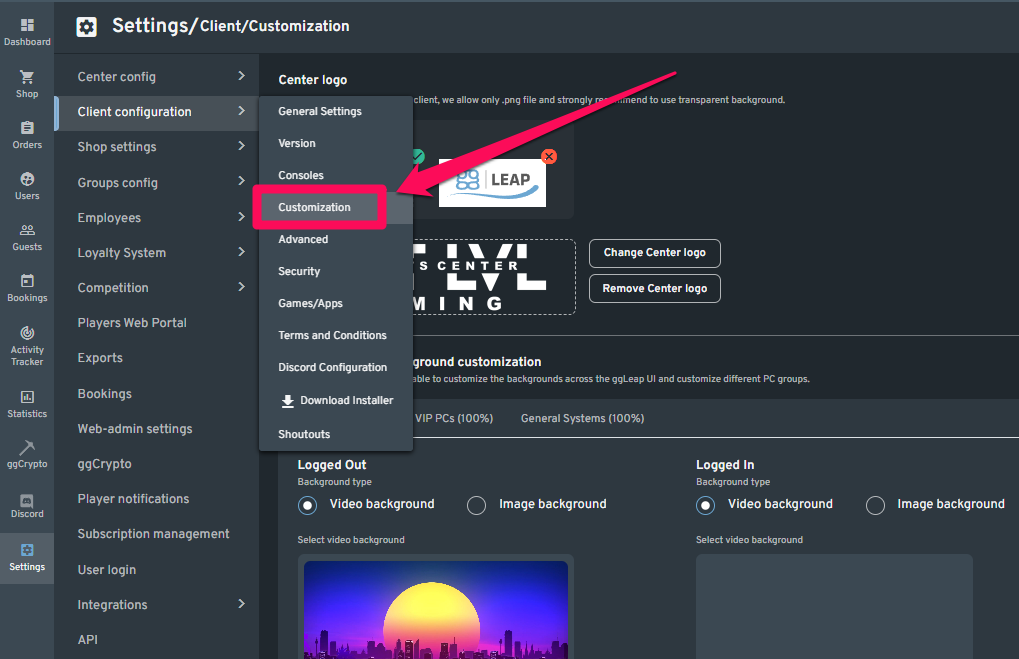
⚙️ Navigate to Customization Settings
Go to:
Settings > Client Configuration > Customization
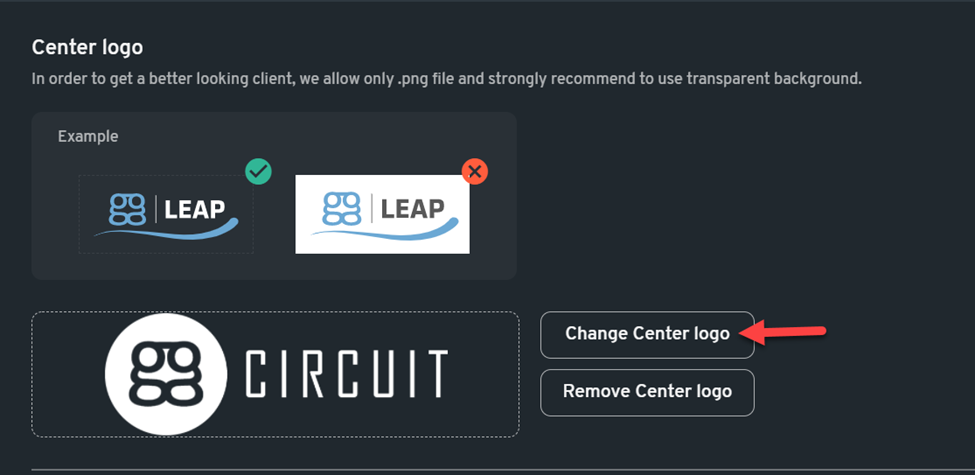
🖼️ Center Logo
- Recommended size: 480×156 px
- Format:
.png(with a transparent background for best results)
Steps:
- Click Change center logo
- Select and upload your logo
- Click Save changes
🎨 Global Client Theme
Customize themes for:
- ggLeap Client Login
- Client Home
Steps:
- Choose from default themes or select custom colors
- Use the color picker to adjust primary and accent colors
- Click Save changes
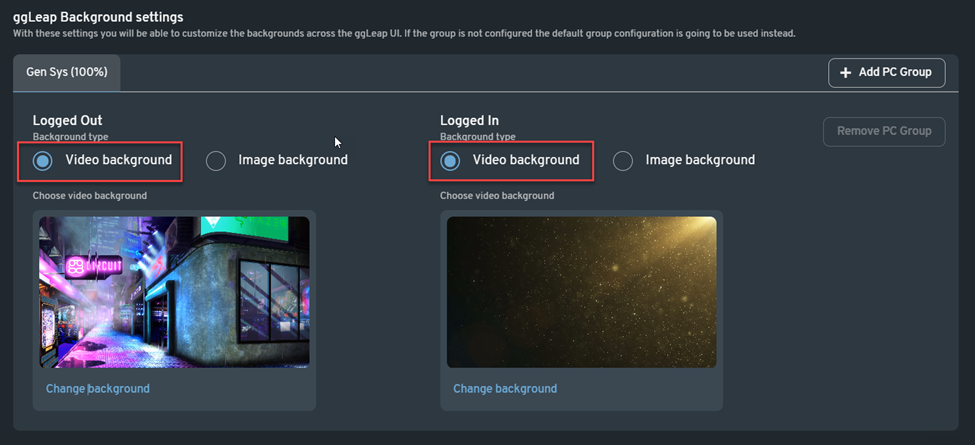
🖥️ ggLeap Background Settings
You can set different backgrounds for Logged In and Logged Out states, and even configure per-PC group settings.
Video Background
- Recommended size: 1920×1080 px
- Formats:
.WEBM,.MP4,.MOV
Steps:
- Click Change Background
- Select from available videos or click Add custom video
- Upload your file
- Click Save changes
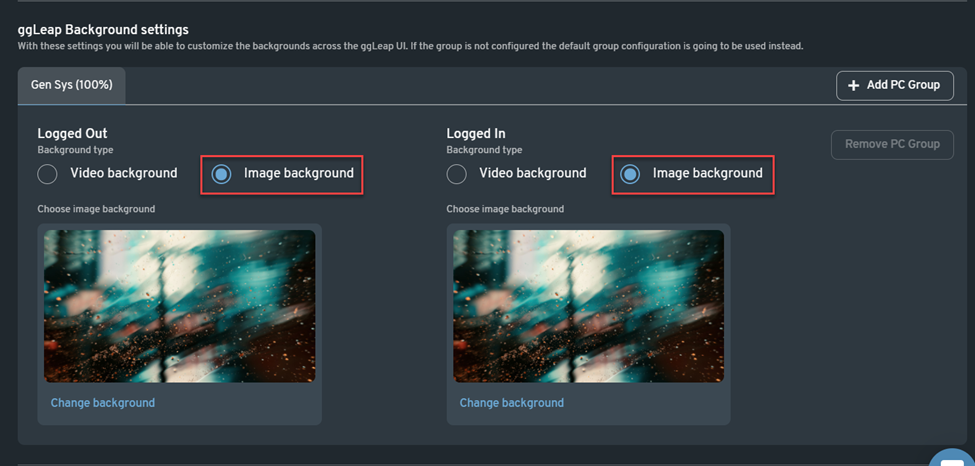
Image Background
- Recommended size: 1920×1080 px
- Formats:
.JPEG,.BMP,.PNG,.GIF
Steps:
- Click Change Background
- Select or upload a custom image
- Click Save changes
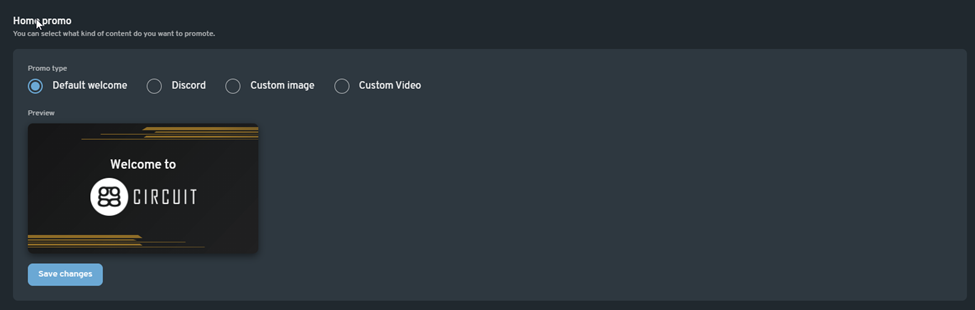
📢 Home Promo Banner
Choose the content you want to promote on the client home screen.
- Recommended size: 760×428 px
Steps:
- Select the promo content
- Click Save changes