

 Español
 中文
 العربية
Customization
Location: Settings ▶ Client configuration ▶ Customization
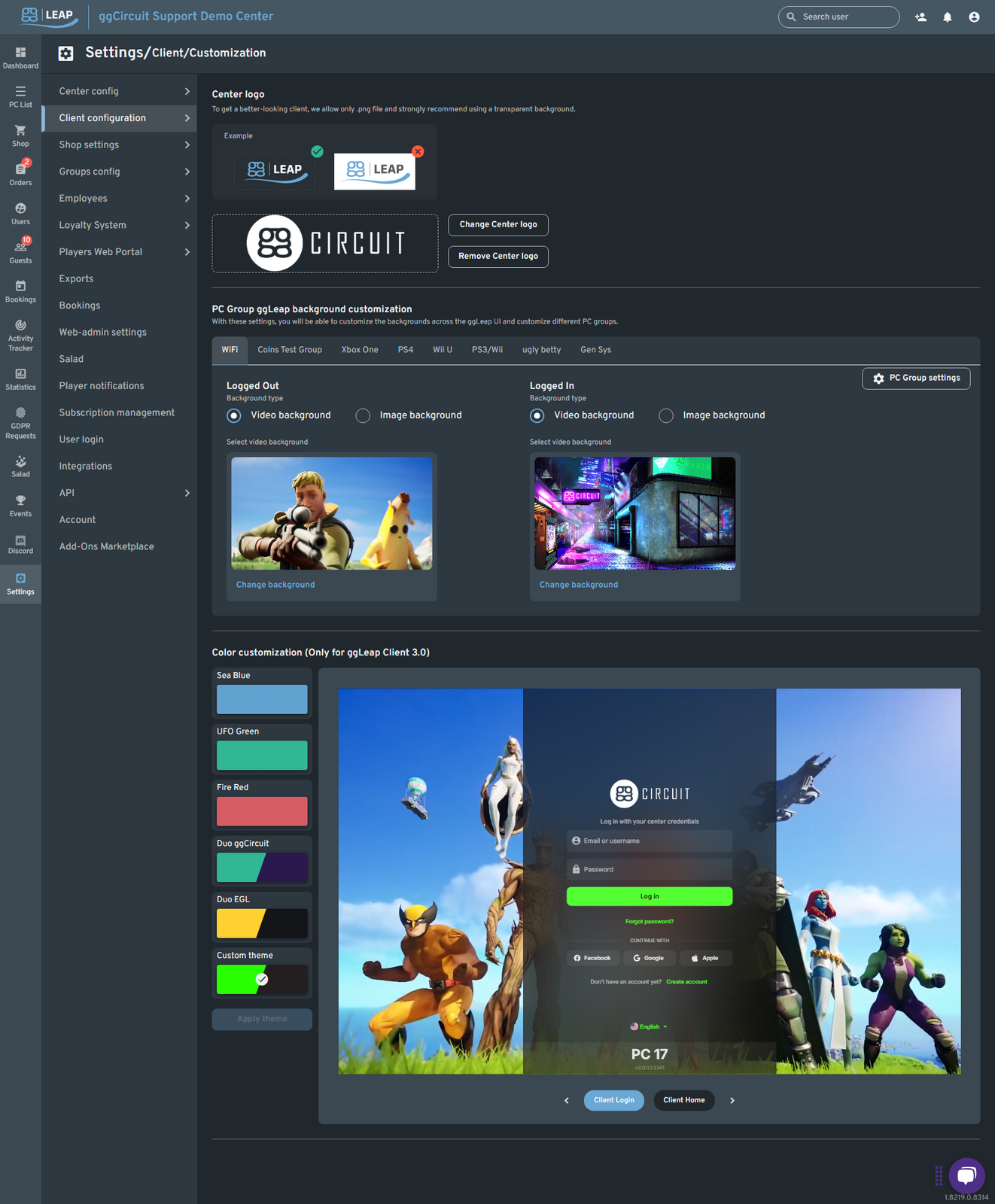
Center Logo
- Change / Remove: Upload a transparent PNG for best results.
- Example size: ~300×100 px.
PC Group Backgrounds
Customize both the “Logged Out” and “Logged In” screens per PC group:
- Select your PC Group (WiFi, Xbox One, PS4, etc.).
- Choose Video background or Image background.
- Click Change background and upload your asset.
Pro tip: Loop a short MP4 for a dynamic client experience!
Color Customization (ggLeap Client 3.0)
Pick a preset theme or define your own:
| Theme | Description |
|---|---|
| Sea Blue | Light-blue accents |
| UFO Green | Vibrant, neon-green accents |
| Fire Red | Bold, high-contrast red |
| Duo ggCircuit | Brand colors split palette |
| Duo EGL | Event-specific color pairing |
| Custom theme | Enter any HEX code |
Click Apply theme to save.