

 Español
 中文
 العربية
Games/Apps
Location: Settings ▶ Client configuration ▶ Games & Apps
Manage which titles your clients can launch, and customize each game/app’s metadata, assets, and launchers.
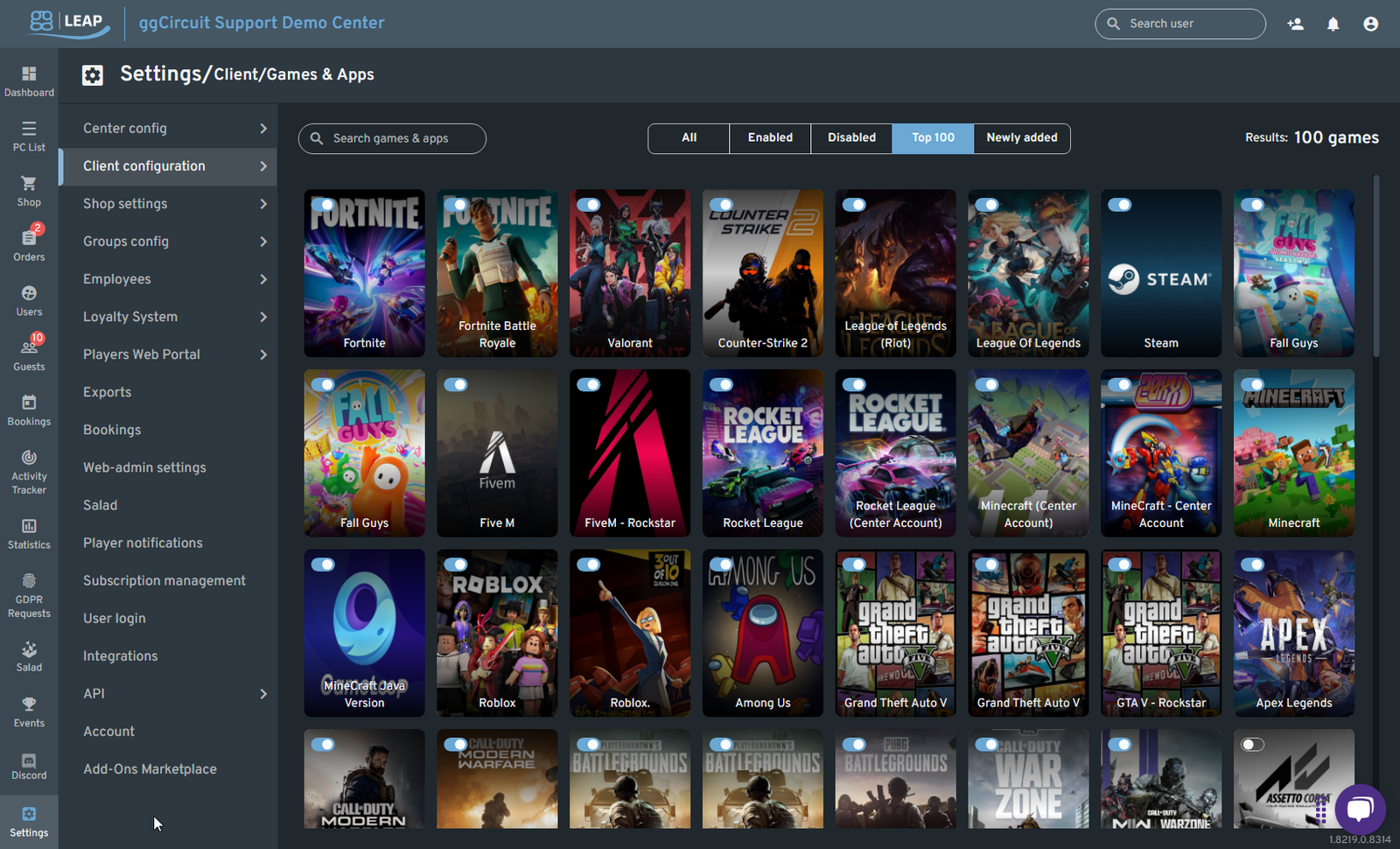
7.1 Browse & Filter
- Search bar — quickly find a game or app by name.
- Status filters — toggle between All, Enabled, or Disabled titles.
- Predefined lists — view your Top 100 games or Newly added titles.
- Results counter — shows the total number of titles matching your criteria.
Enable / Disable Titles
Each tile represents one game or app:
-
Toggle switch (top-left of tile):
-
🔘 On = enabled (available to clients)
-
⚪︎ Off = disabled (hidden on the client)
-
Hover reveals the ⋮ menu for quick edits or removal.
Editing a Title
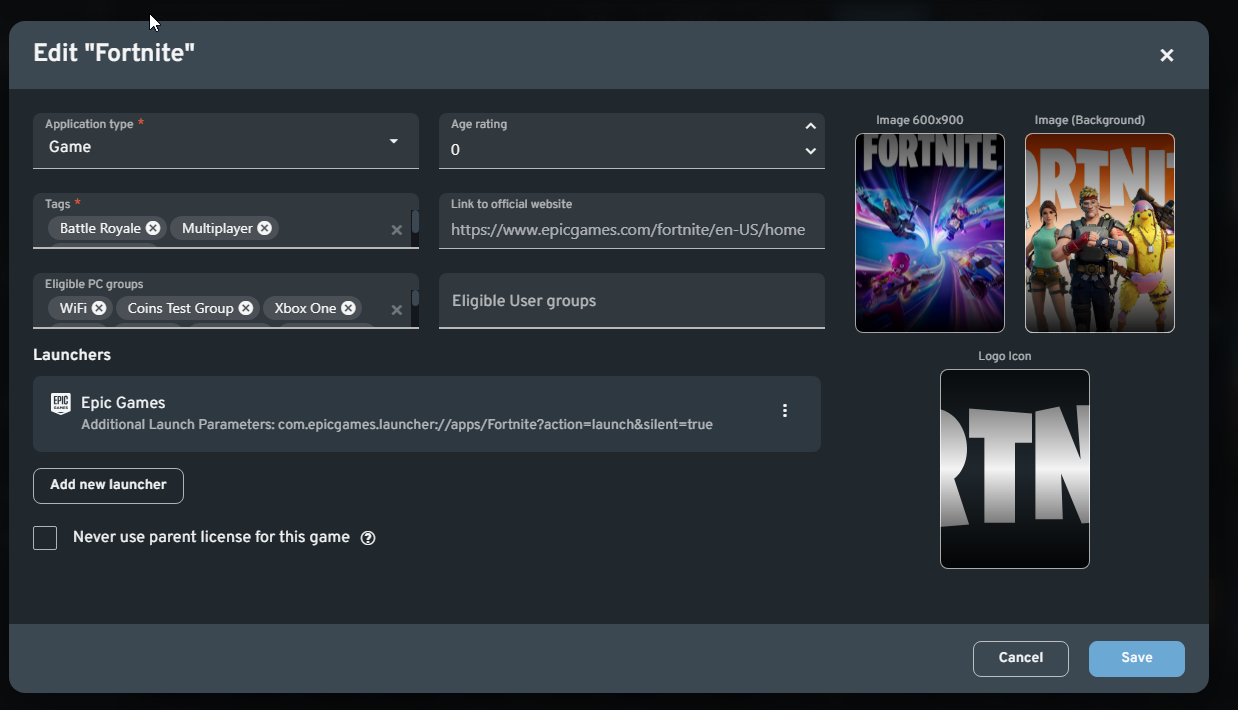
Click a tile (or its ⋮ menu ▶ Edit) to open the Edit “<Title>” dialog:
| Field | Description |
|---|---|
| Application type | Select Game or App. |
| Age rating | Numeric rating for parental guidance. |
| Tags | Add genre or feature tags (e.g. Battle Royale, Multiplayer). |
| Link to official website | URL to the publisher’s page. |
| Eligible PC groups | Choose which PC groups may access this title (e.g. WiFi, Xbox One). |
| Eligible User groups | Restrict by user roles or groups if desired. |
| Image 600×900 | Primary cover art. |
| Image (Background) | Secondary banner or background. |
| Logo Icon | Small square icon shown in menus. |
Launchers
Define one or more launch commands for each title:
| Column | Description |
|---|---|
| Launcher name | e.g. Epic Games, Steam |
| Launch parameters | e.g. com.epicgames.launcher://apps/Fortnite?action=launch&silent=true |
- Add new launcher — register additional launch methods (e.g. Battle.net, Xbox app).
- ⋮ menu — edit or delete existing entries.
Licensing Options
- Never use parent license for this game
When checked, the client will always use a local center license rather than inheriting from a parent center.
Save or Cancel
- Save — apply all changes and enable the title (if its switch is on).
- Cancel — discard any edits.