

 Español
 中文
 العربية
Terms and Conditions
Terms & Conditions
Location: Settings ▶ Client configuration ▶ Terms and Conditions
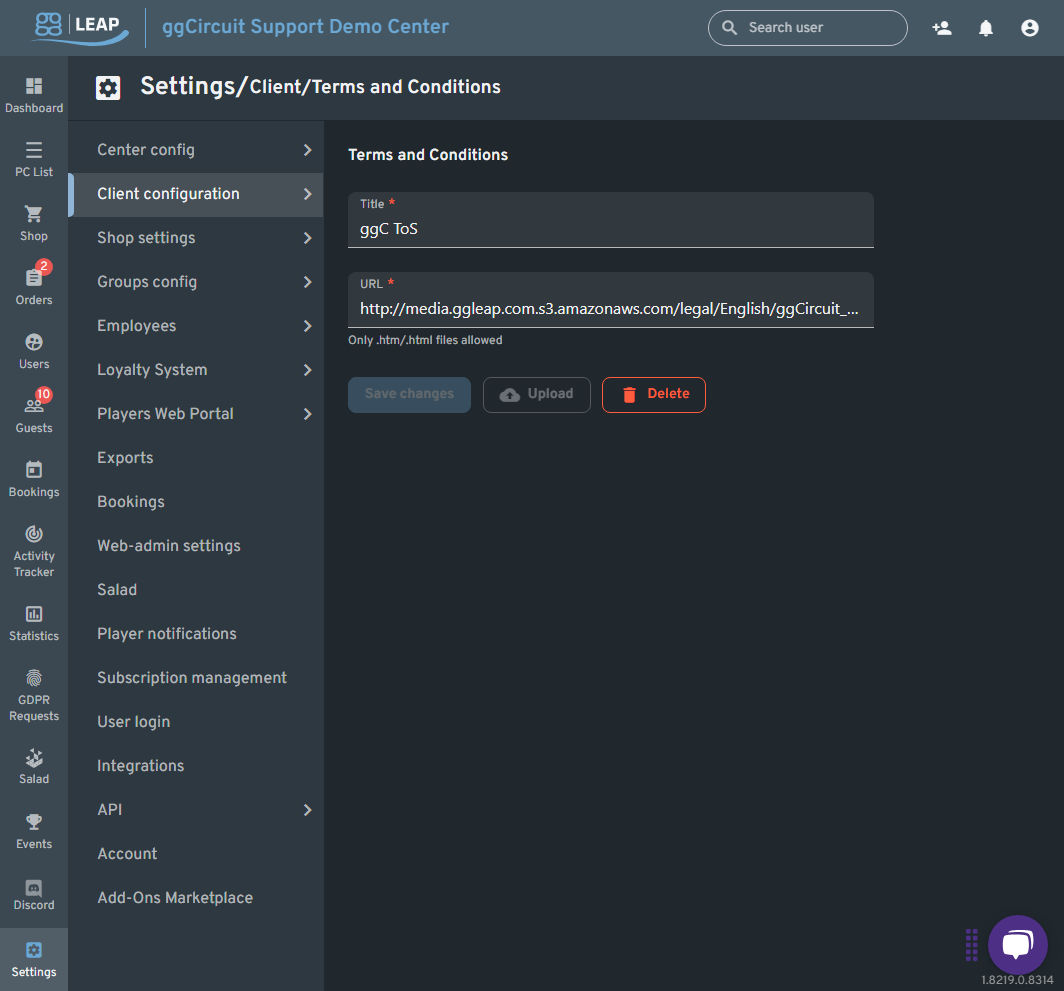
Require players to accept your venue’s legal agreement before they can log in.
| Field | Description |
|---|---|
| Title | The name of your policy as shown on-screen (e.g. “Center ToS”). |
| URL | A publicly accessible link to a .htm or .html file containing your full terms and conditions. |
| Upload | (Optional) Host a local .htm/.html file directly in ggLeap if you don’t have external hosting. |
Below the inputs, you have three action buttons:
- Save changes
Apply the current Title/URL so that the client displays your Terms & Conditions at login. - Upload
Opens a file picker to upload a local.htm/.htmlfile in place of an external URL. - Delete
Remove the existing Terms & Conditions entry (clients will no longer be prompted).
Tip: Keep your ToS up to date by uploading a new HTML file or updating the URL whenever your policy changes.