

 Español
 中文
 العربية
How to verify the status of the ggRock Service
This article describes steps necessary to check the status of the ggRock server application using systemctl.
Check the status of the ggRock service
- Access the server console via a direct connection to the server, SSH, or via Debian Control Panel.
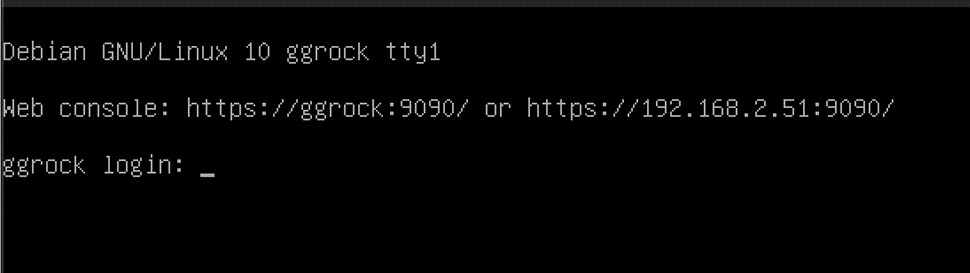
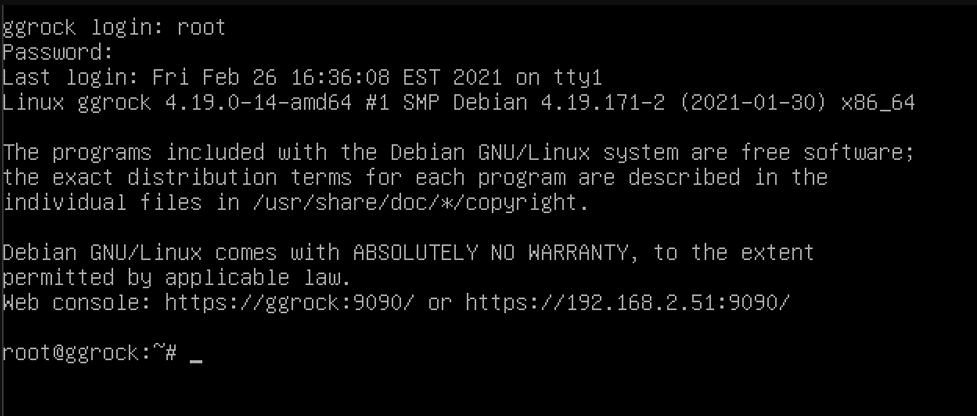
- Log in with the root user, or another admin user on the system.
- Check the status of the ggRock service with the "systemctl status ggrock" command.
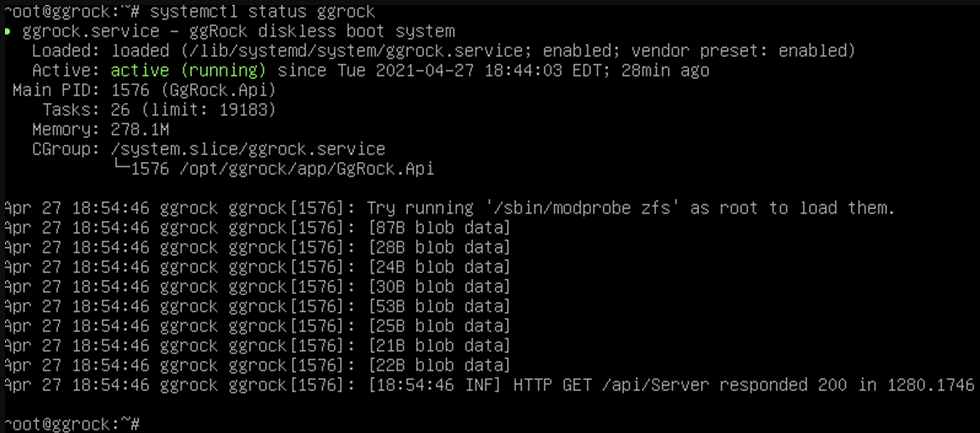
- Confirm that the status is "active (running)".
Was this article helpful?
More in Web UI & service
- 🛠️ Fix: "Failed to Connect to Server" When Opening a VM Console (noVNC)
- Advanced: Remove current owner / license from a ggRock server
- After a new installation of ggRock, unable to change password or log in due to being returned to the initial login screen (0.1.853 ONLY)
- Cannot access ggRock Web UI, This site can't be reached
- Cannot log into the ggRock Web UI