

 Español
 中文
 العربية
🌐 Set System Language/Locale to en_US.UTF-8 (Required for ggRock)
❗ Problem
The ggRock Server Application requires the system locale to be set to en_US.UTF-8 to function properly. Using a different locale may cause:
- Errors on the Arrays tab
- Unexpected or broken behavior in other parts of the application
✅ Solution
Follow the steps below to change your Debian system locale:
🔐 Step 1: Log in to the Server
You can access the server as root using one of the following methods:
- Debian Control Panel
- SSH
- Direct physical access
💻 Step 2: Reconfigure Locales
Run the following command in the terminal:
dpkg-reconfigure locales
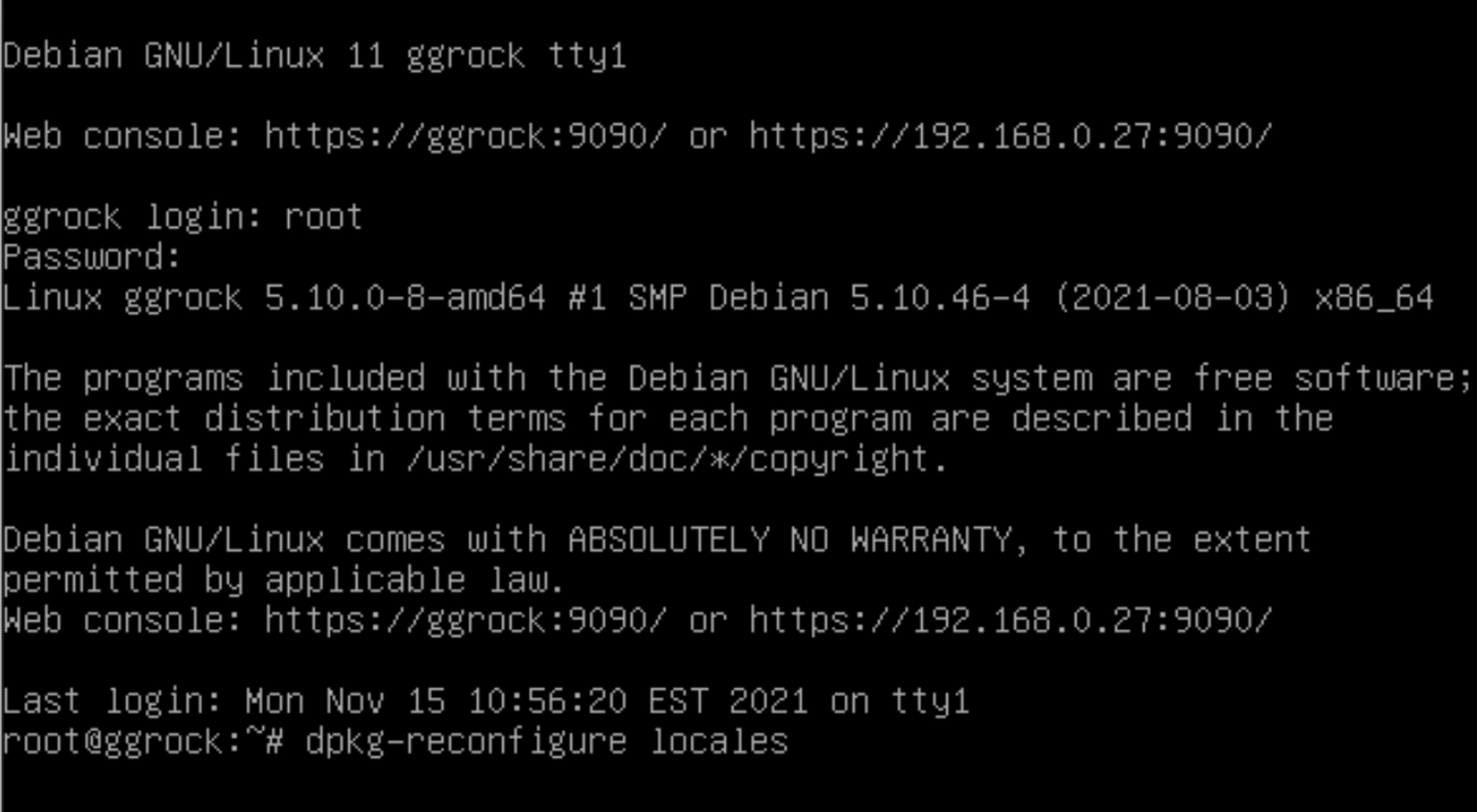
🧭 Step 3: Select en_US.UTF-8
On the "Configuring locales" screen:
- Use the arrow keys to scroll to:
[ ] en_US.UTF-8 UTF-8
- Press the Space Bar to select it:
[*] en_US.UTF-8 UTF-8
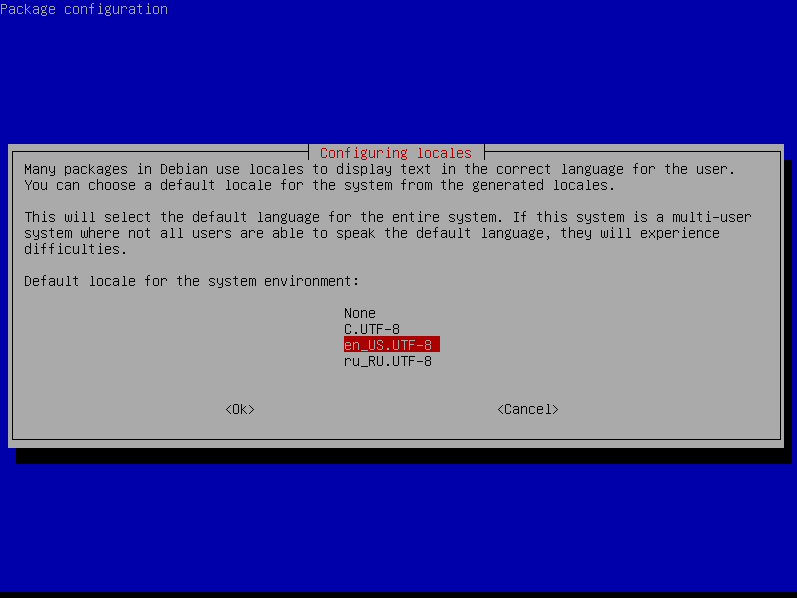
If it's already selected, proceed to the next step.
🌍 Step 4: Set Default System Locale
From the same configuration tool:
- Choose
en_US.UTF-8as the default locale - Press Enter to confirm
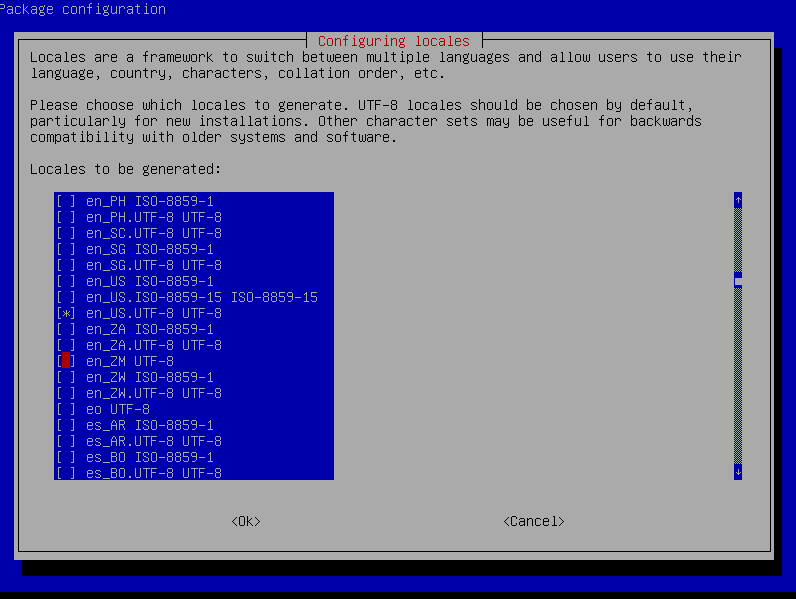
🔁 Step 5: Reboot the Server
After completing the steps above, reboot the server:
reboot
Then, check the Arrays tab in the ggRock web interface to ensure it's working as expected.
📘 Additional Info
⚙️ Our development team is aware of the issue and working on solutions that will remove the need for this locale requirement in the future.