

 Español
 中文
 العربية
🌐 [Advanced] PXE Boot Across Subnets
🧩 Overview
This guide covers a more advanced ggRock PXE boot scenario involving clients located across multiple subnets, VLANs, or network segments.
🛠️ Problem
In complex network environments, client devices may reside on different subnets. By default, PXE broadcasts do not traverse subnet boundaries — which means additional configuration is needed for multi-subnet PXE booting.
✅ Solution
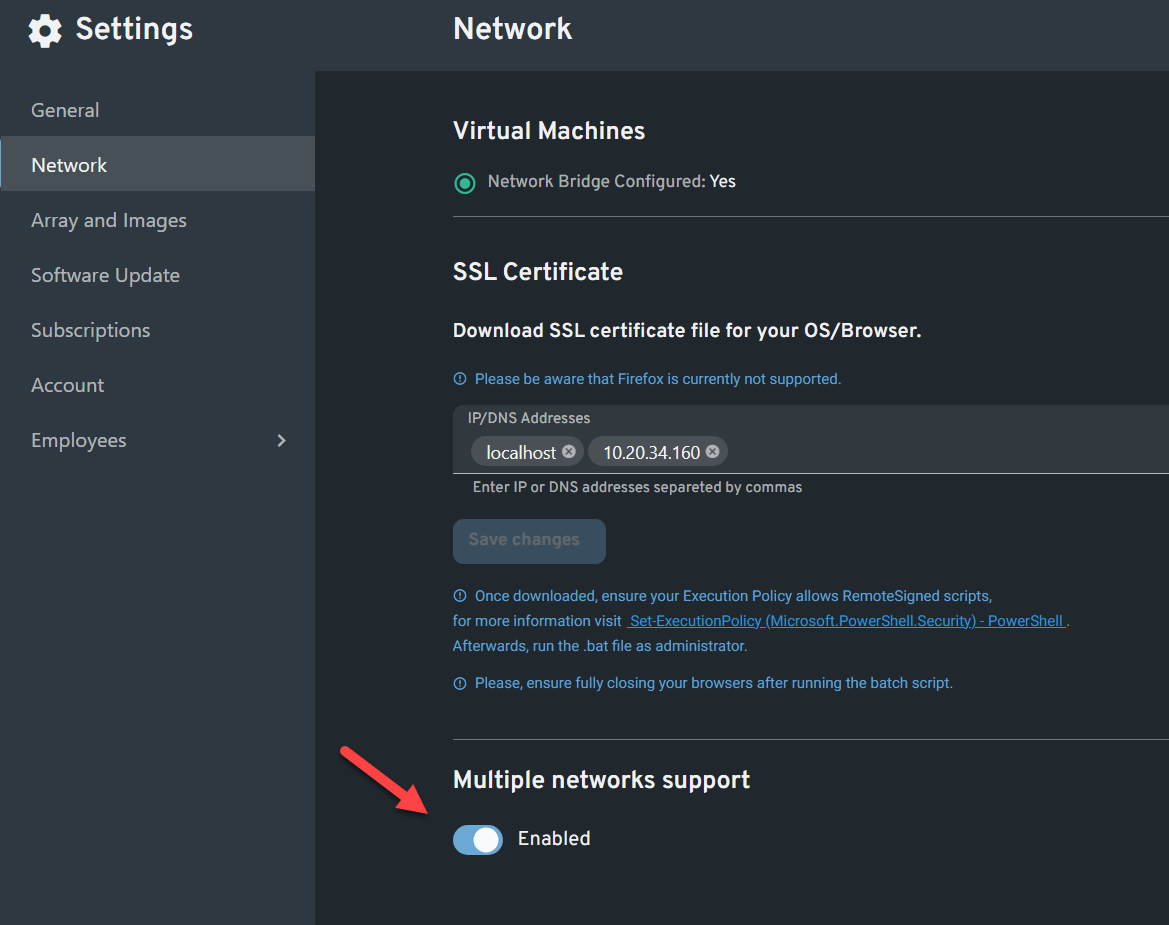
1. Disable Default Gateway Handling
Edit the ggRock configuration file to avoid routing boot traffic through a default gateway.
nano /opt/ggrock/app/App_Data/config.json
Add the following content:
{
"ServerConfiguration": {
"BootDefaultGateway": "None"
}
}
💾 Press
CTRL+X, thenY, thenEnterto save and close.
2. Define Subnet Ranges for PXE
Create a custom dnsmasq configuration file:
nano /etc/dnsmasq.d/vlan.conf
Add the following line, replacing the IP range and netmask with the correct values to define the full scope of PXE clients on your network. The goal is to cover the broadest possible address range that includes all potential PXE clients:
dhcp-range=10.0.0.0,proxy,255.255.255.0
Examples:
- If your PXE clients are in
10.0.0.0 – 10.0.0.255, use:
dhcp-range=10.0.0.0,proxy,255.255.255.0
- If your PXE clients span
10.0.0.0 – 10.0.1.255, use:
dhcp-range=10.0.0.0,proxy,255.255.254.0
- If you're covering
10.0.0.0 – 10.0.255.255, use:
dhcp-range=10.0.0.0,proxy,255.255.0.0
📌 Note: Use only one dhcp-range line per subnet or supernet that includes your PXE clients. The proxy keyword ensures that dnsmasq will provide PXE options without assigning IPs (used when another DHCP server is providing the addresses).
3. Restart Services
Restart ggRock and the web server to apply changes:
systemctl restart ggrock
systemctl restart nginx
systemctl restart dnsmasq
💡 Additional Notes
- A custom
dnsmasqconfiguration may be necessary depending on your network topology. - Make sure IP Helper addresses (or DHCP relay) are configured on each Layer 3 device (e.g., routers or L3 switches) between the client and the PXE server.
🧠 How It Works: PXE Across Subnets
- Client Broadcast: A client sends a DHCP/PXE broadcast to the local subnet.
- IP Helper: The router intercepts and forwards the broadcast as a unicast to the PXE server.
- Multi-hop Routing: If more routers exist between client and server, each must also forward via IP helper.
🖼️ Example Diagram
Client ---[Switch]---[Router 1]---[Router 2]---[PXE Server]
^ ^
IP Helper IP Helper
Configured Configured
✅ Each router in the path must be configured to forward PXE/DHCP packets to ensure successful booting.
🆘 Need Help?
If you're still having trouble booting across subnets, don't worry — we’ve got your back!
Reach out via our 💬 web support chat or email us at support@ggcircuit.com.