

 Español
 中文
 العربية
🛠️ Troubleshooting: ggRock Client Agent Not Starting at Boot
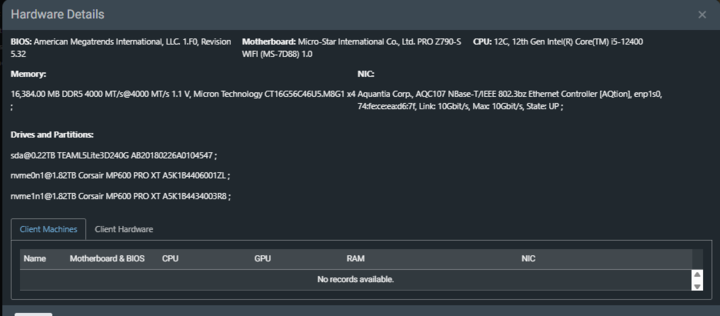
In some cases, especially during trial installations or new deployments, a client machine may fail to appear under the Hardware tab in the ggRock UI. This is often caused by the ggRock Client Agent not launching at system boot due to a missing registry entry under HKEY_CURRENT_USER.
This article walks you through how to identify and resolve this issue quickly.
❓ Symptoms
- Machines do not appear in the ggRock Hardware page.
-
ggRock Client Agent process is not running in Task Manager after boot.
-
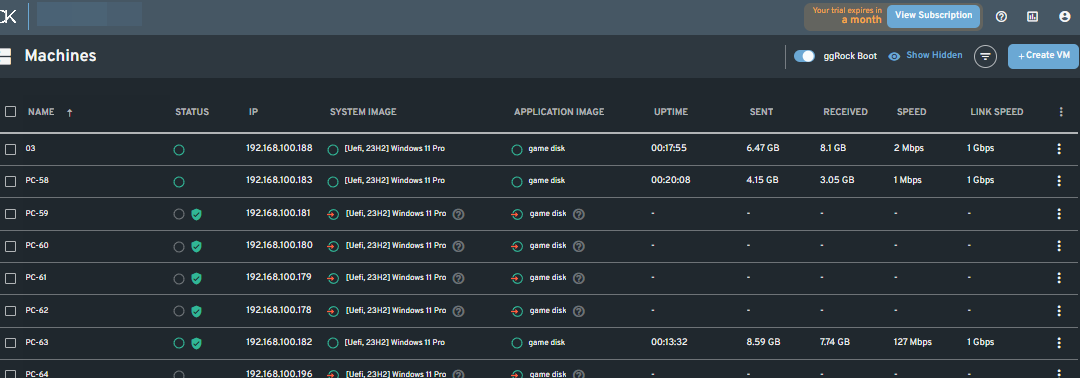
Link Speed not visible in the ggRock Web UI
🔍 Root Cause
The ggRock Client Agent is triggered by a Run key under HKEY_CURRENT_USER. If the registry entry is missing (due to improper user login context, permissions, or registry corruption), the agent will not start automatically.
🧰 Solution
Step 1: Confirm the Agent Isn’t Running
- Boot the client machine normally.
- Open Task Manager and check for
GgRock.Client.exeunder the Details tab. - If it’s not listed, continue to the next step.
Step 2: Manually Re-add the Registry Entry
- Open Notepad and paste the following:
   Windows Registry Editor Version 5.00
   [HKEY_CURRENT_USER\SOFTWARE\Microsoft\Windows\CurrentVersion\Run]
   "ggRock Client Agent"="conhost \"%PROGRAMDATA%\ggRock\Client\GgRock.Client.exe\" -agent"
-
Save the file as:
ggrock-client-agent.reg -
Double-click the
.regfile to import it into the registry.✅ Note: This is safe to run even if the entry already exists — it will simply overwrite it.
Step 3: Save Snapshot & Reboot
- From the ggRock control panel, save a snapshot for the affected client.
- Reboot the client.
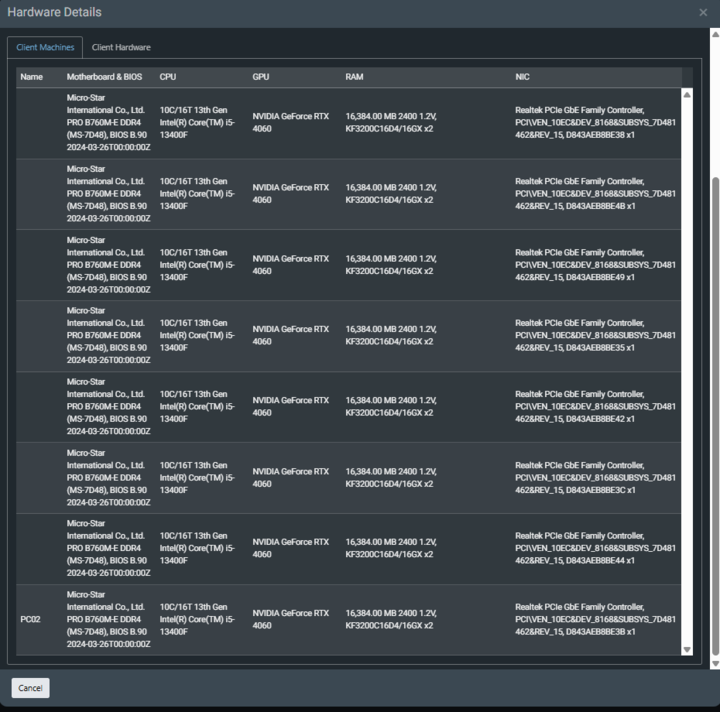
- After rebooting, verify the client appears under the Hardware page and is reporting link speed.
🧩 Additional Notes
- Make sure the PC is set to the correct timezone if login tokens are failing.
- Ensure link speed shows up for each client in the ggRock web UI as a sign of good connectivity.
If you continue having issues, please reach out to ggCircuit Support with screenshots and relevant logs.
Happy booting! 🎉